A research-based n8n review covering execution economics, visual workflow building, APIs, webhooks, code, errors, Cloud versus self-hosted operations, queue-mode scaling, credentials and governance, AI agents, human approval, observability and the safeguards business-critical automation needs.
- Plans verified: August 14, 2026
- Review type: Research-based
- ChoiceRidge testing: No hands-on execution or reliability test claimed
Review disclosure: ChoiceRidge reviewed current n8n pricing, documentation, feature pages and public workflow/interface evidence. We did not operate an n8n production instance for this edition. Public screenshots are labeled by source. Recommendations about retries, idempotency, secrets, monitoring and recovery are ChoiceRidge production-automation guidance, not claims that n8n automatically protects every workflow.
One of the strongest automation choices for technical teams — because it does not hide the architecture
n8n combines a visual workflow editor with code, expressions, webhooks, HTTP/API calls, branching, loops, AI agents and both managed Cloud and self-hosted deployment. Its strongest advantage is architectural control: a team can start in Cloud to reduce operations work, or self-host when data placement, networking, custom nodes, scaling topology or deployment policy becomes a documented requirement.
That same flexibility is the primary caveat. n8n is not “Zapier with a prettier technical canvas.” Production use requires decisions about trigger frequency, execution quotas, API rate limits, duplicate events, retries, error routing, credentials, execution retention, concurrency and — when self-hosted — compute, databases, queues, upgrades, backups and incidents.
Best for
Technical teams, API-heavy workflows, custom logic and AI orchestration
Skip or test carefully
Teams prioritizing the shortest no-code learning path or desktop RPA
Billing unit
Complete workflow executions, not individual steps
Strongest differentiator
Cloud/self-host deployment control + code/API depth
Biggest production risk
Underestimating operational ownership and failure paths
Evidence level
Research-based Expanded
Pricing and executions: the billing model changes how you should model automation
n8n currently prices paid plans around workflow executions: a complete workflow run counts as one execution regardless of how many steps the workflow contains. That is materially different from automation products that charge for each task, operation or module action.
| Option | Published annual-billing price | Executions | Concurrency | Deployment / best fit |
|---|---|---|---|---|
| Starter | €20/mo | 2.5K/mo | 5 | n8n Cloud; getting started |
| Pro | €50/mo | 10K/mo | 20 | n8n Cloud; production builders/small teams |
| Business | €667/mo | 40K/mo | Self-hosted scaling features | Self-hosted collaboration/governance/scale |
| Enterprise | Custom | Custom | 200+ published on pricing matrix | Cloud or self-hosted; strict governance/SLA |
| Community Edition | No SaaS subscription price | Infrastructure-limited | Infrastructure/config-limited | Self-hosted; technical operators |
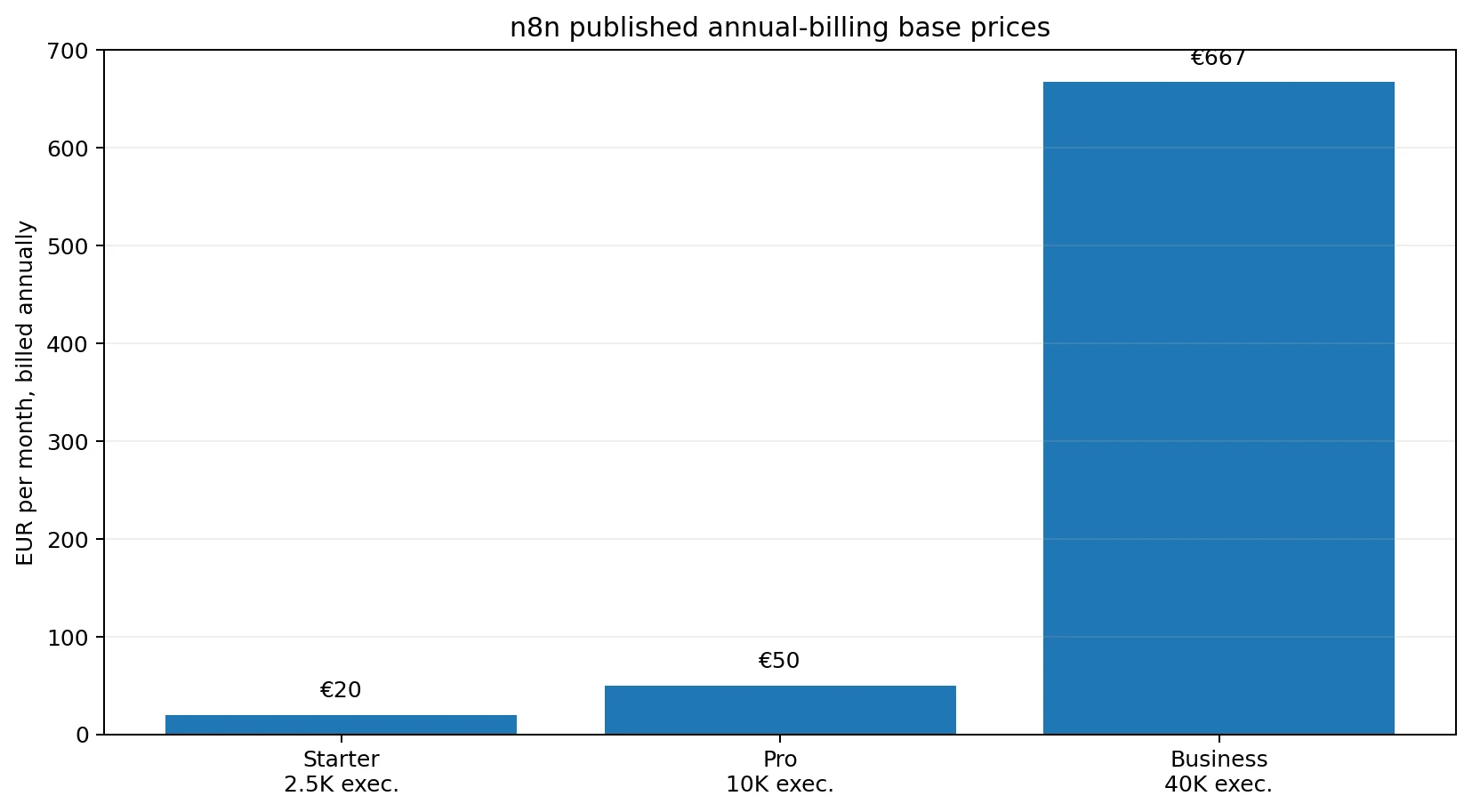
What an execution actually means
One execution can contain a long chain of nodes, loops, transformations and API calls. That can make complex workflows economical relative to step-based billing. But it does not make trigger frequency irrelevant. Scheduled polling, webhooks, chat messages, sub-workflow architecture and retry strategies can still create high execution volume.
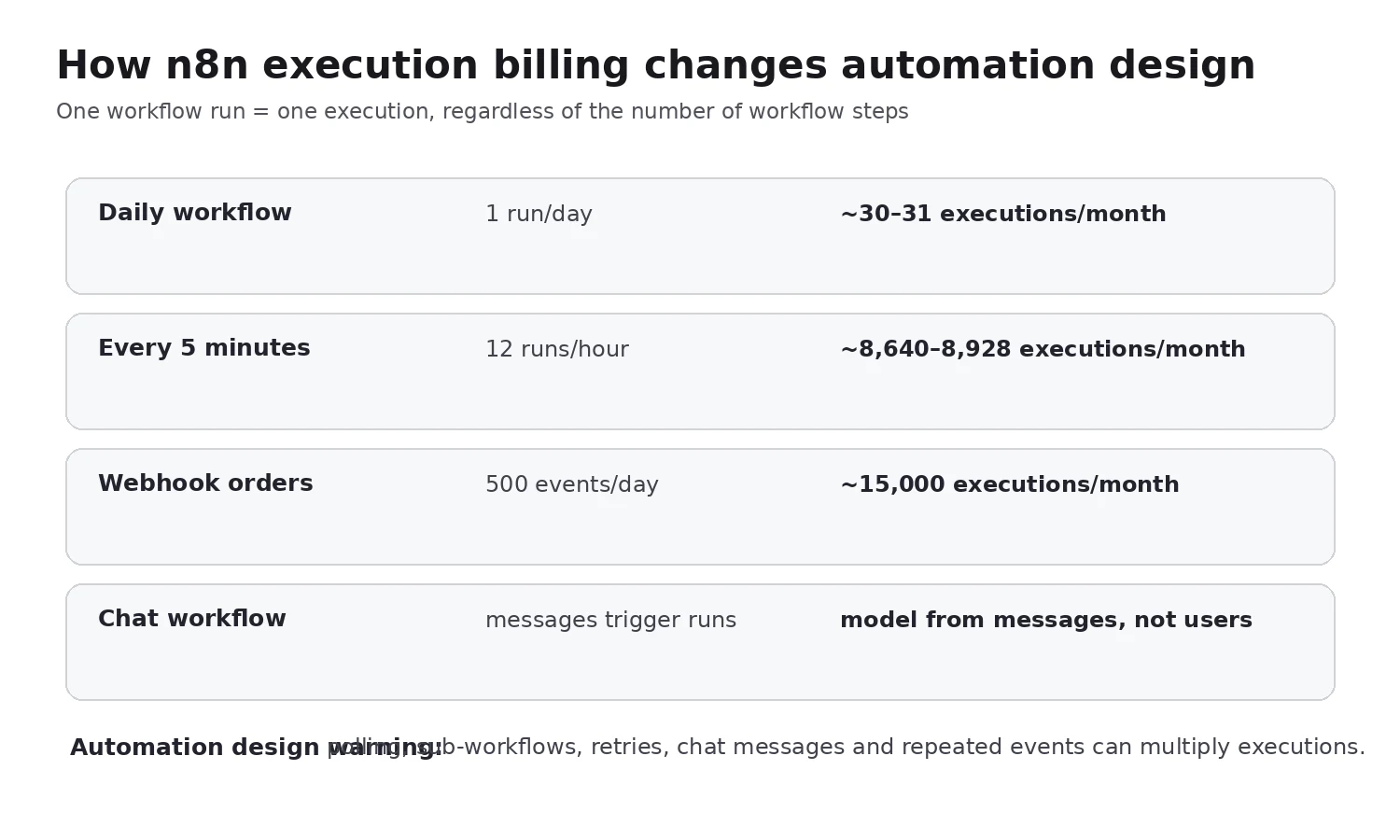
Automation design implication:
The builder: visual enough to inspect, technical enough not to become a ceiling
n8n’s visual canvas is built around nodes, data flowing between nodes and immediate execution output. A useful distinction from simpler no-code tools is that data is not hidden behind only form fields: users can inspect JSON/schema output, map values, use expressions and switch into code when the workflow needs custom transformation.
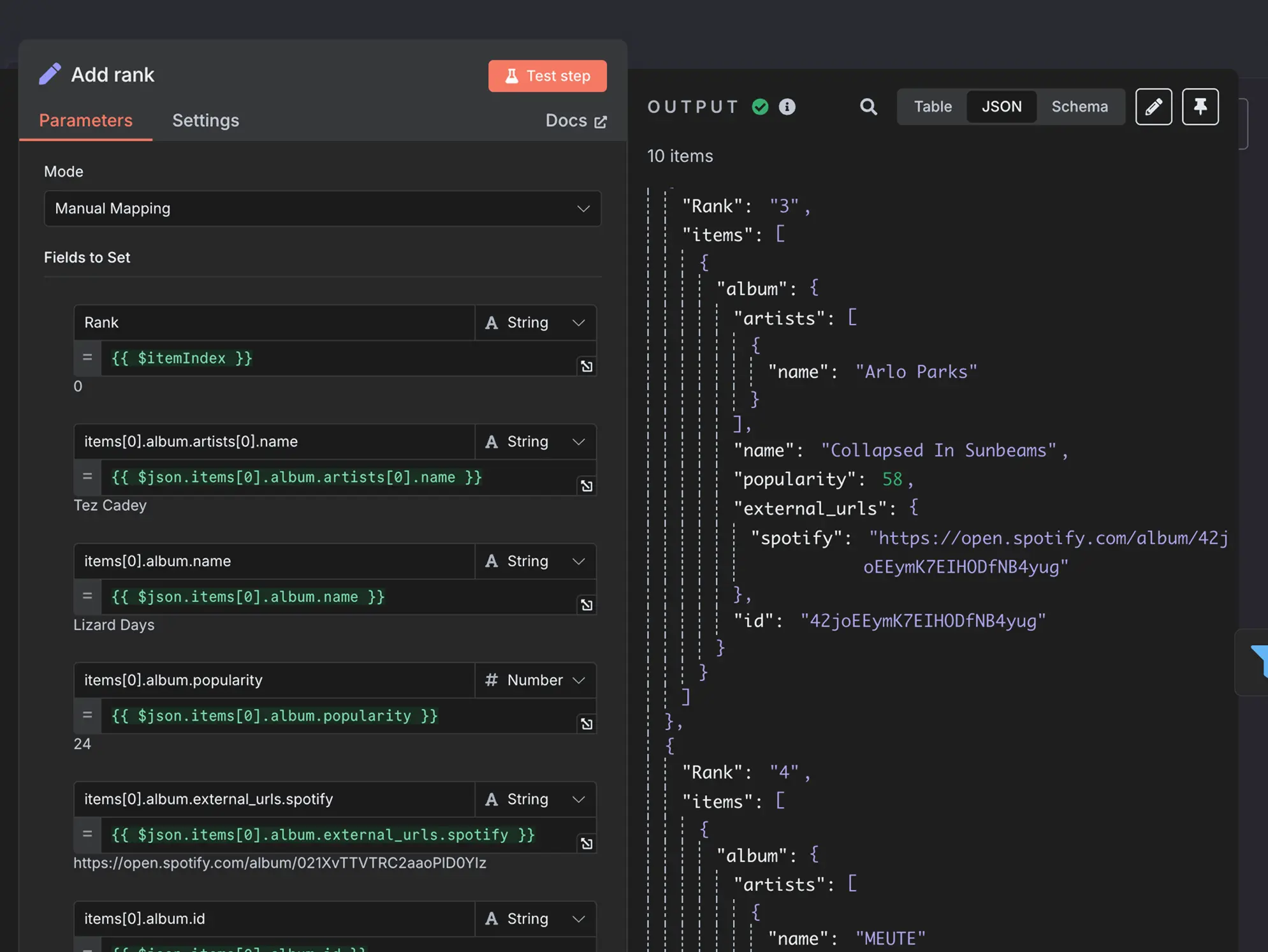
ChoiceRidge view: this is one of n8n’s most important advantages for debugging integration problems. Automation failures often come from data shape, null values, arrays, pagination or API differences — not the visual connection between boxes. Seeing the actual payload matters.
Triggers and webhooks: event architecture matters more than the connector count
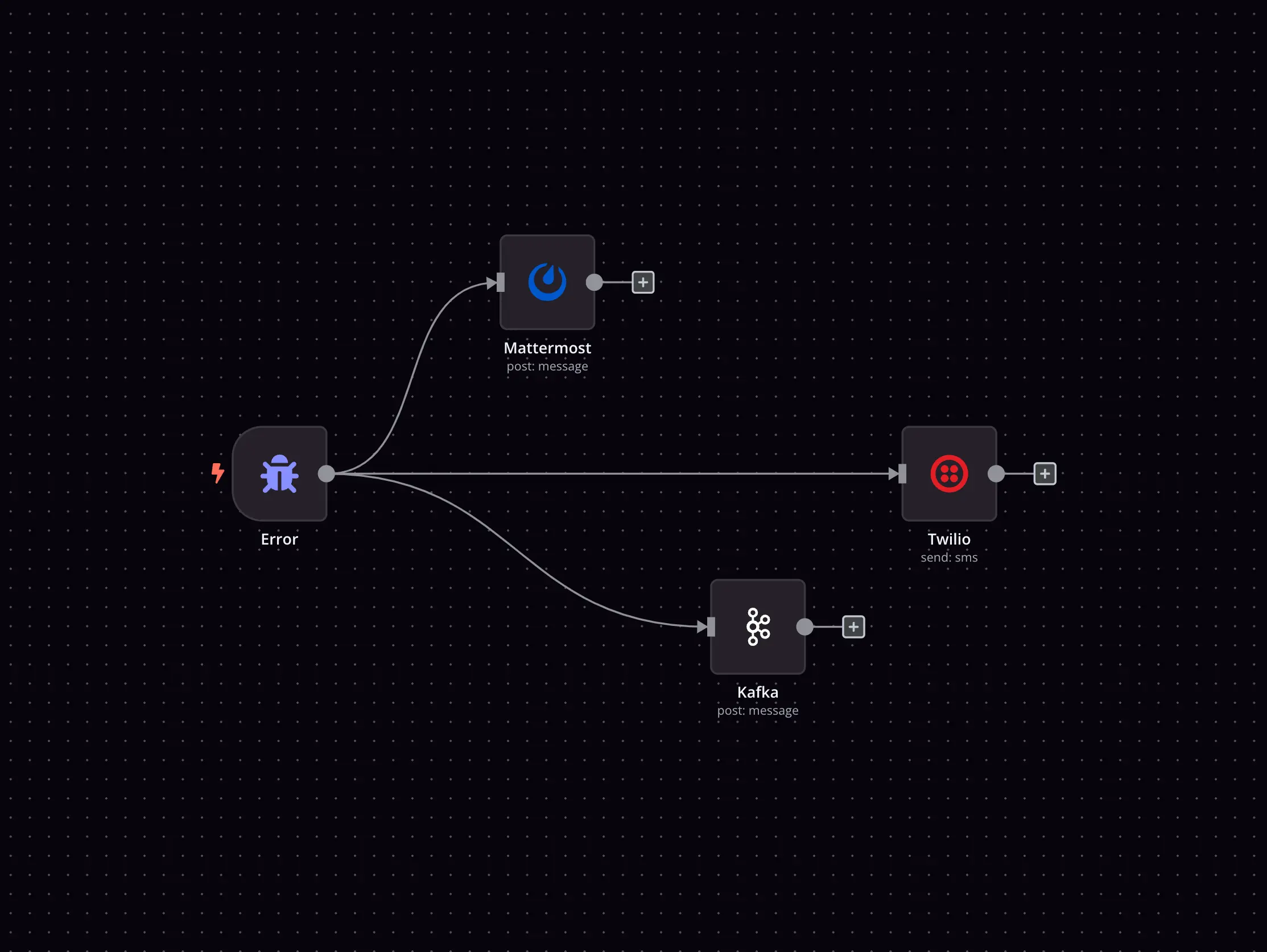
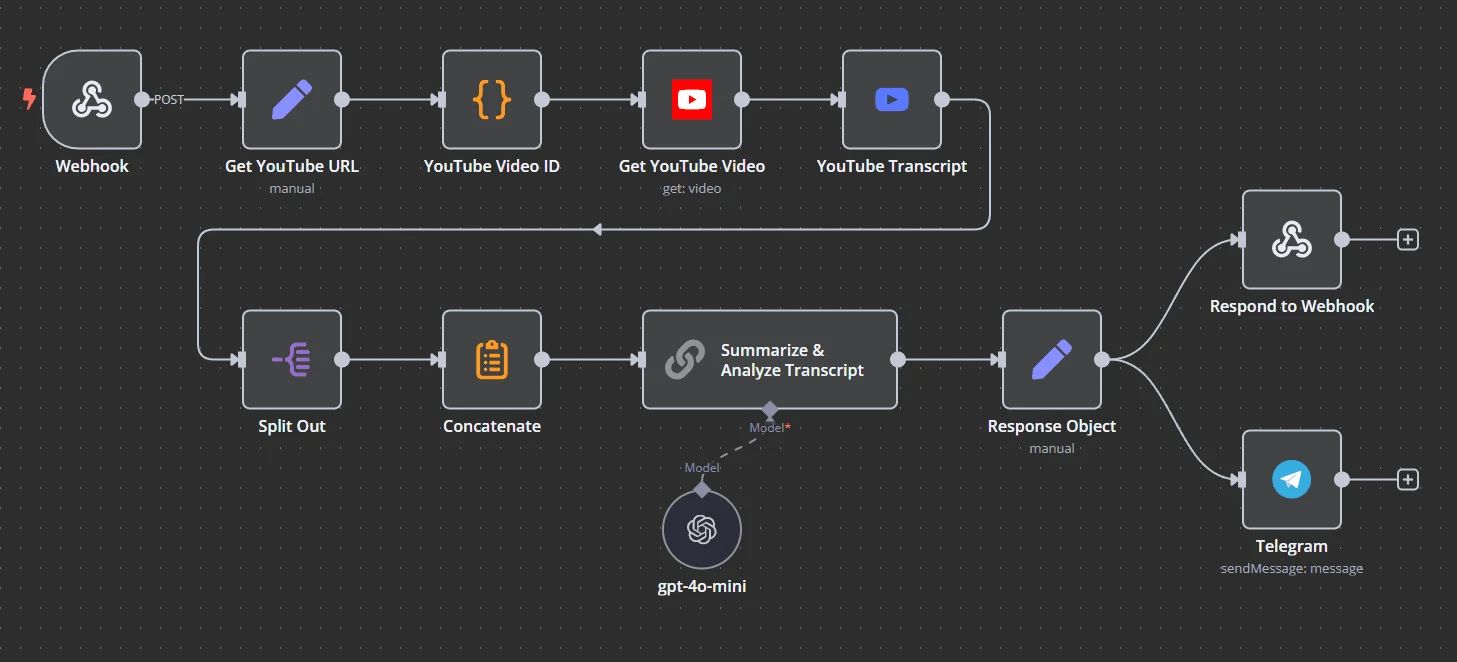
n8n supports application triggers, schedules, webhooks, queues/event streams, chat and sub-workflow patterns. Its own feature material shows webhook, Kafka, schedule, chat, error and workflow triggers side by side.
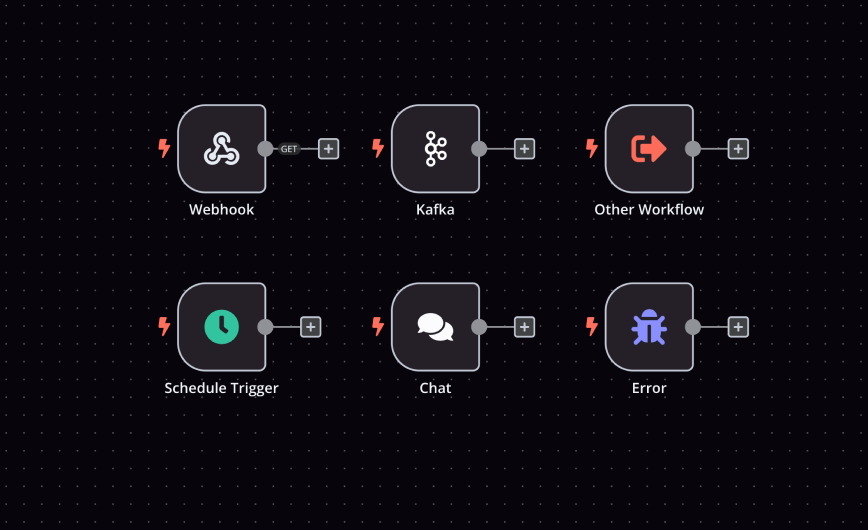
A webhook is usually preferable to frequent polling when the source system can reliably push events. It can reduce delay and execution volume, but it also introduces security and reliability requirements: authenticate or verify signatures where the upstream supports them, validate payloads, return appropriate HTTP responses and design for duplicate or delayed delivery.
ChoiceRidge production rule:
Branching, loops, transformations and code
n8n’s value rises when a workflow is more than “if X happens, send Y.” IF/Switch, loops, merge, de-duplication, aggregation and code allow workflows to become small integration applications.
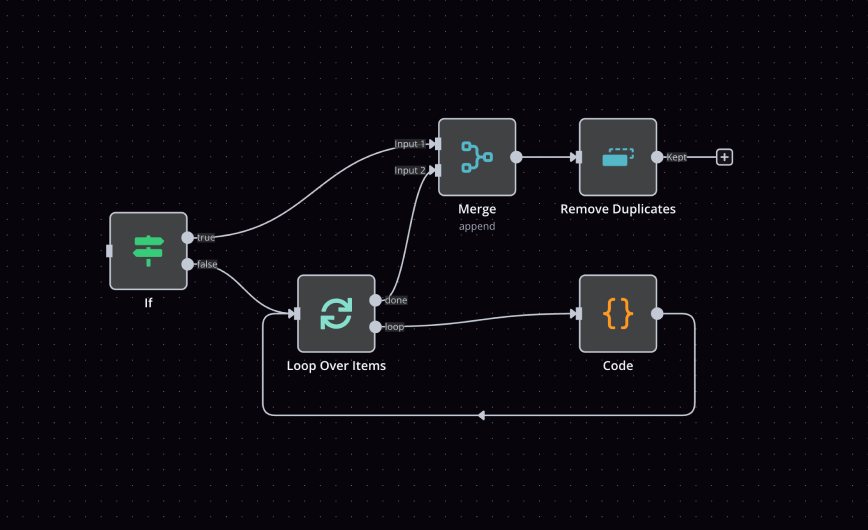
Code is a first-class escape hatch
The Code node supports JavaScript and Python on current pricing/feature material, while self-hosted deployments can support deeper custom-node/package scenarios. The HTTP Request node is equally important: a missing prebuilt connector does not necessarily block integration if the vendor exposes a usable API.
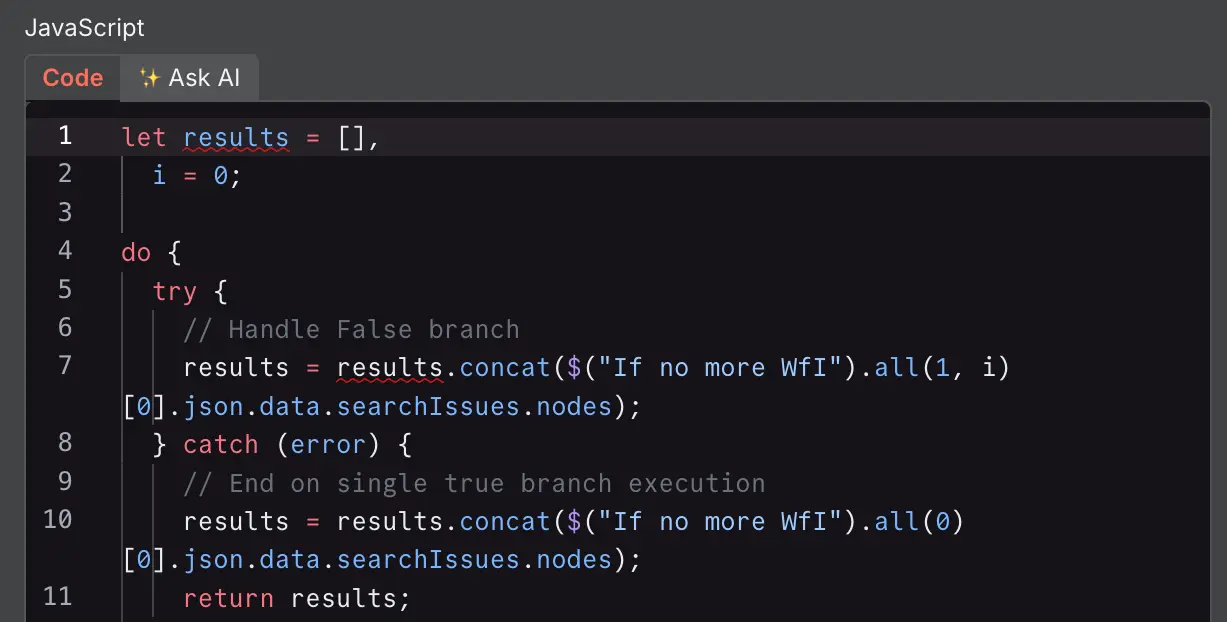
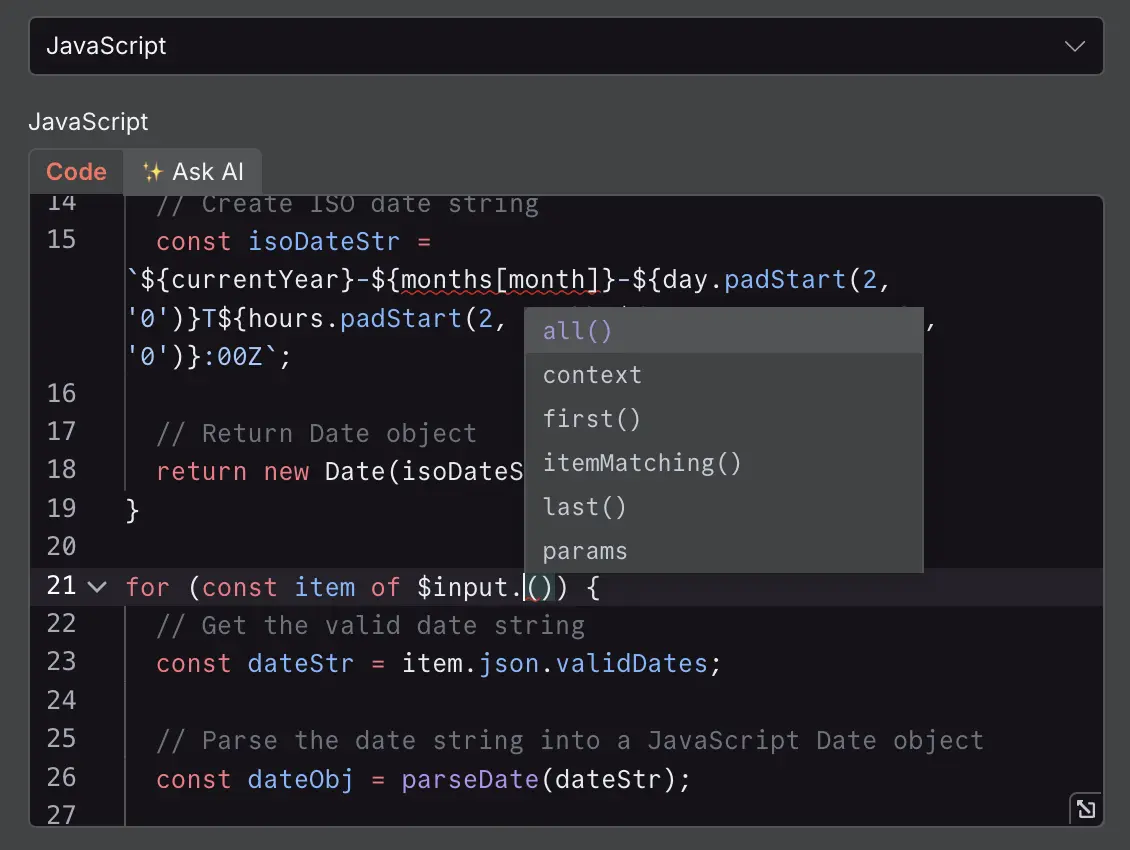
Tradeoff: once a workflow contains substantial custom code, it should be reviewed like software. Naming, tests, ownership, versioning, error handling and documentation become more important, not less, just because the code sits inside an automation canvas.
Error handling and reliability: this is where automation reviews should become stricter
n8n supports execution logs, error workflows, retry behavior, re-running failed executions and loading previous execution data for debugging. Current documentation also allows node-level Retry On Fail and error-handling behaviors that can stop a workflow or continue through controlled paths.
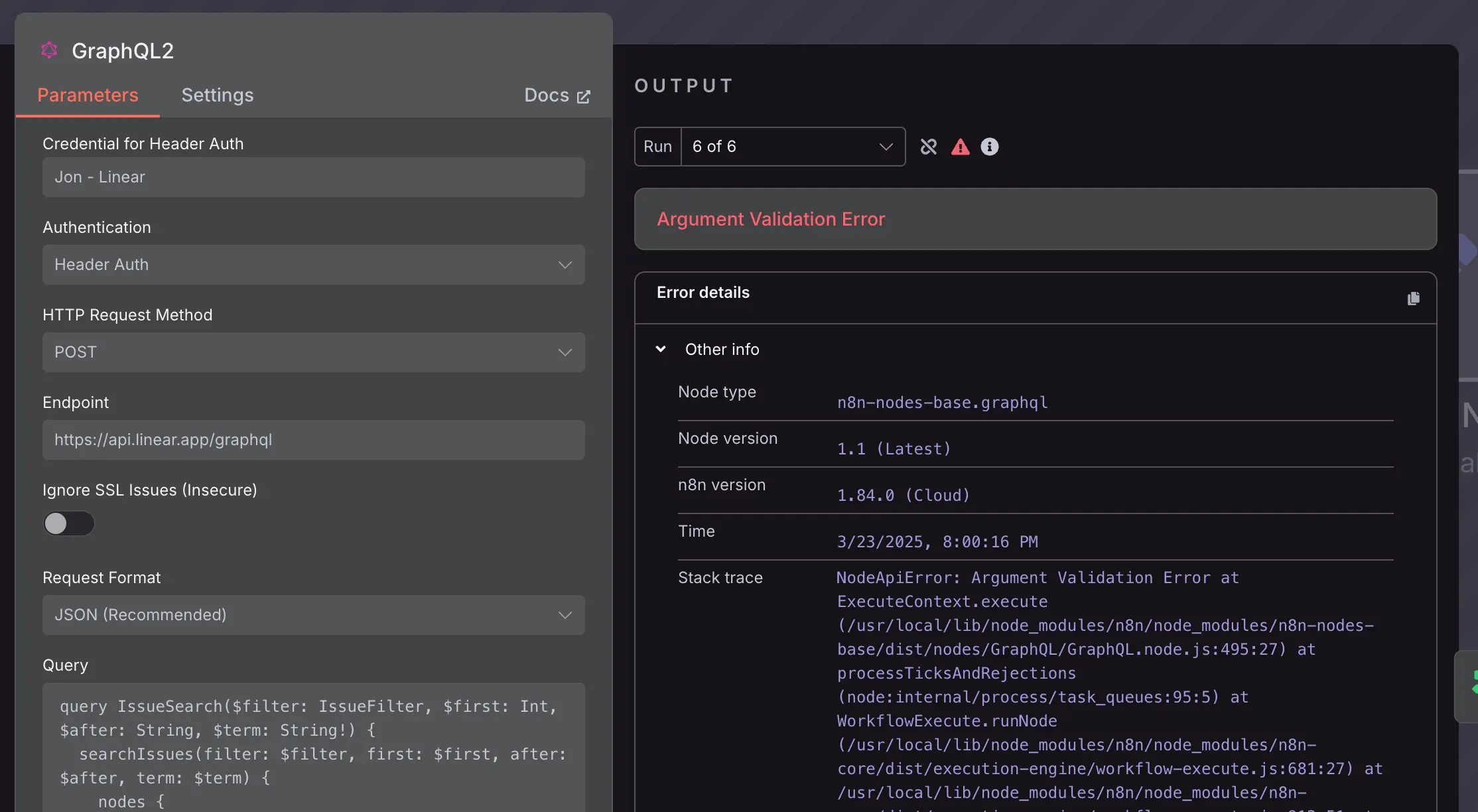
Retries are necessary — and dangerous when the action is not idempotent
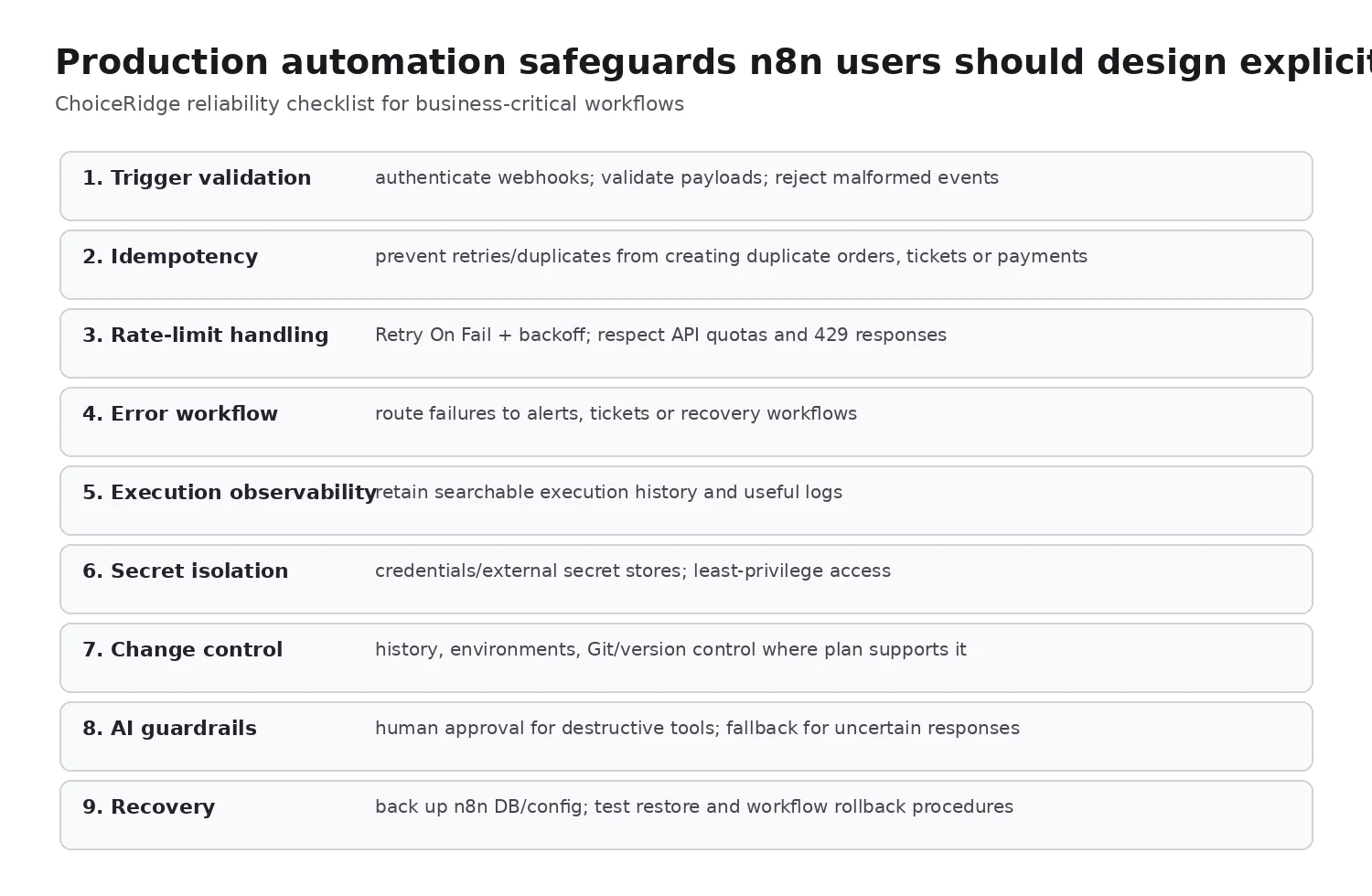
A Retry On Fail setting is useful for rate limits and transient network errors, but blindly retrying a non-idempotent action can duplicate side effects. If a payment, shipment, ticket or CRM record was created but the acknowledgement timed out, a retry may create it again unless the upstream API or workflow uses an idempotency key or business-level duplicate check.
Rate limits should shape workflow architecture
n8n documentation explicitly recommends retry controls for APIs that respond with rate-limit errors. For higher volumes, batching, Wait nodes, queueing and vendor-specific quotas should be modeled rather than discovering the rate limit in production.
n8n Cloud vs self-hosted: control is not the same as lower cost
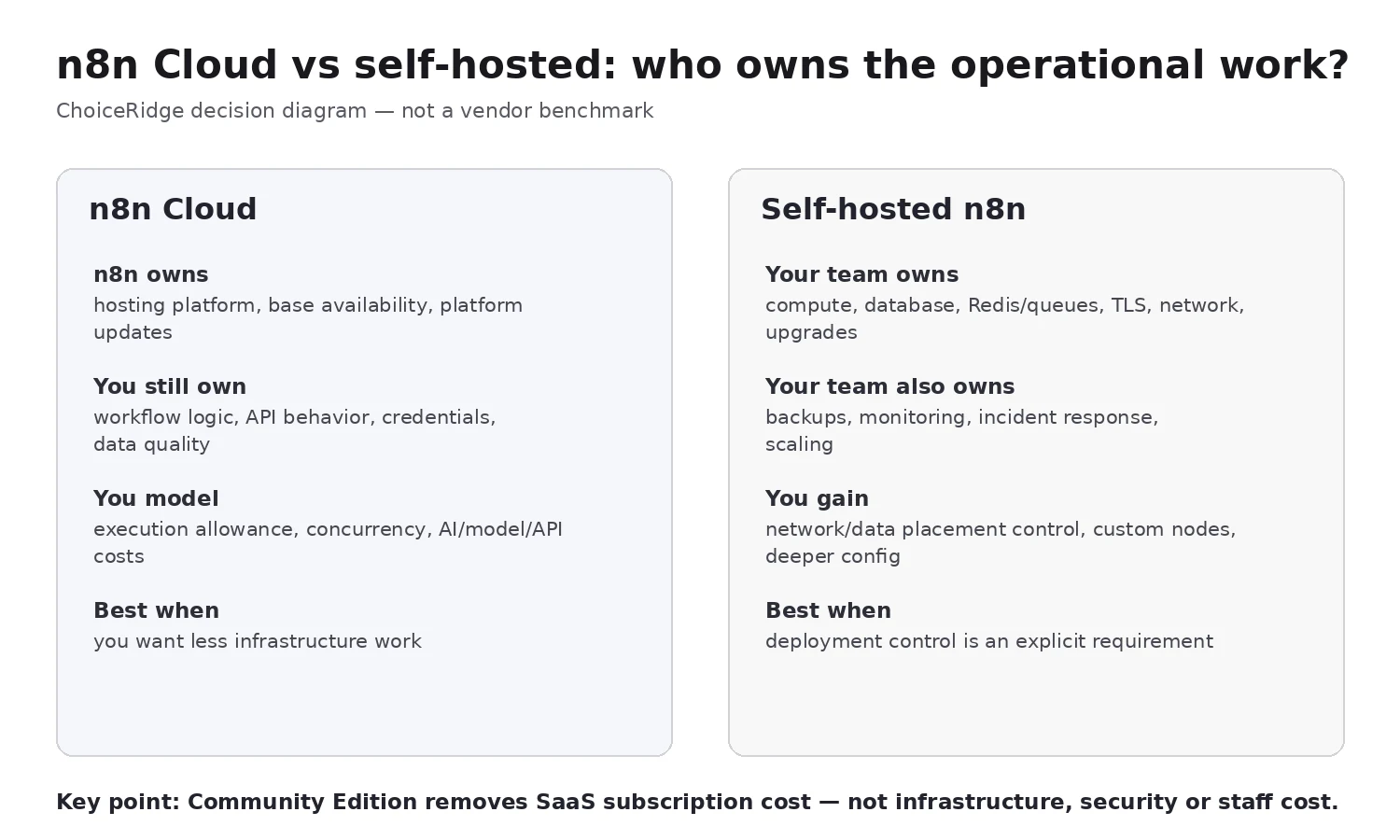
Community Edition removes the SaaS subscription price, but it transfers infrastructure and security work to the operator. The current ChoiceRidge review already makes this distinction correctly; the expanded version makes the responsibility boundary explicit.
Self-hosting can be the right choice
It becomes compelling when private networking, on-prem deployment, custom nodes, data location, queue architecture or integration with internal systems is a requirement. It is a poor justification when the only argument is “the Community Edition is free.”
For self-hosted production, the operating model should define at minimum: database choice and backups; reverse proxy/TLS; encryption key/credential handling; update cadence; execution pruning/retention; health checks; monitoring; log collection; restore testing; and owner/on-call responsibility.
Scaling and queue mode: n8n can scale, but architecture becomes part of the product
n8n’s current queue-mode documentation uses Redis to distribute execution work to workers. The main instance receives workflow information and workers execute jobs. This is powerful for throughput and isolation, but adds infrastructure components that must be operated correctly.
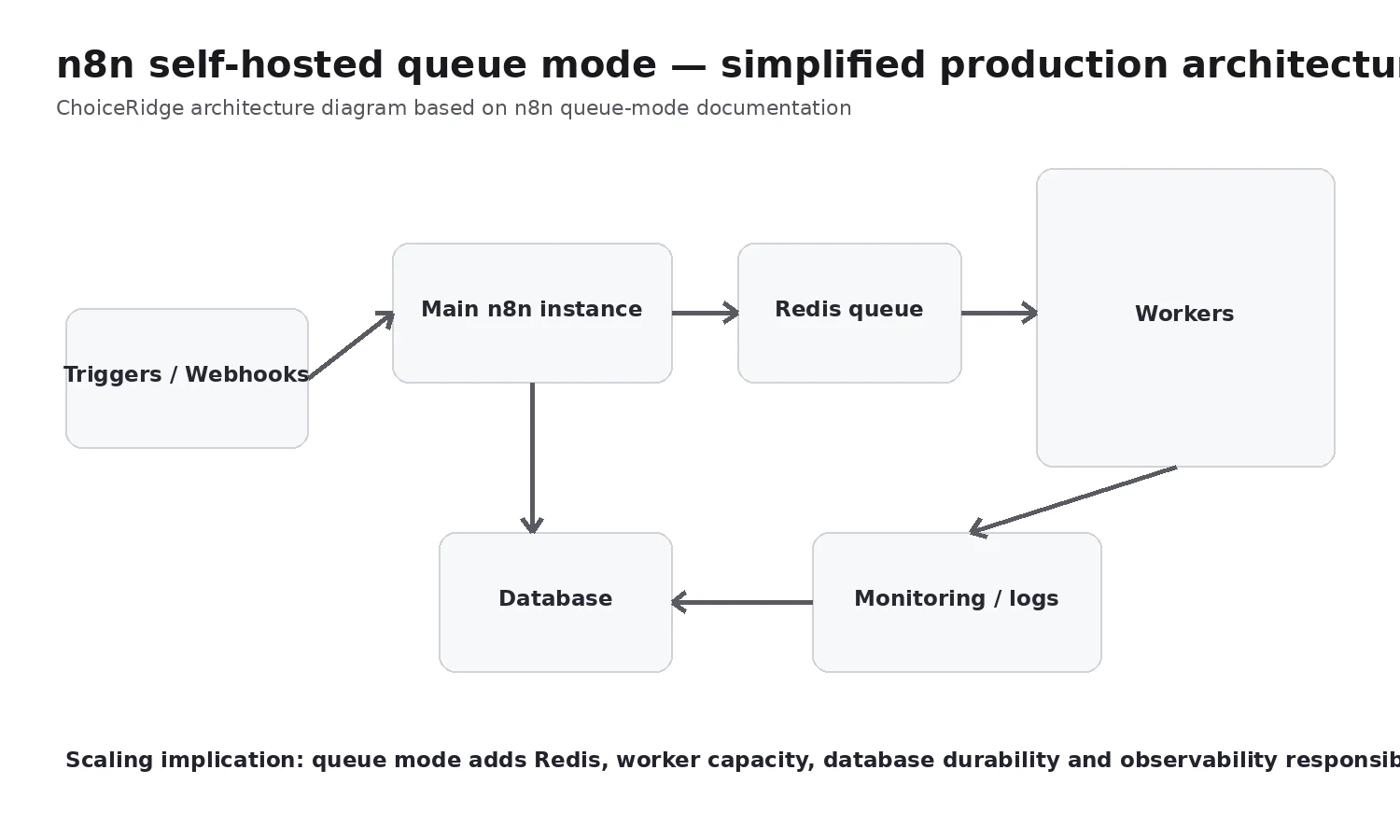
Queue mode is not simply a performance switch. Teams must consider worker sizing, Redis availability, database durability, encryption-key consistency, webhook routing, binary-data handling, job concurrency, health checks and deployment/upgrade behavior.
Scaling question to ask:
Credentials, secrets, projects and governance
n8n’s pricing matrix currently lists encrypted secrets/credentials across paid offerings, while stronger enterprise governance capabilities include SSO/SAML/LDAP, external secret-store integration, log streaming and extended retention depending on edition. Community Edition and commercial plans do not have identical governance surfaces.
Current documentation supports external secret stores such as AWS Secrets Manager, Azure Key Vault, Google Cloud Secret Manager, HashiCorp Vault and Infisical in qualifying editions. Project-scoped access is important because an automation platform can hold credentials to CRM, databases, ecommerce, finance and messaging systems simultaneously.
Version control and environments
Business/Enterprise capabilities include environments and Git-based version control. That matters when workflow changes can affect orders, customers or revenue. Treat a production workflow change like an application deployment: review it, know what changed and have a rollback path.
AI agents: n8n is strongest when deterministic workflow logic surrounds the model
n8n now treats AI as more than one “call OpenAI” node. Current documentation includes AI Agent nodes, tools, model connections, memory, output parsers, multi-agent patterns, human-in-the-loop tool approvals and human fallback workflows.
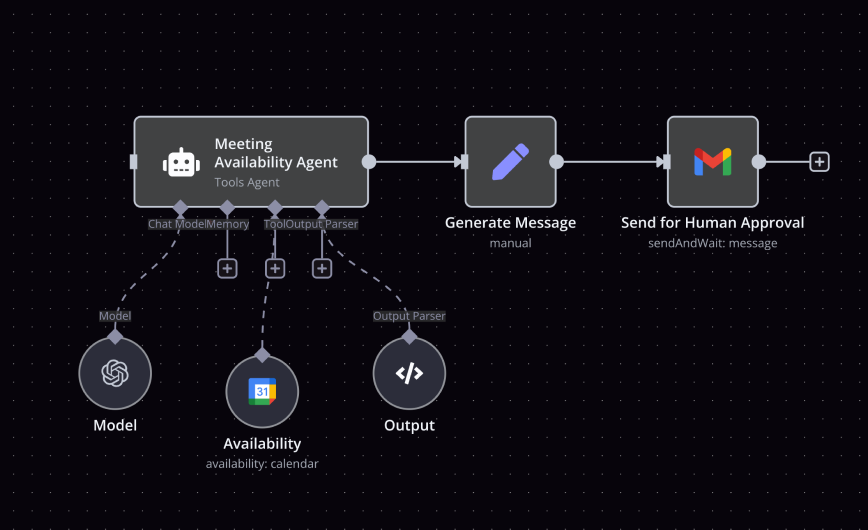
ChoiceRidge view: the most defensible AI automations combine probabilistic model output with deterministic workflow controls. Use the model for classification, extraction, reasoning or drafting; keep irreversible actions behind validation, permissions or explicit human approval when risk warrants it.
Human-in-the-loop should be designed around consequences
n8n’s current documentation can pause an AI Agent before specific tool calls and wait for human approval. This is particularly important for tools that send messages externally, modify customer data, create financial actions, delete records or publish content.
AI workflows add a second cost model
Cloud plans currently include AI Assistant credits for the workflow-building assistant, while AI Agent workflows can separately incur model/API charges depending on the provider and model you configure. Do not confuse n8n’s execution quota, AI Assistant credits and third-party LLM/token cost — they are different billing dimensions.
Total cost: subscription is only one line item
For n8n Cloud, model execution quotas, third-party APIs and AI models alongside the n8n subscription. For self-hosting, add infrastructure, managed database/Redis if used, backup storage, monitoring/logging, TLS/networking, upgrades, patching, incident response and engineering time.
| Cost dimension | n8n Cloud | Self-hosted |
|---|---|---|
| n8n subscription | Starter/Pro/Enterprise | Community or Business/Enterprise license |
| Compute/database/queue | Mostly platform-managed | Your cost and responsibility |
| Third-party SaaS APIs | Your cost | Your cost |
| AI model tokens | Your cost for workflow models | Your cost |
| Backup/monitoring | Platform + plan limits | Your infrastructure/tool cost |
| Operations labor | Lower infrastructure burden | Potentially significant |
Who should choose n8n?
Developers and technical operators Strong fit
HTTP/API depth, code, data inspection, webhooks and deployment choice match technical integration work.
Teams building complex multi-step automation Strong fit
Execution billing can be attractive when a single run contains many steps and transformations.
AI automation teams Strong fit
Agents, tools, human approval and deterministic workflow logic can coexist in one architecture.
Teams with on-prem/private-network requirements Strong fit if operations are funded
Self-hosting can solve genuine deployment/data/network requirements.
Nontechnical operations teams Evaluate learning curve
The canvas is visual, but production-grade use benefits materially from API/data/debugging knowledge.
Desktop automation buyers Poor fit
n8n is workflow/API orchestration, not a desktop-RPA replacement for Power Automate Desktop or UiPath-style UI automation.
Teams seeking “free production automation” Wrong framing
Community Edition removes license/SaaS cost, not infrastructure and operational ownership.
Pros and cons
What n8n does well
- Cloud and self-hosted deployment choices
- Execution billing with unlimited workflow steps
- Visual builder with visible data output
- JavaScript/Python code escape hatch
- HTTP requests, webhooks and custom integration paths
- Branching, loops, merge and transformations
- Error workflows and detailed execution debugging
- Queue-mode scaling path
- AI agents, tools and human-in-the-loop patterns
- Commercial governance path with environments/Git/SSO/secrets
Where n8n is weaker
- Higher technical learning curve than simple SaaS automation
- Execution volume still grows rapidly for frequent triggers
- Self-hosting creates substantial operational work
- Governance/scaling features vary by edition
- Queue mode adds Redis/worker/database complexity
- Retries can create duplicate side effects if workflow design is weak
- AI adds model cost and nondeterministic failure modes
- Not desktop RPA
- Community nodes/custom code expand maintenance surface
- Business plan pricing is not aimed at casual self-hosters
Alternatives worth comparing
| Platform | Compare when… |
|---|---|
| Make | You want visual SaaS automation with less infrastructure ownership |
| Zapier | You prioritize nontechnical onboarding and broad mainstream SaaS recipes |
| Pipedream | You want developer-first automation/serverless code with a different compute pricing model |
| Power Automate | Microsoft governance, M365 integration or desktop RPA is central |
Evidence behind our verdict
| Finding | Primary evidence | ChoiceRidge tested? |
|---|---|---|
| Pricing/execution model | n8n official pricing | No |
| Builder/data mapping | n8n official feature material | No |
| Triggers/webhooks | n8n feature + node documentation | No |
| Errors/retries | n8n build/node documentation | No |
| Queue mode | n8n deployment documentation | No |
| Security/governance | n8n pricing + admin documentation | No |
| AI agent/HITL | n8n AI documentation | No |
| Production safeguards | ChoiceRidge engineering analysis | Editorial recommendation |
| Buyer recommendation | Evidence synthesis | Editorial analysis |
How this review was produced
ChoiceRidge reviewed n8n’s current pricing, Cloud/self-host choices, feature pages, workflow builder material, execution model, queue-mode documentation, retry/error handling, credentials and external secrets, environments/version control, AI Agent and human-in-the-loop documentation, and 2.x-era documentation available in August 2026.
What ChoiceRidge did not test
- No n8n Cloud subscription was purchased specifically for this edition.
- No Community/Business production instance was deployed.
- No execution-throughput benchmark was run.
- No queue-mode cluster was operated.
- No recovery/restore drill was performed.
- No support response time was measured.
- No AI Agent workflow was executed with production credentials.
- No third-party community node was security-reviewed by ChoiceRidge.
No numerical rating appears because ChoiceRidge has not published a validated quantitative automation scoring model.
Final verdict
n8n is one of the strongest choices for teams that want automation to behave more like integration engineering than recipe configuration. It is especially compelling when workflows need APIs, code, complex data transformation, AI tools, self-hosting or a path toward queue-based scale.
It is less compelling when the team wants to avoid technical ownership. n8n Cloud solves much of the infrastructure burden; self-hosting gives more control but turns the platform itself into a system your team must operate. The right decision is therefore architectural, not ideological.
ChoiceRidge recommendation: shortlist n8n for technical automation, API orchestration and AI workflows where control matters. Use Cloud unless self-hosting solves a documented deployment requirement. Before calling any workflow production-ready, define idempotency, retries, error routing, observability, credentials, change control and recovery.
Frequently asked questions
Is n8n free?
Community Edition has no SaaS subscription price, but self-hosting infrastructure and operations still cost money. Cloud and commercial self-hosted plans are paid.
What counts as an n8n execution?
One complete workflow run, regardless of the number of workflow steps.
Is n8n cheaper than Make or Zapier?
It can be for long multi-step workflows, but the billing units are not directly comparable. Model real trigger frequency, third-party API costs and self-hosting labor before comparing.
Can n8n be self-hosted?
Yes. Community, Business and Enterprise deployment paths exist with different licensing/governance features.
Does n8n support error handling and retries?
Yes. Current documentation includes error workflows, retry behavior, execution debugging and re-running failed executions. Workflow-level idempotency remains your responsibility.
Can n8n scale?
Yes. Self-hosted queue mode uses Redis and workers to distribute executions, but it adds infrastructure and operational responsibilities.
Is n8n good for AI agents?
Yes, especially when AI agents are combined with deterministic workflow logic, tool permissions, human approval and fallback paths.
Does n8n replace desktop RPA?
No. n8n is primarily API/workflow orchestration; desktop UI automation is a different architecture.
Is n8n secure?
n8n provides credential encryption and paid governance/security capabilities, but secure workflow design, least-privilege credentials and self-hosted patching/configuration remain operational responsibilities.
Related ChoiceRidge research
- Make Review
- Pipedream Review
- Automation comparisons
- ChoiceRidge Methodology
- Editorial Policy
- How We Make Money
Sources
- n8n — Plans and Pricing
- n8n — Features
- n8n Docs — Choose how to use n8n
- n8n Docs — Queue mode
- n8n Docs — Handle errors gracefully
- n8n Docs — Handle rate limits
- n8n Docs — External secret stores
- n8n Docs — AI Agent
- n8n Docs — Human-in-the-loop for AI tools
- n8n Docs — Executions and retries
- n8n — Public workflow templates
Fact-check note: