Make is a managed visual automation platform for connecting apps, transforming data and routing work through multi-step scenarios. This research-based review examines its current credits model, scenarios, webhooks, error handling, AI Agents, governance and production fit.
- Evidence checked: August 15, 2026
- Review type: Research-based
- ChoiceRidge testing: No production organization, credit benchmark or reliability test claimed
Review disclosure: ChoiceRidge reviewed Make’s current pricing, product documentation and public interface evidence. We did not operate a production Make organization for this edition. Five current interface screenshots come from official Make product material; three are public third-party interface examples. Product facts remain grounded in current Make documentation, not screenshots alone.
Make offers an affiliate program, but the commercial links in this edition are direct, non-tracked official links. ChoiceRidge does not currently earn commission from them. See How We Make Money.
Verdict: visual automation with genuine production depth
Make is one of the strongest managed visual-automation choices when a team understands bundles, credits and failure semantics. Its canvas exposes routers, filters, mappings, webhooks, data transformations and error routes without requiring a self-hosted control plane. The trade-off is that visual does not mean operationally simple: bundle multiplication can increase credits, retries can duplicate business side effects, and AI adds a second variable cost and reliability model.
| Best for | Cross-SaaS operations, ecommerce, CRM/marketing and complex visual branching |
|---|---|
| Plan to evaluate first | Core for production basics; Pro when execution priority, custom variables or full-text log search matters |
| Strongest differentiator | Visible scenario architecture with meaningful production controls |
| Biggest caveat | Credits can multiply through bundles and downstream module runs |
| Deployment | Managed cloud; not a self-hosted automation platform |
Pricing and plans: current 10,000-credit view
Make’s current English/global pricing surface publishes separate USD monthly and annual-prepayment prices at 10,000 credits per month. Annual-effective prices are not inferred from monthly prices; the prepaid annual totals and credit-allocation rules are shown explicitly. Prices and plan details were rechecked August 15, 2026.
| Plan | Published annual-billing price | Current fit and notable limits |
|---|---|---|
| Free | $0; up to 1,000 credits/month | 2 active scenarios, 15-minute minimum schedule interval, 3,000+ apps |
| Core | US$12/month monthly; US$9/month annual-effective | Unlimited active scenarios, one-minute scheduling, Make API |
| Pro | US$21/month monthly; US$16/month annual-effective | Priority execution, custom variables and full-text execution-log search |
| Teams | US$38/month monthly; US$29/month annual-effective | Team roles and shared scenario templates |
| Enterprise | Custom | Advanced security, Enterprise integrations, overage protection and 24/7 support |
Free is useful for learning, but its scheduling and active-scenario limits matter quickly. Core is the practical entry point for many small businesses. Pro earns its premium when operational visibility and priority execution matter. Teams is about collaboration rather than simply buying cheaper credits. Enterprise should be evaluated through security, procurement, support and governance requirements—not generic scale language.
Credits, operations and bundle economics
Credits are Make’s current billing currency. An operation is a module run that processes or checks data. For most normal non-AI modules, one operation currently consumes one credit, but advanced and AI functionality can use different or dynamic credit rules. A Make credit is not equivalent to an n8n execution, Zapier task or another vendor’s compute unit.
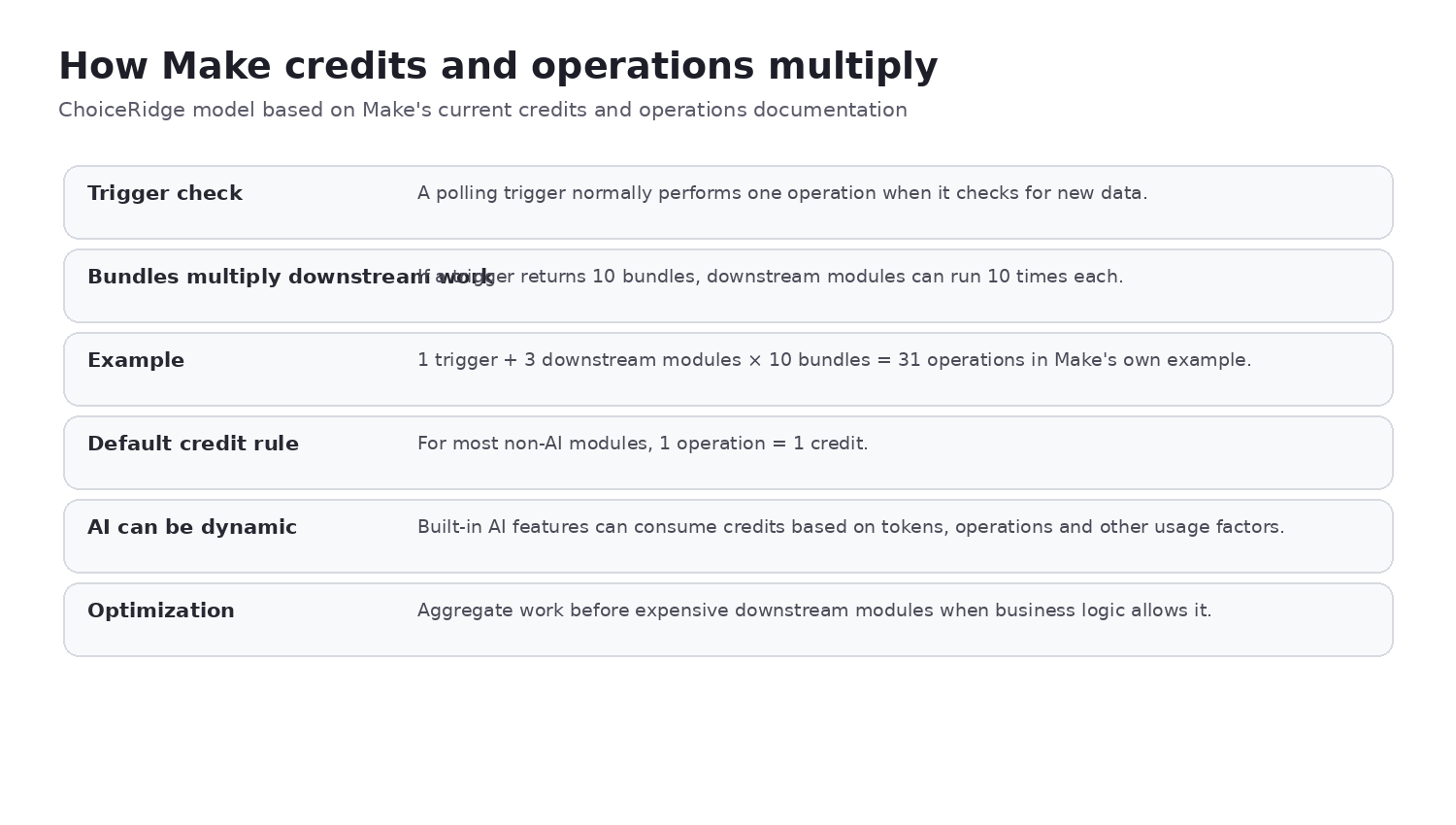
Bundles are the unit of data moving between modules. If an upstream module produces ten bundles, every downstream module on that path can run ten times. An Iterator turns an array into multiple bundles; an Aggregator combines multiple bundles into one output bundle. Filtering early can prevent unnecessary downstream operations, while iterating too early can amplify credits.
- Estimate trigger frequency and average bundles per run.
- Map every route and the modules each bundle reaches.
- Include retry paths and error-recovery executions.
- Separate Make credits from external API, messaging and AI-provider charges.
- Test representative payloads before extrapolating a monthly budget.
Router, filters, Iterator and Aggregator
A Router creates branches. A filter is a conditional gate determining which bundles continue along a route. Iterator converts an array into separate bundles, while Aggregator recombines bundles for a downstream step. These are powerful design tools, but their placement directly affects both logic and credit consumption.
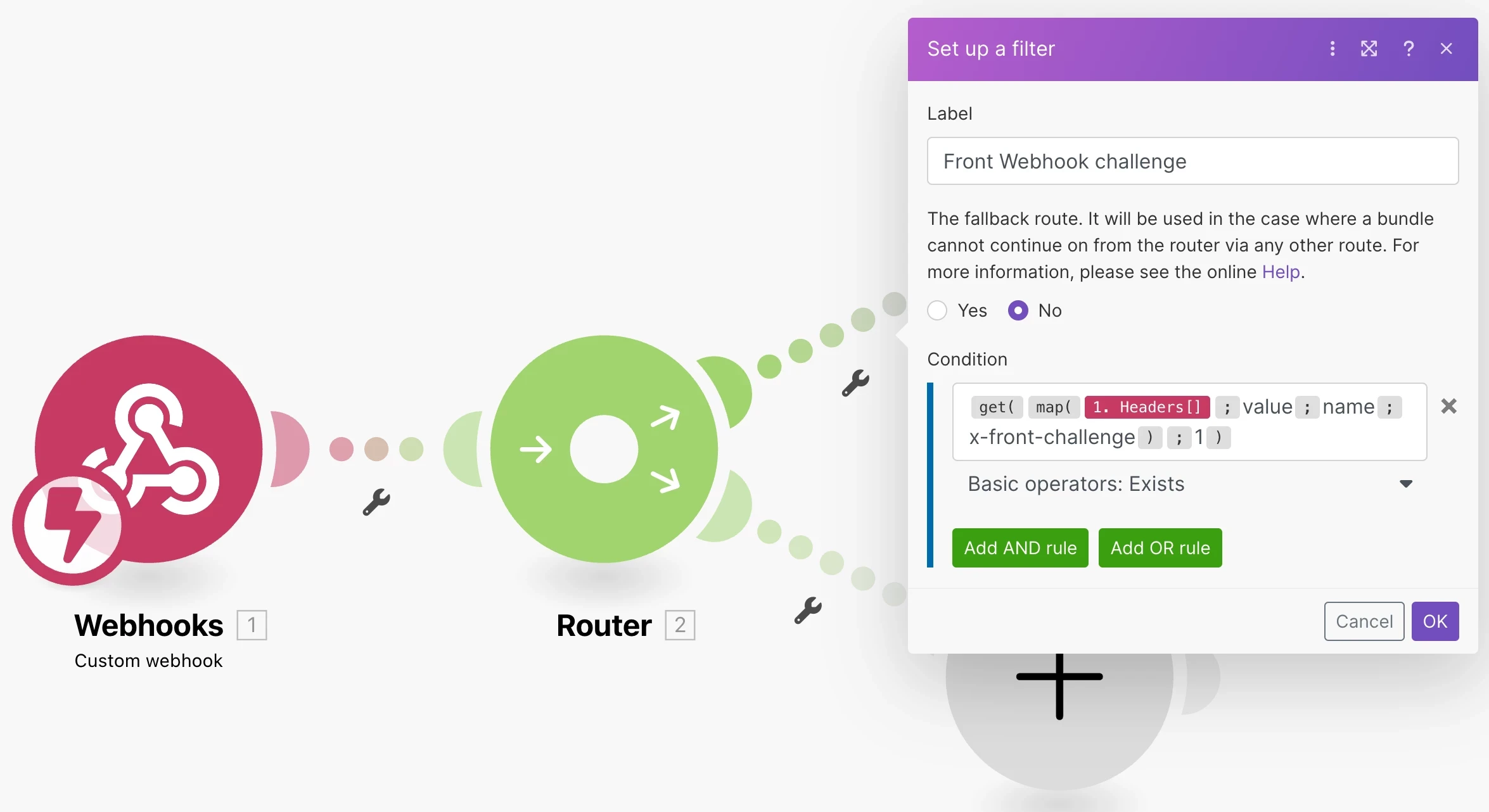
The screenshot above is interface context only. Current behavior and terminology were checked against Make Help, not inferred from the third-party tutorial.
Webhooks: queueing, ordering and backpressure
Instant webhooks can start scenarios as data arrives. Make documents parallel processing by default and a Process data in order option when sequential handling is necessary. Current documentation publishes a webhook rate of 300 incoming requests per 10 seconds; excess requests can receive HTTP 429 responses. Queue capacity and log retention depend on the current allowance and plan context.
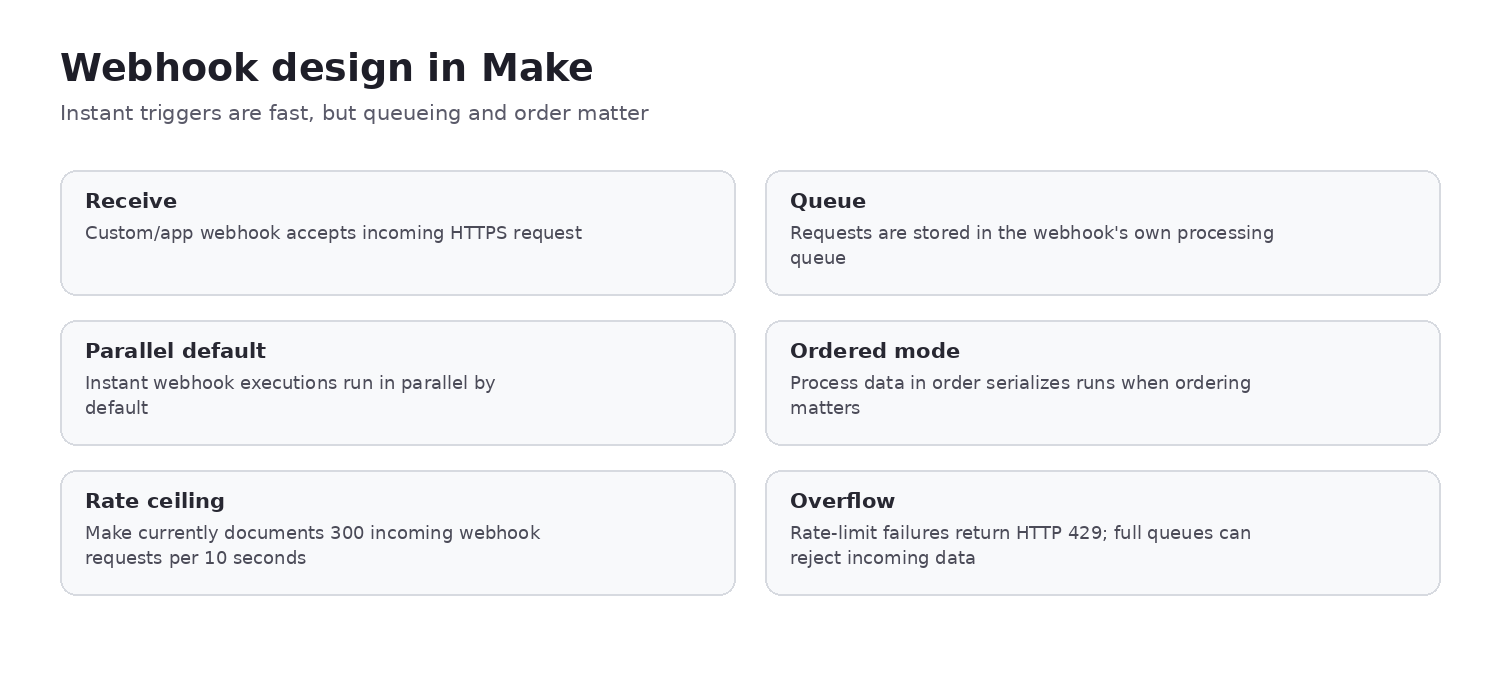
Production design still needs payload validation, authentication or signature checks where available, idempotency, duplicate-delivery handling, backpressure, explicit ordering decisions and deliberate response semantics. A webhook arriving successfully does not prove the downstream business action completed safely.
Error handling and incomplete executions
Make’s current error system includes Resume, Commit, Rollback, Ignore and Break semantics, plus documented retry behavior and incomplete executions. Handler choice changes what “failure” means: Resume substitutes output and continues; Commit keeps the current transaction where supported; Rollback reverses supported transactional changes; Break can store an incomplete execution; Retry is appropriate only for failures that are safe to repeat.
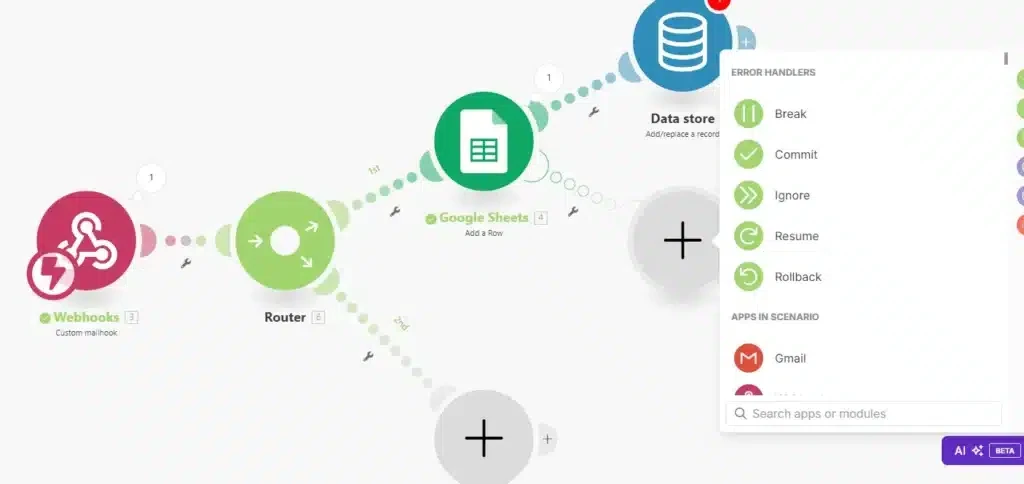
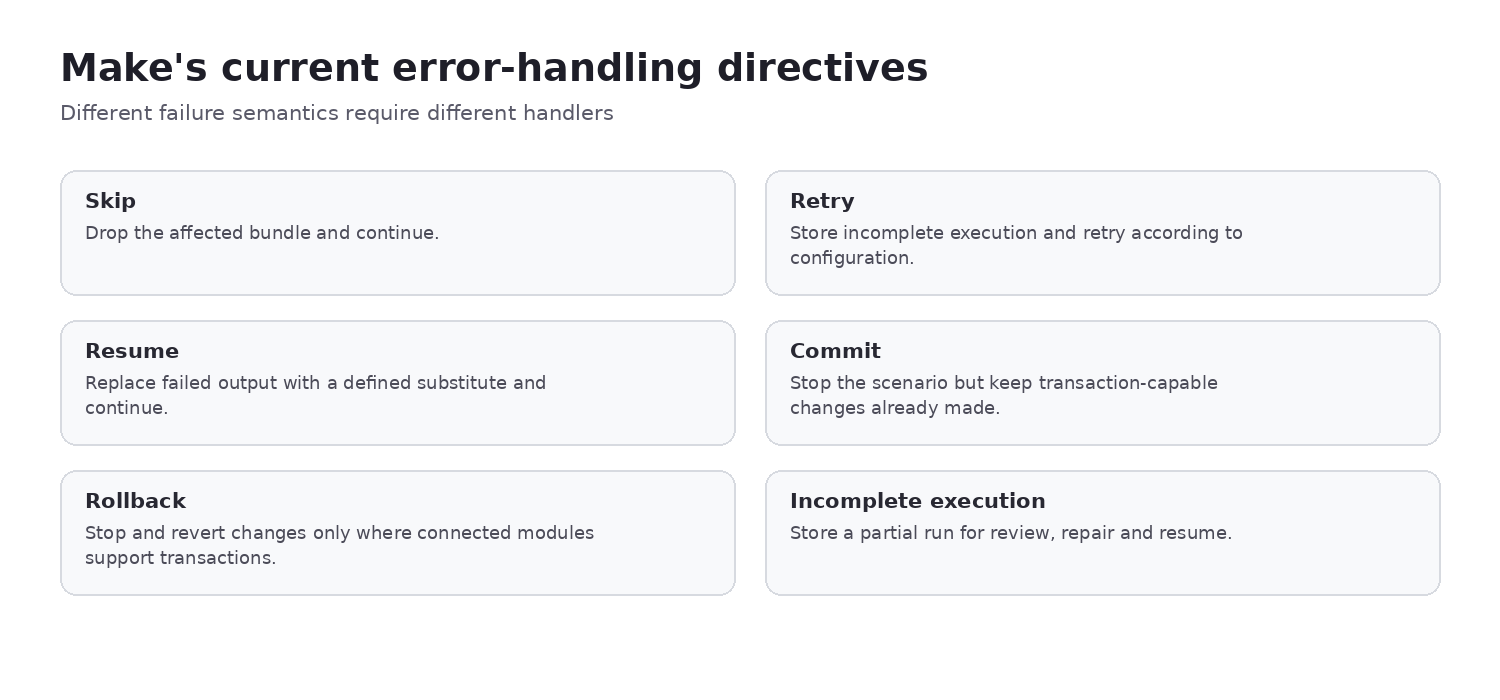
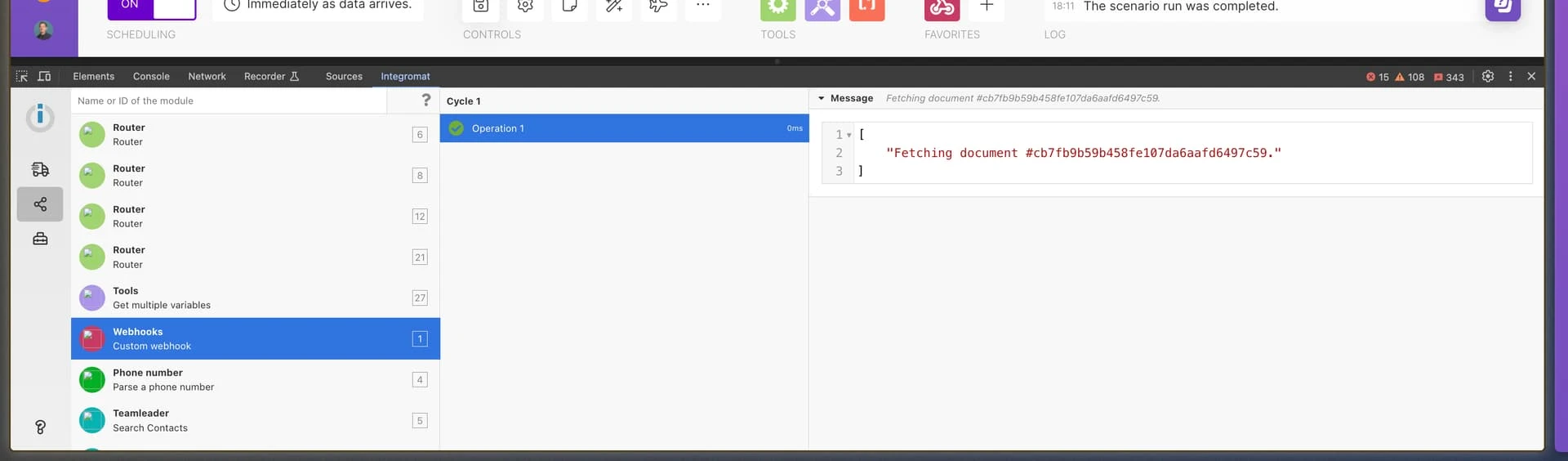
Warnings and errors can appear differently, and incomplete executions preserve recoverable work only when configured and supported. A durable scenario defines which failures may be retried, which must stop, which need manual review and which outputs are safe to resume.
Idempotency: when a retry duplicates the real action
A classic failure occurs when Make calls a create, payment or order API; the external service succeeds, but its response times out. Make sees a failure and a retry can repeat the business side effect. Make does not automatically make every external action idempotent.
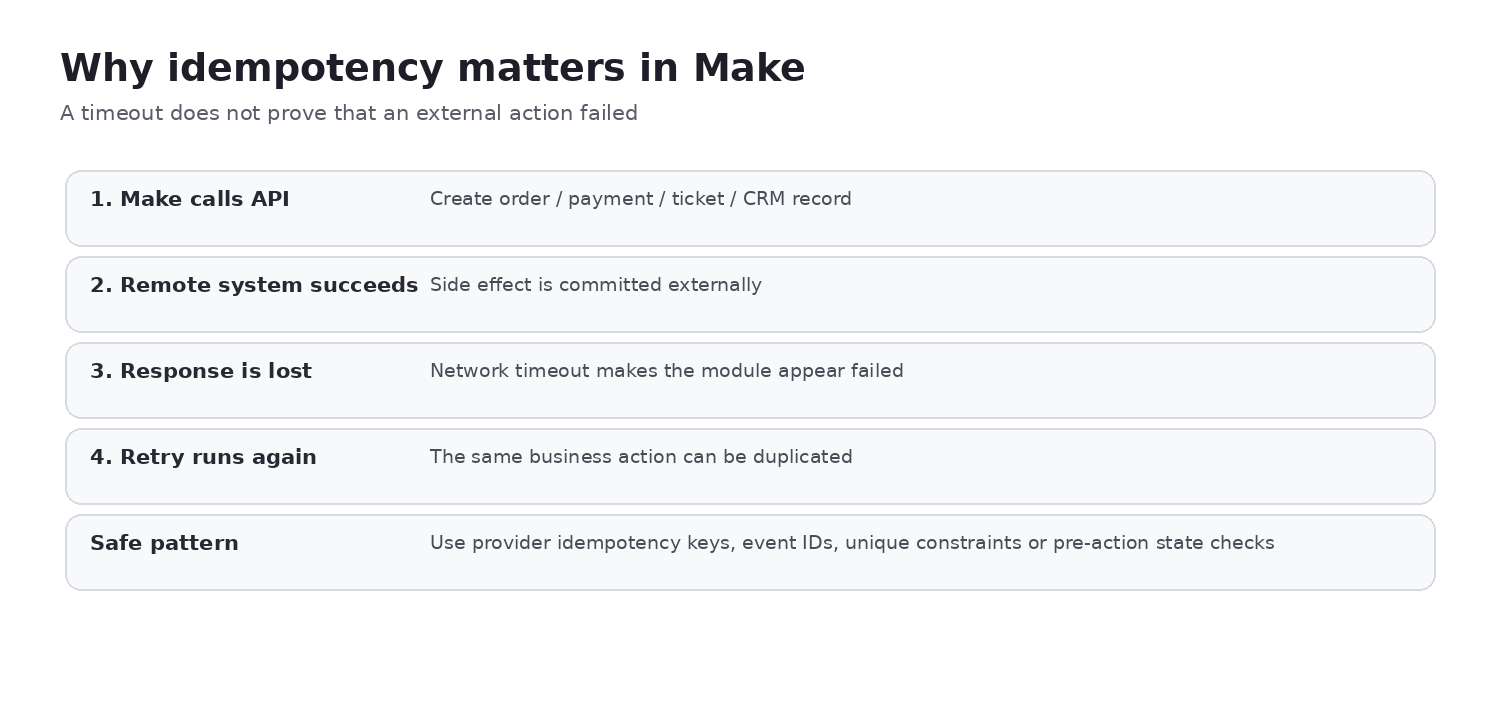
- Use provider-supported idempotency keys.
- Carry a stable source-event ID through the scenario.
- Enforce a uniqueness constraint in the system of record.
- Check state before an irreversible create, charge, refund or publish action.
Production safeguards ChoiceRidge recommends
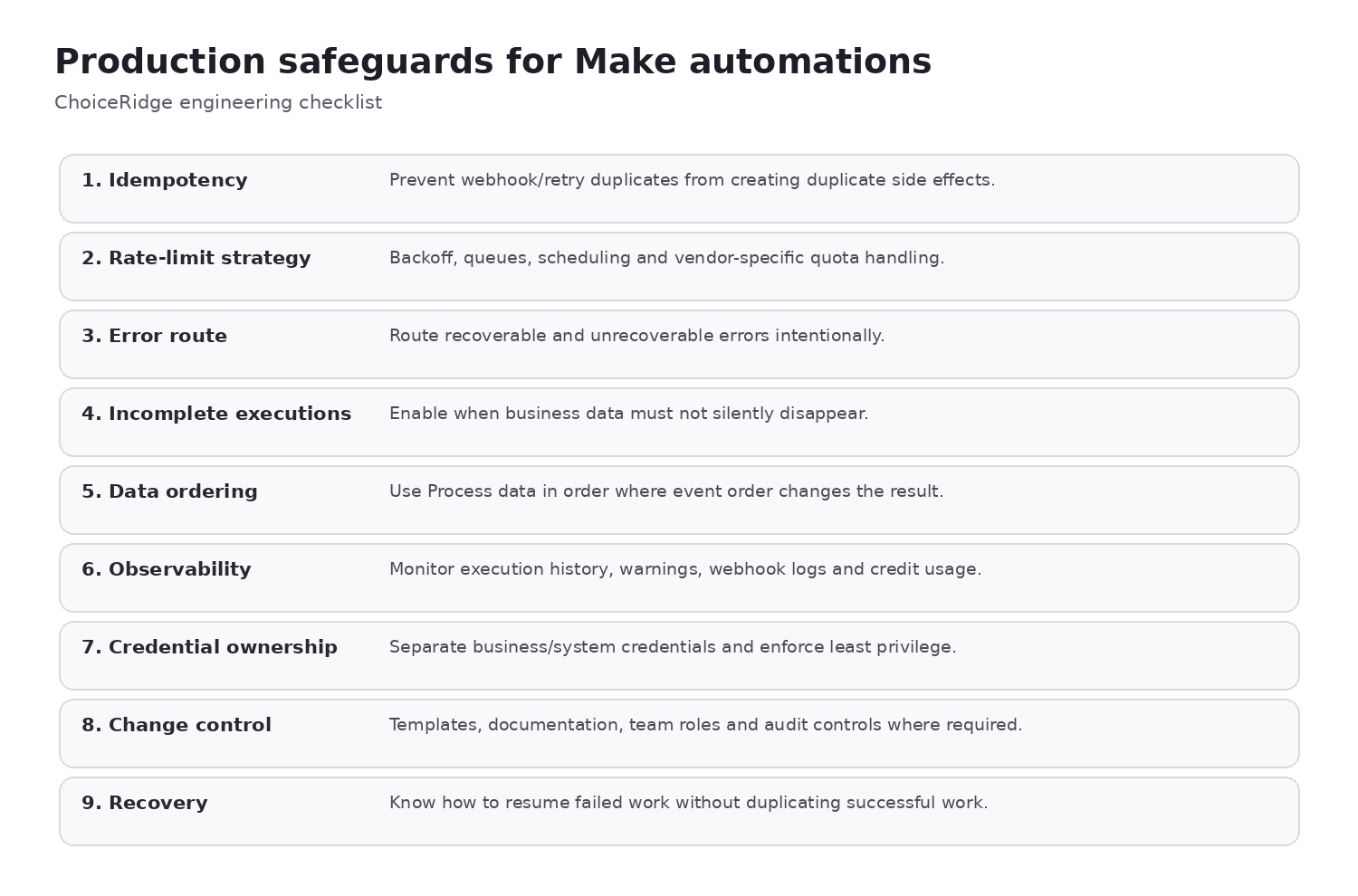
This checklist is ChoiceRidge engineering analysis, not a claim that Make configures these controls automatically. Each important scenario should have a named owner, defined recovery behavior and evidence that irreversible actions cannot be duplicated casually.
Make AI Agents: agentic tools inside deterministic scenarios
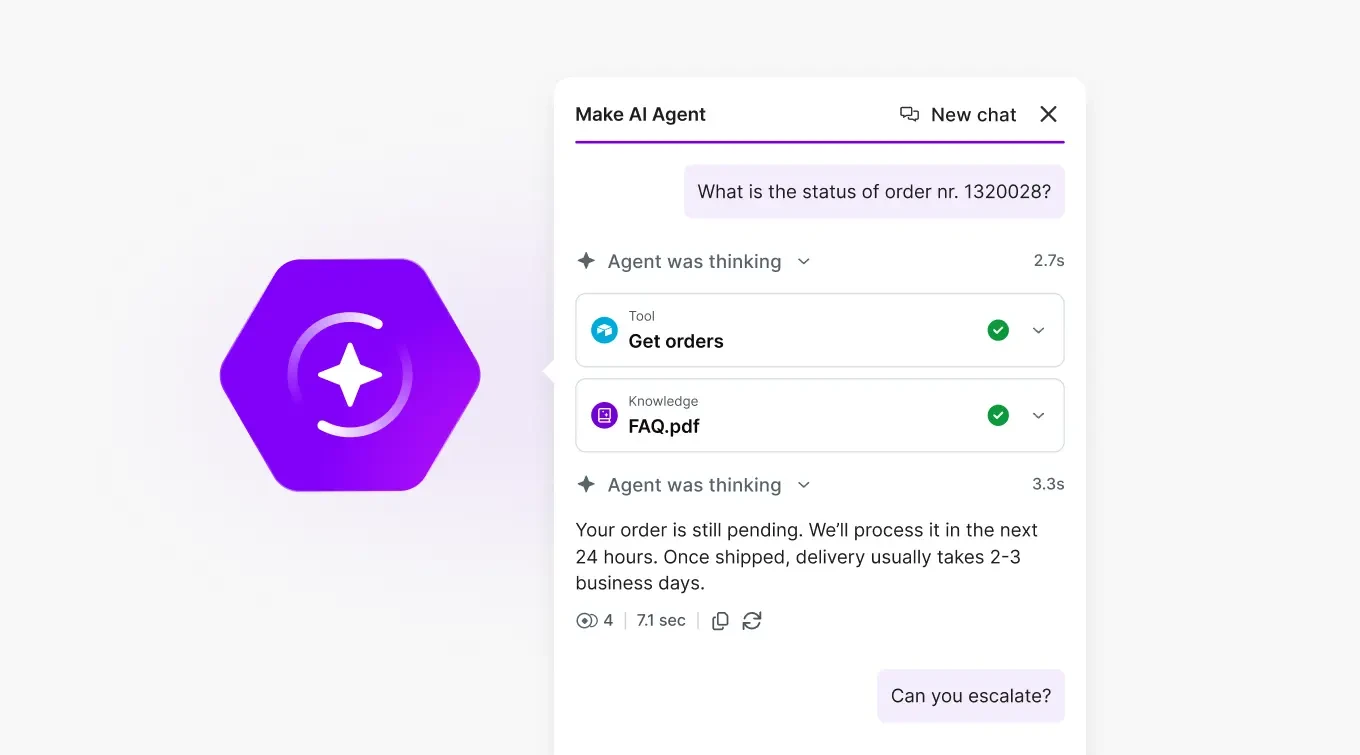
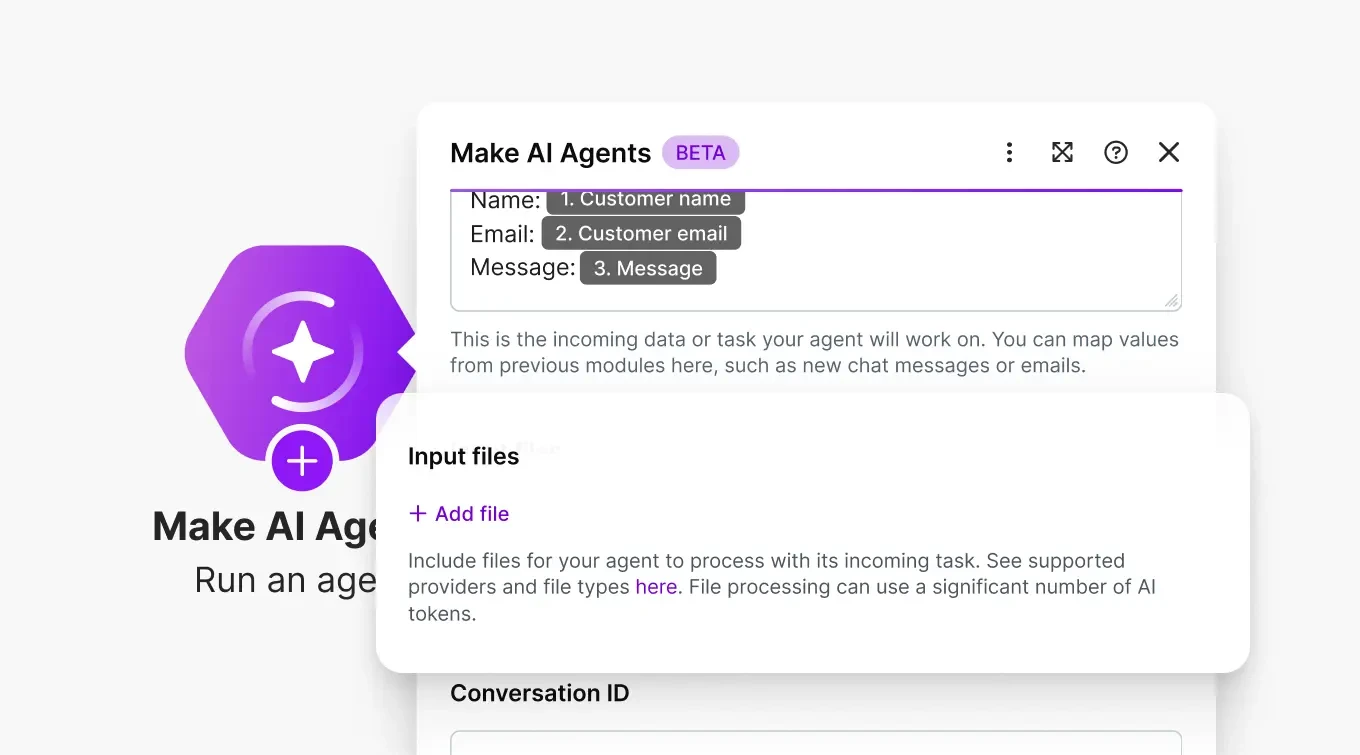
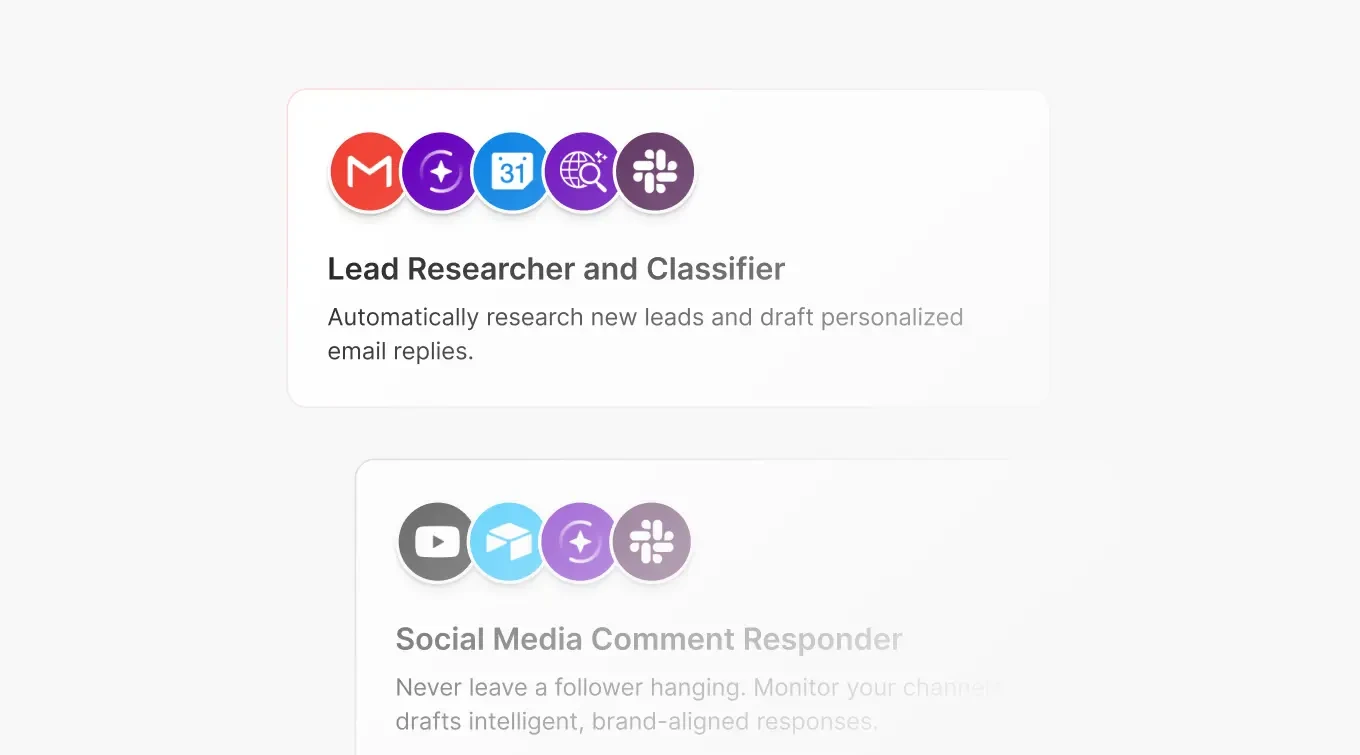
Make’s current pricing page lists Make AI Agents as beta. Official February 2026 product material shows agents inside the scenario builder, visible tool-call and execution traces in a Reasoning Panel, in-canvas chat, mapped file input and an Agent Library. The key design advantage is that probabilistic agent decisions can sit inside deterministic scenario logic, filters and approval steps.
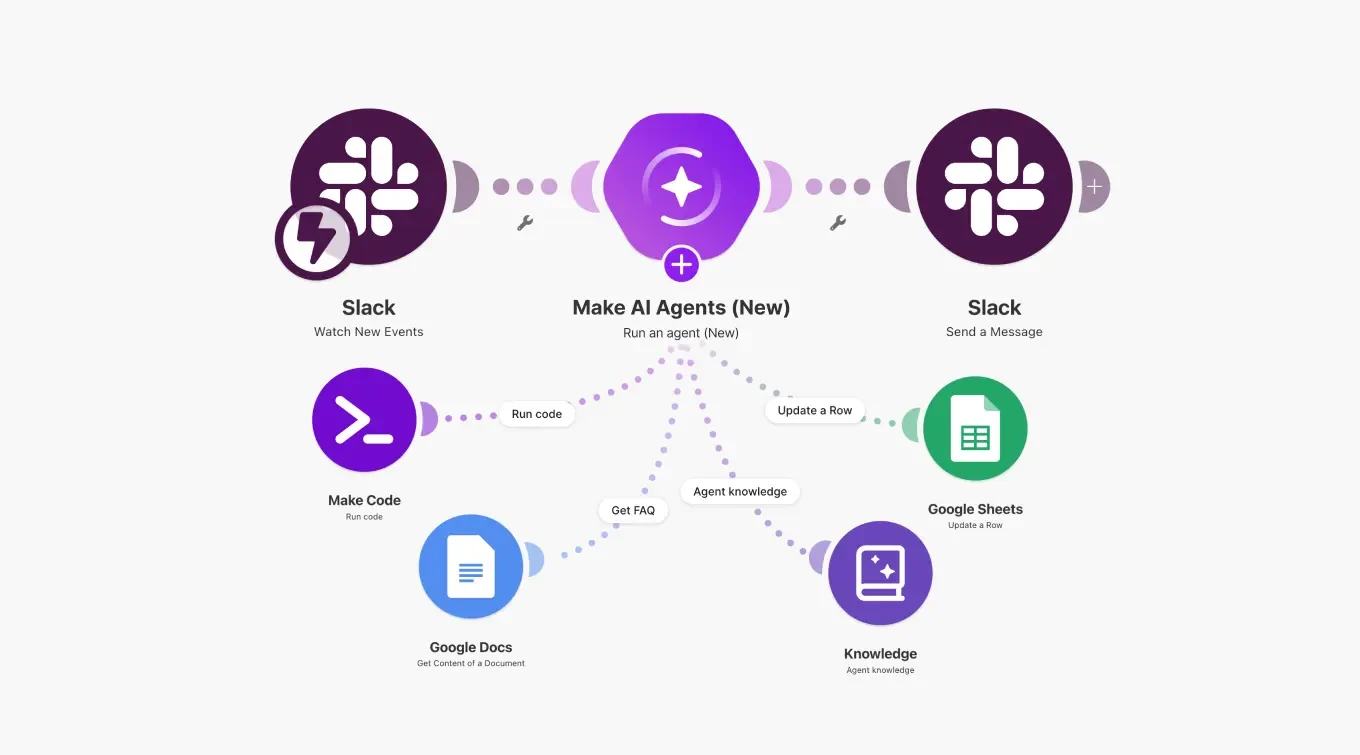
The shared canvas can combine deterministic modules, data mappings and agent tools. That makes the agent easier to constrain than a standalone prompt, but safe behavior still depends on tool permissions, input validation and downstream controls.
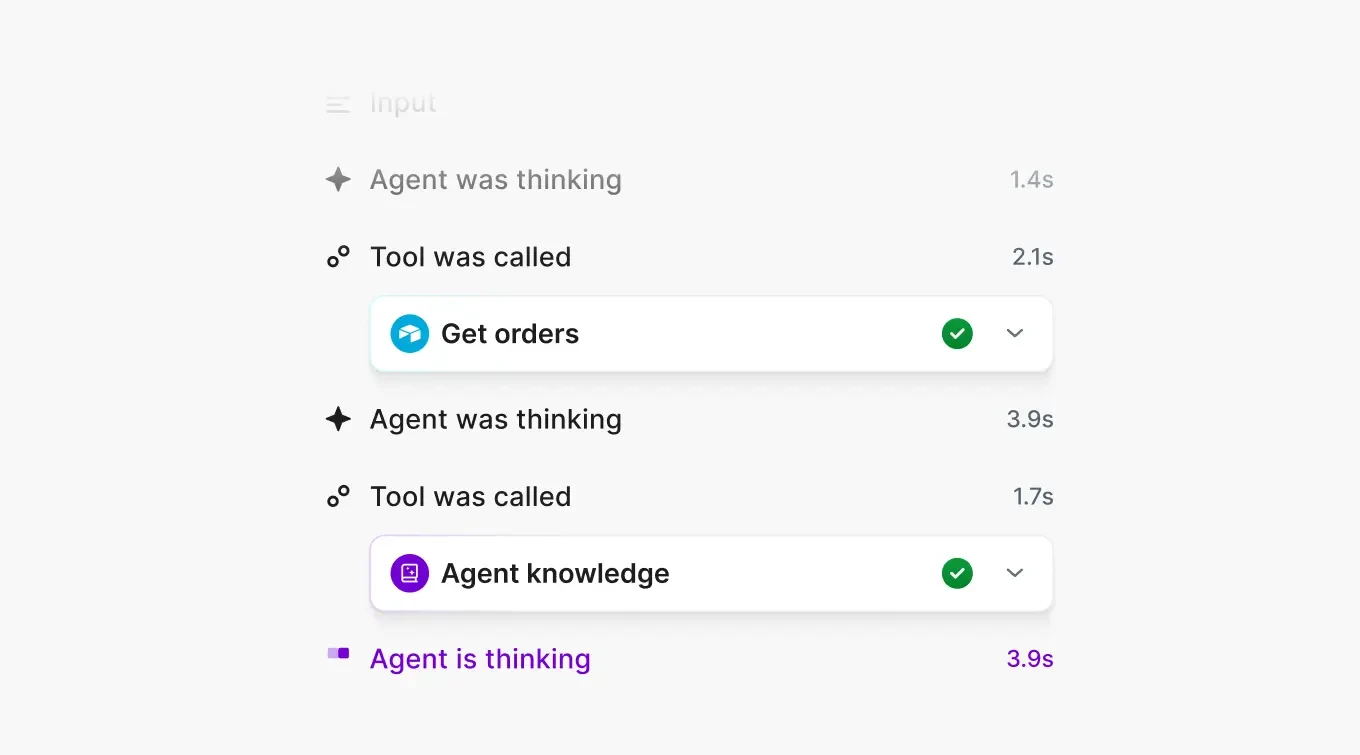
The Reasoning Panel is described here as a visible product trace of tool calls and execution reasoning. It should not be represented as exposing a model’s private chain-of-thought.
AI cost model and guardrails
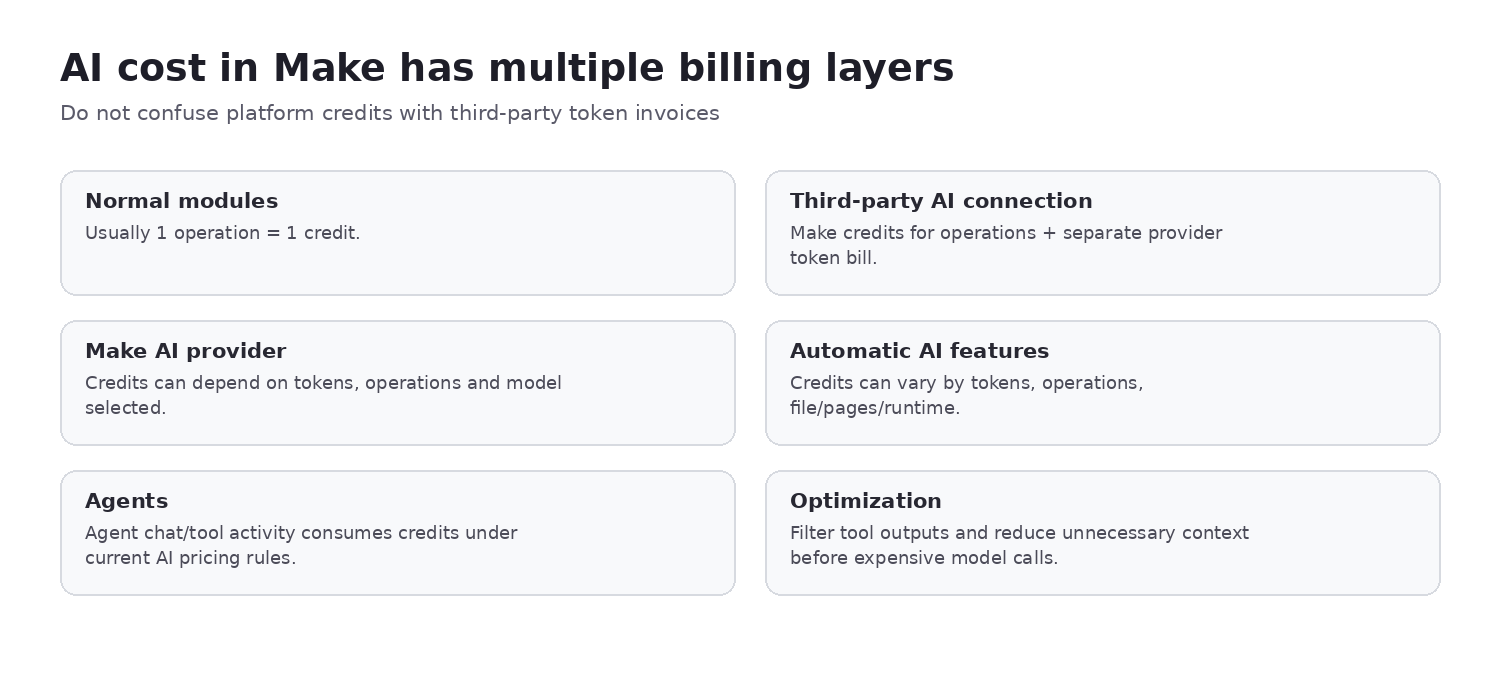
AI workflow cost can contain several layers: normal module credits, dynamic Make AI-feature credits, Make AI Provider usage and a separate third-party model invoice when the customer supplies a provider key. Because conversion rules may change by feature and model, this review does not hard-code a universal token-to-credit formula.
- Restrict the modules and actions available as agent tools.
- Constrain inputs and filter tool outputs.
- Validate results before customer messages, publishing, refunds, inventory changes or permission updates.
- Use deterministic scenario logic around probabilistic model behavior.
- Test tool choice, error paths and cost limits.
Observability, security and governance
Make provides execution history, bundle data, warnings and errors, webhook logs and incomplete executions. Pro currently adds full-text execution-log search; Teams adds team roles; Enterprise is the tier for deeper identity, security and procurement requirements. Make also publishes an Analytics Dashboard and real-time execution-monitoring capabilities with plan-specific availability.
Current product material highlights GDPR, SOC 2 Type II, encryption, two-factor authentication and Enterprise SSO/security controls. Those platform claims do not make every user-built scenario compliant. Buyers still need least-privilege connections, separation of duties, controlled template sharing, credential ownership and an inventory of data sent to external APIs and AI models.
Total cost of ownership
| Cost layer | What to model |
|---|---|
| Make subscription | Plan, credit tier, annual/monthly commitment and extra credits |
| Scenario consumption | Trigger frequency, bundle multiplication, routes, retries and polling |
| External services | APIs, SMS, email, WhatsApp, storage and data providers |
| AI | Make AI credits plus external model/token invoices |
| Operations | Engineering time, monitoring, incident handling, recovery and change control |
Do not compare Make with n8n or Zapier using sticker price alone. Their metering units, deployment responsibilities and governance models differ.
Who should choose Make?
| Buyer situation | Fit | Reason |
|---|---|---|
| Cross-SaaS, ecommerce, CRM and marketing workflows | Strong fit | Visual branching, transformation and managed operations align well. |
| Complex visual data movement | Strong fit | Routers, filters, iterators, aggregators and mapping expose workflow logic. |
| AI agents with deterministic controls | Potential fit | Agent tools and scenario logic can coexist, but beta status and guardrails matter. |
| High-volume bundle-heavy processing | Evaluate carefully | Credit multiplication can change economics materially. |
| Strict ordering or severe API rate limits | Evaluate carefully | Queueing, backpressure and recovery design become central. |
| Desktop RPA or mandatory self-host/on-prem | Poor fit | Make is a managed cloud workflow platform, not desktop RPA or self-hosted orchestration. |
Pros and cons
Pros
- Visual scenario builder
- Strong routing, filters and data transformation
- 3,000+ published app integrations
- Rich error semantics and incomplete executions
- Webhook support without self-hosting operations
- AI Agents integrated into the canvas
- Visible tool-call and execution traces
- Team and Enterprise governance path
Cons
- Credits can multiply unexpectedly through bundles
- High-volume scenarios require deliberate design
- No self-hosted deployment or desktop RPA
- Retries can duplicate non-idempotent actions
- Flow control has a learning curve
- AI adds variable billing and probabilistic behavior
- Governance and observability vary by plan
- No raw network-placement control comparable with self-hosted n8n
Alternatives worth comparing
- n8n Review: compare when self-hosting, code depth and infrastructure control are documented requirements.
- Zapier Review: compare when nontechnical onboarding and mainstream trigger-action simplicity matter more than visual flow depth.
- Pipedream Review: compare for developer-first workflows and serverless code.
- Make Alternatives: explore the decision axes across automation platforms.
- Automation Tool Selector: narrow the options by deployment, complexity and team requirements.
Evidence map
| Finding | Evidence type | Primary source | ChoiceRidge tested? |
|---|---|---|---|
| Pricing and plan features | Official current documentation | Make Pricing/Product | No |
| Credits, operations and bundles | Official documentation | Make Help | No |
| Filter/router UI | Third-party interface example | Front tutorial; facts from Make Help | No |
| Error and debugging UI | Third-party interface examples | Independent tutorial/community; facts from Make Help | No |
| Webhook behavior | Official documentation | Make Help | No |
| AI Agent canvas, panel, chat, files and library | Official interface evidence | Make February 2026 announcement | No |
| Idempotency and safeguards | ChoiceRidge engineering analysis | Evidence synthesis | Editorial guidance |
| Buyer recommendation | ChoiceRidge editorial analysis | Evidence synthesis | No hands-on claim |
What ChoiceRidge verified
ChoiceRidge verified current pricing, credit semantics, the operation definition, bundle/flow-control concepts, webhook behavior and published request limit, error handlers, retry and incomplete-execution documentation, current product security claims, and Make’s February 2026 AI Agent product material. Verification is documentation and interface research, not ChoiceRidge hands-on production testing.
What ChoiceRidge did not test
- No production Make organization was operated.
- No paid plan was purchased specifically for this edition.
- No webhook load test or real credit-consumption benchmark was run.
- No support timing or incomplete-execution recovery drill was performed.
- No AI Agent production deployment or Enterprise SSO test was performed.
Why there is no numerical rating
ChoiceRidge has not published a validated quantitative automation-platform scoring model. This review therefore uses buyer-fit labels rather than stars, a numerical editor score, Product rating or AggregateRating.
Make FAQ
Is Make free?
Yes. The current Free plan includes up to 1,000 credits per month, two active scenarios and a 15-minute minimum schedule interval.
What is a Make credit and an operation?
A credit is the billing unit. An operation is a module run that processes or checks data. Most standard non-AI operations currently use one credit, but exceptions and dynamic AI rates exist.
Why do bundles multiply credits?
Each downstream module can run once for every incoming bundle. Iterating an array or fanning out routes can therefore multiply operations and credits.
Does Make support webhooks?
Yes. Make supports instant webhooks, queues, parallel processing and ordered processing. Current documentation publishes 300 incoming requests per 10 seconds before rate limiting.
What happens when a scenario fails?
The outcome depends on the handler and configuration. Make supports multiple error directives, error routes, retry behavior and incomplete executions for recoverable work.
Does Make retry errors?
Retry capabilities exist, but repeating an external action is safe only when the failure is transient and the action is idempotent or protected against duplicates.
Is Make good for AI Agents?
Potentially. Agents can coexist with deterministic modules, tool traces and in-canvas testing. The feature is currently listed as beta, and consequential actions still require guardrails.
Is Make self-hosted or suitable for desktop automation?
No. Make is a managed cloud workflow platform, not a self-hosted orchestration product or desktop-RPA tool.
Which Make plan is best for small businesses?
Core is the practical starting point when a business needs unlimited active scenarios, one-minute scheduling and API access. Pro is more appropriate when priority execution, custom variables or full-text log search is operationally important.
Related ChoiceRidge research
Continue with the n8n Review, Zapier Review, Pipedream Review, Make Alternatives, the Automation Tool Selector, our Methodology, Editorial Policy and How We Make Money.
Sources
- Make — Pricing
- Make — Product
- Make Help — Credits
- Make Help — Operations
- Make Help — Webhooks
- Make Help — Flow Control
- Make Help — Overview of Error Handling
- Make Help — Retry Error Handler
- Make Help — Errors and Warnings
- Make — Next-generation AI Agents announcement
- Front Community — Make filter interface example
- Independent tutorial — Make error-handler interface example
- Make Community — execution debugger interface example