This research-based SiteGround review combines current official provider documentation, public interface evidence, and clearly attributed independent reporting. ChoiceRidge did not purchase a SiteGround account or perform hands-on speed, uptime, support, migration, staging, or restore testing for this edition.
- Evidence checked: August 15, 2026
- Review type: Research-based Expanded Review
- Evidence basis: official provider evidence plus attributed independent testing
- ChoiceRidge lab testing: not claimed
Review disclosure: This is a research-based editorial review, not a ChoiceRidge hands-on speed or uptime test. ChoiceRidge did not purchase a SiteGround account specifically for this edition. Public screenshots are identified by source, and independent test results remain attributed to the publication that performed them. Pricing, promotions, and plan terms can change.
Commercial-link disclosure: Provider links in this edition are direct, non-tracked links. If ChoiceRidge later adds affiliate links, they will be identified and will not affect the methodology or verdict. See How We Make Money.
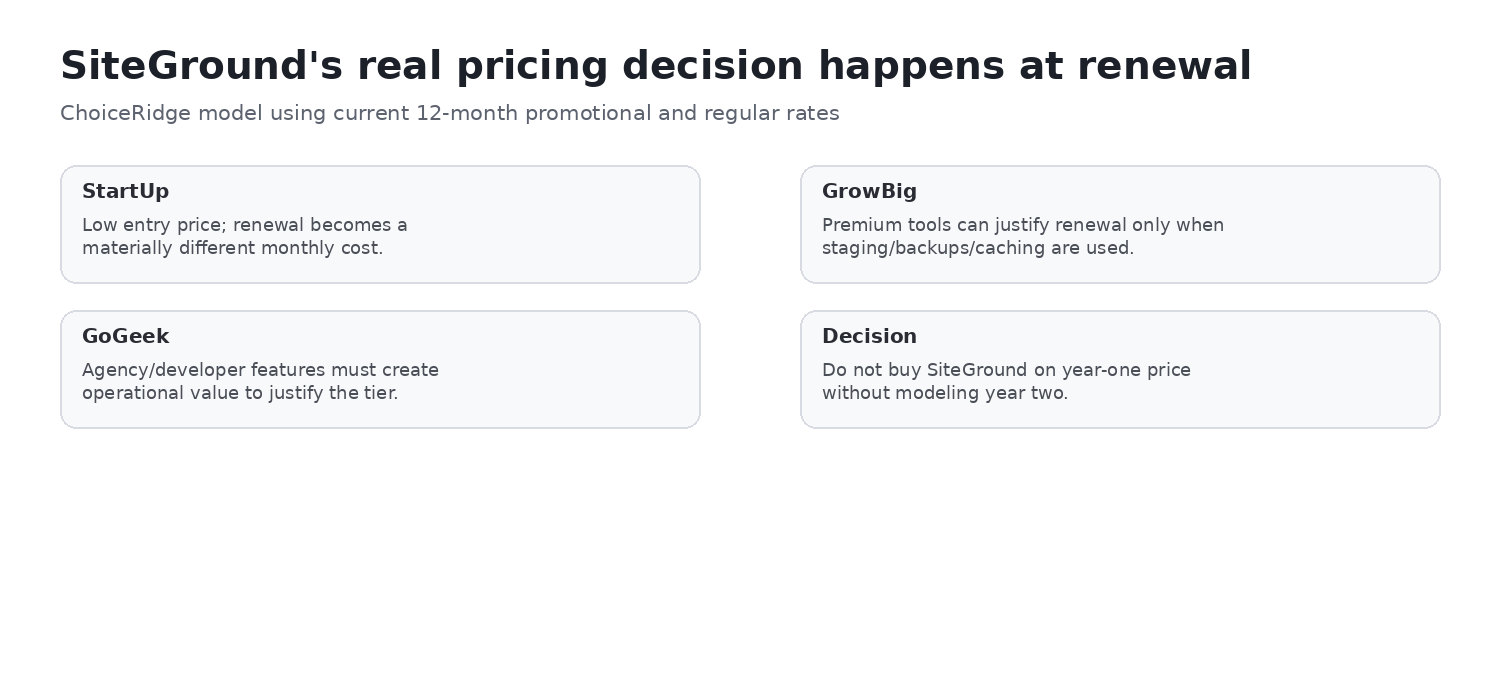
ChoiceRidge verdict: one of the strongest WordPress operating workflows — if you can justify the renewal
| Best for | WordPress teams, agencies, and SMBs using managed workflow tools |
|---|---|
| Plan to evaluate first | GrowBig |
| Strongest differentiator | Integrated Site Tools, backup, staging, cache, and update workflow |
| Biggest caveat | GrowBig’s $29.99/mo standard 12-month renewal |
| Evidence level | Research-based |
| ChoiceRidge testing | No account benchmark claimed |
SiteGround’s strongest case is operational rather than promotional: Site Tools, daily backups, on-demand recovery on higher plans, staging, managed updates, caching, security tooling, and collaboration live in one workflow. GrowBig is the plan to evaluate first because it adds staging, on-demand backups, and faster PHP. The central tradeoff is recurring cost: buyers should decide whether those operational benefits justify a much higher renewal than the introductory year.
Pricing: what you pay now and at renewal
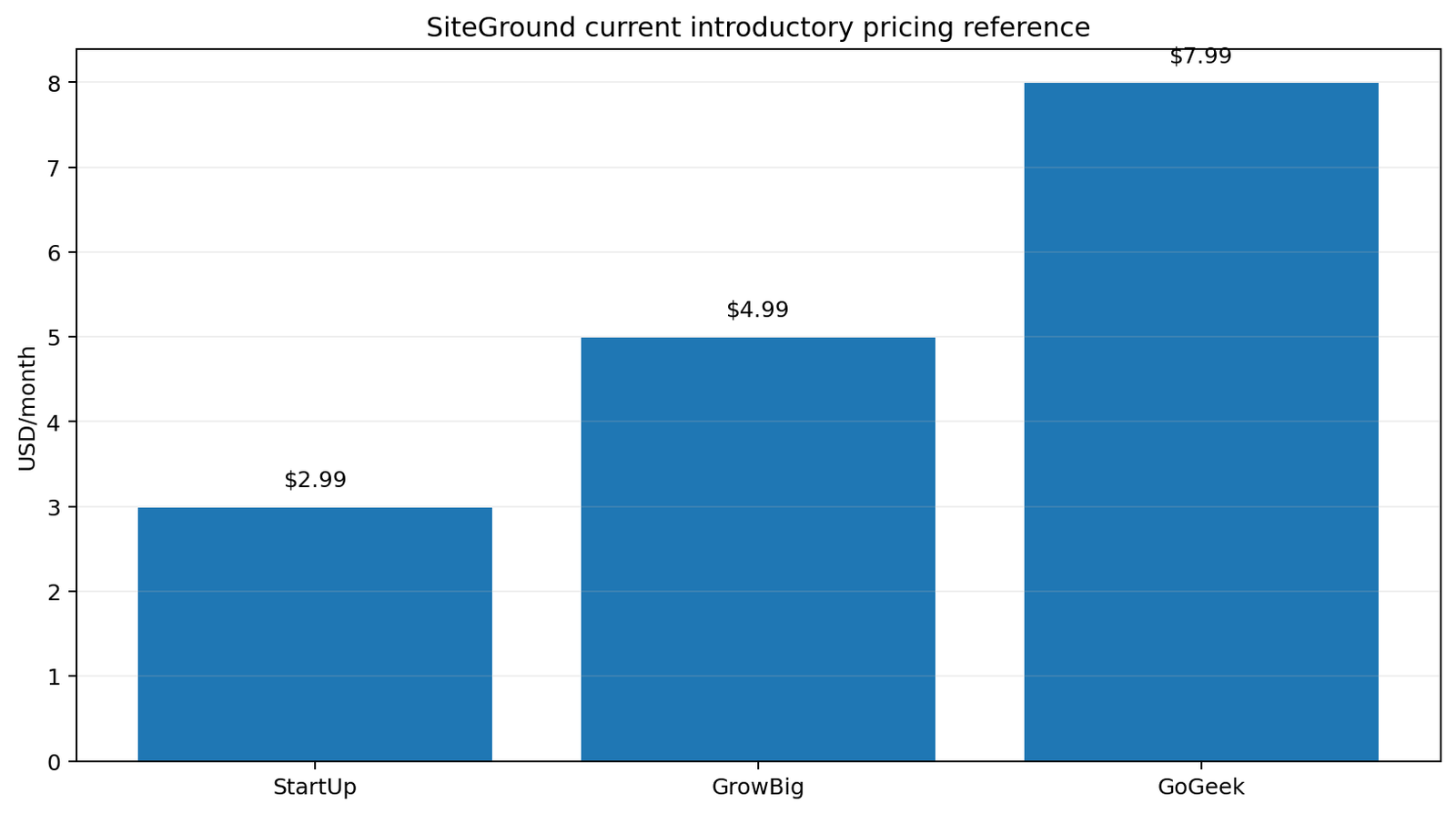
SiteGround’s published US WordPress hosting pricing was checked August 15, 2026. Promotional rates apply to the first prepaid 12 months; the published 12-month renewal is materially higher. Reconfirm checkout, taxes, renewal, and regional pricing before purchase.
| Plan | Promo | First-year total | 12-month renewal | Published storage |
|---|---|---|---|---|
| StartUp | $2.99/mo | $35.88 | $17.99/mo | 10 GB Premium Google |
| GrowBig | $4.99/mo | $59.88 | $29.99/mo | 50 GB Premium Google |
| GoGeek | $7.99/mo | $95.88 | $44.99/mo | 100 GB Premium Google |
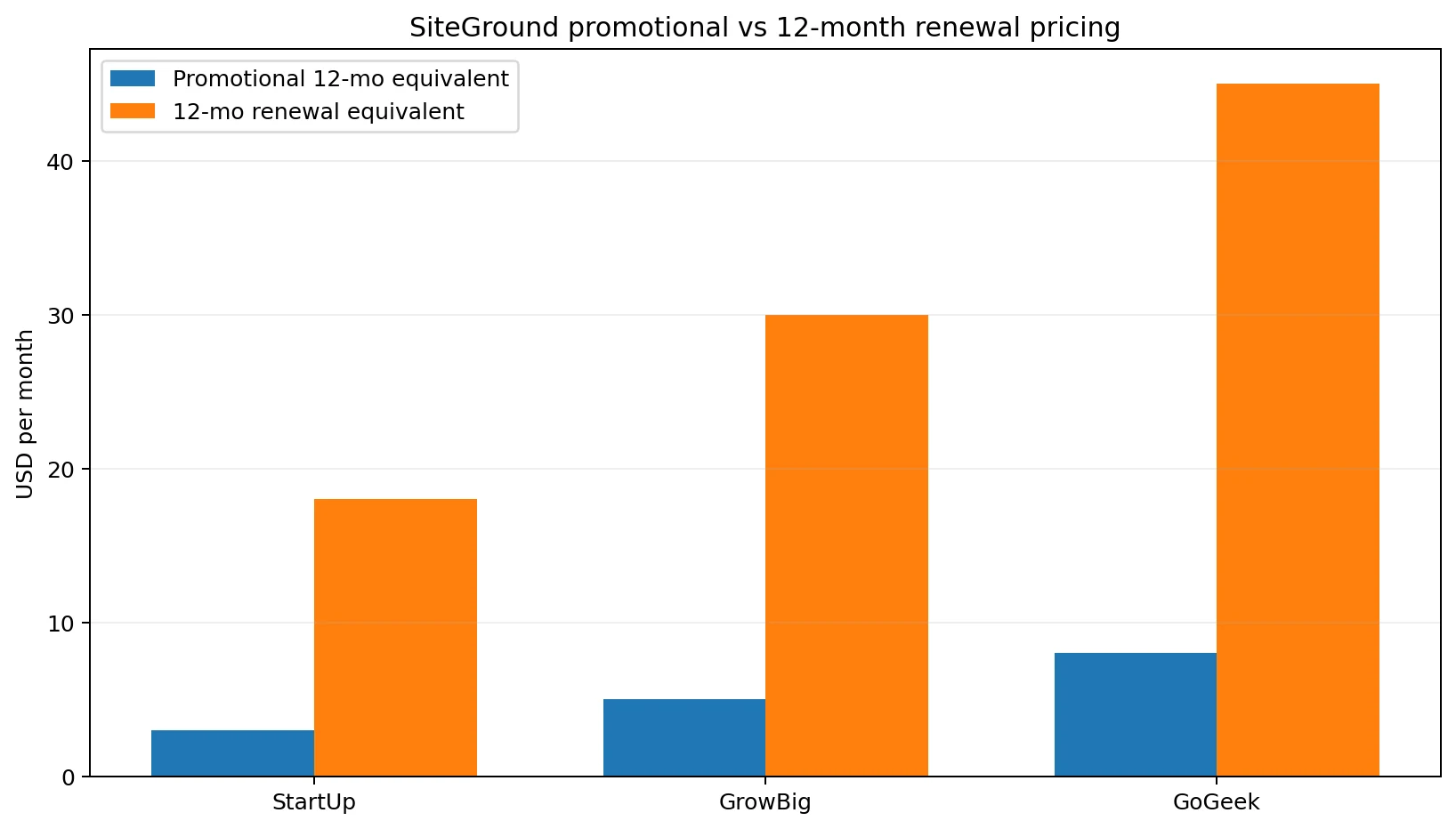
The official standard-rate table also lists lower monthly equivalents when 24 months are prepaid: StartUp $14.99, GrowBig $24.99, and GoGeek $39.99. These are regular-rate term equivalents, not the promotional first-year prices. Check SiteGround’s current plans before making a decision.
Plan comparison: StartUp, GrowBig, and GoGeek
| Plan | Websites and traffic | Storage | Workflow difference |
|---|---|---|---|
| StartUp | 1 website; unlimited traffic under policy | 10 GB | Core WordPress, caching, security, backups, collaboration, SSH/WP-CLI |
| GrowBig | Unlimited websites and traffic under policy | 50 GB | Adds on-demand backups, 30% faster PHP, and staging |
| GoGeek | Unlimited websites and traffic under policy | 100 GB | Adds Git, private DNS, white-label access, and priority support |
StartUp fits one modest site. GrowBig is the practical workflow upgrade for teams that stage changes or need manual restore points. GoGeek is operationally different, not merely larger: its agency and developer features matter when client access, Git, private DNS, or support priority are part of the delivery model.
Site Tools: the key workflow differentiator
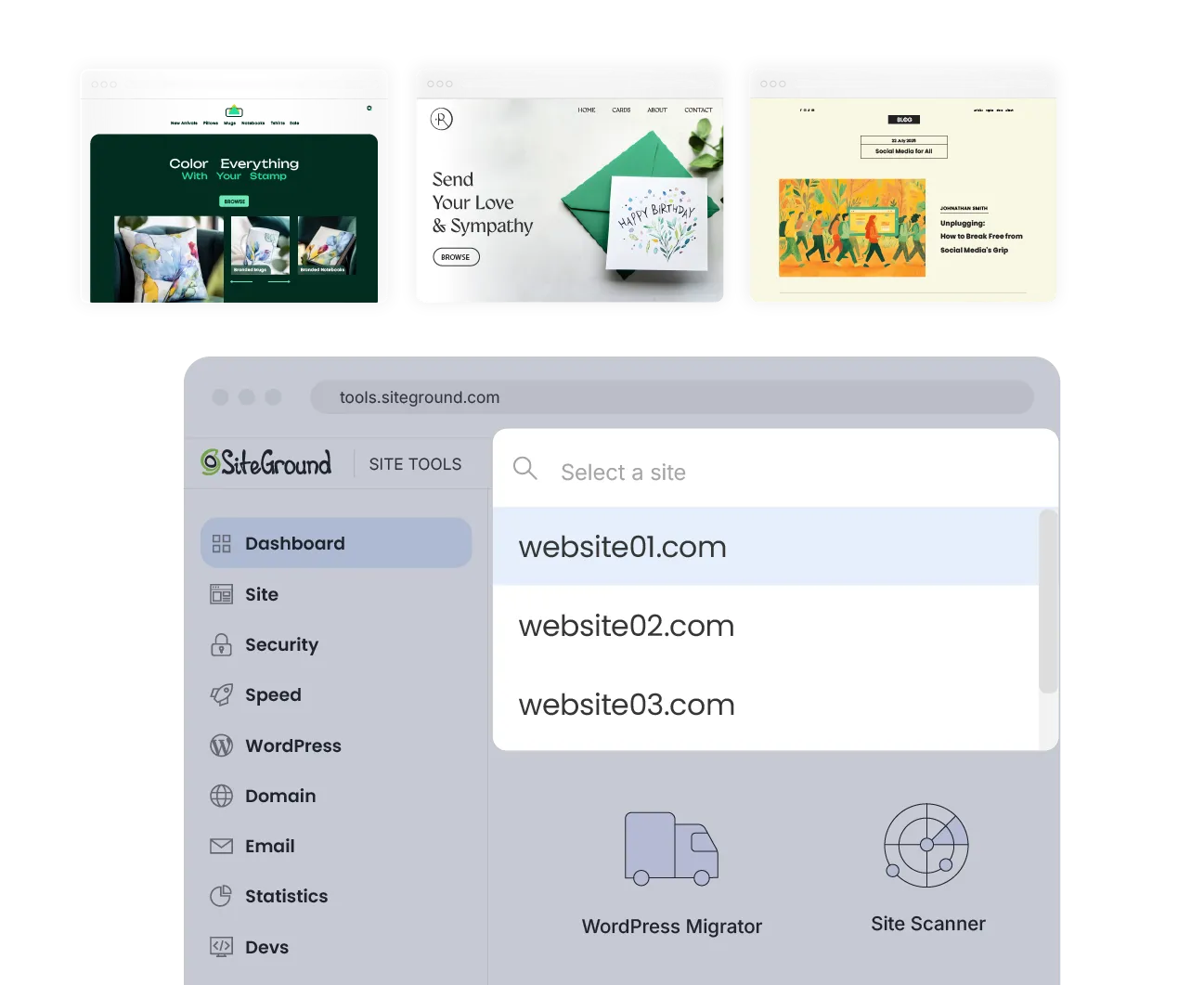
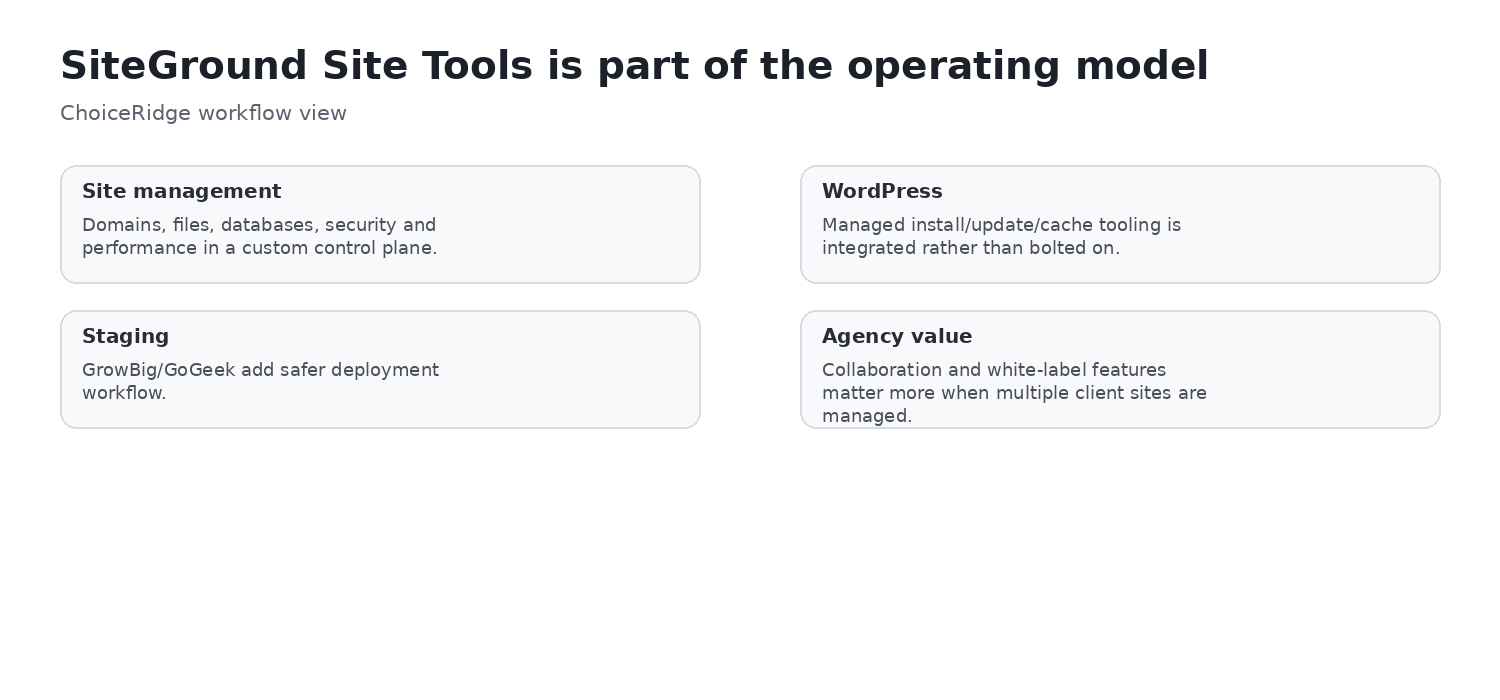
SiteGround does not use cPanel for its current hosting workflow. Site Tools is a website-focused control environment with more than 35 tools covering files, databases, WordPress installation and management, backups, FTP, domains, email, SSL, caching, CDN, statistics, staging, cron, Git, SSH, security, and migration.
The advantage is integration across WordPress, backups, caching, security, developer tools, and site switching. The tradeoff is portability of habits: cPanel-specific documentation, scripts, or operational routines may not map directly. ChoiceRidge did not personally evaluate ease of use; official interface evidence and attributed independent reporting support describing it as an integrated, website-focused environment.
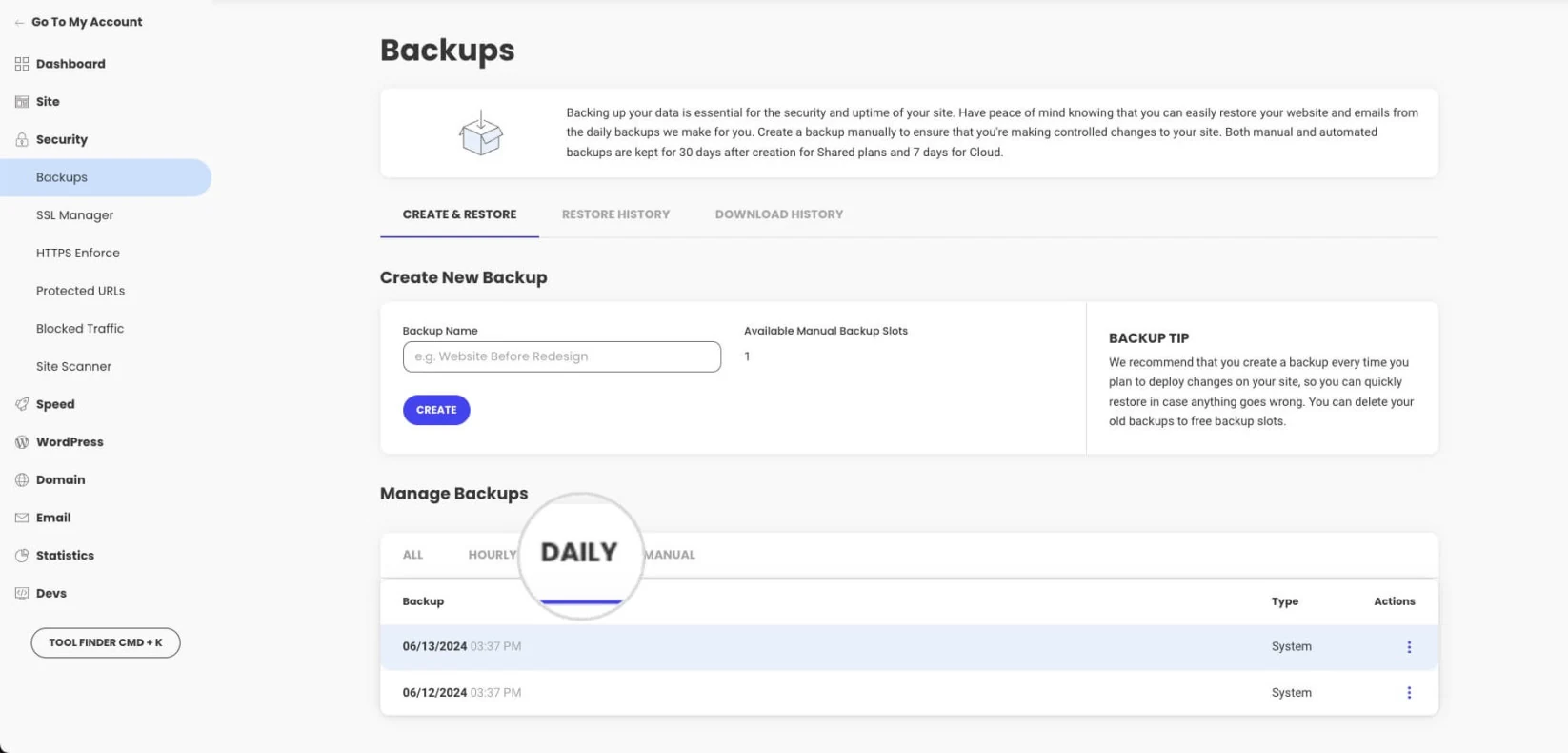
Backups: strong built-in recovery, but keep an independent copy
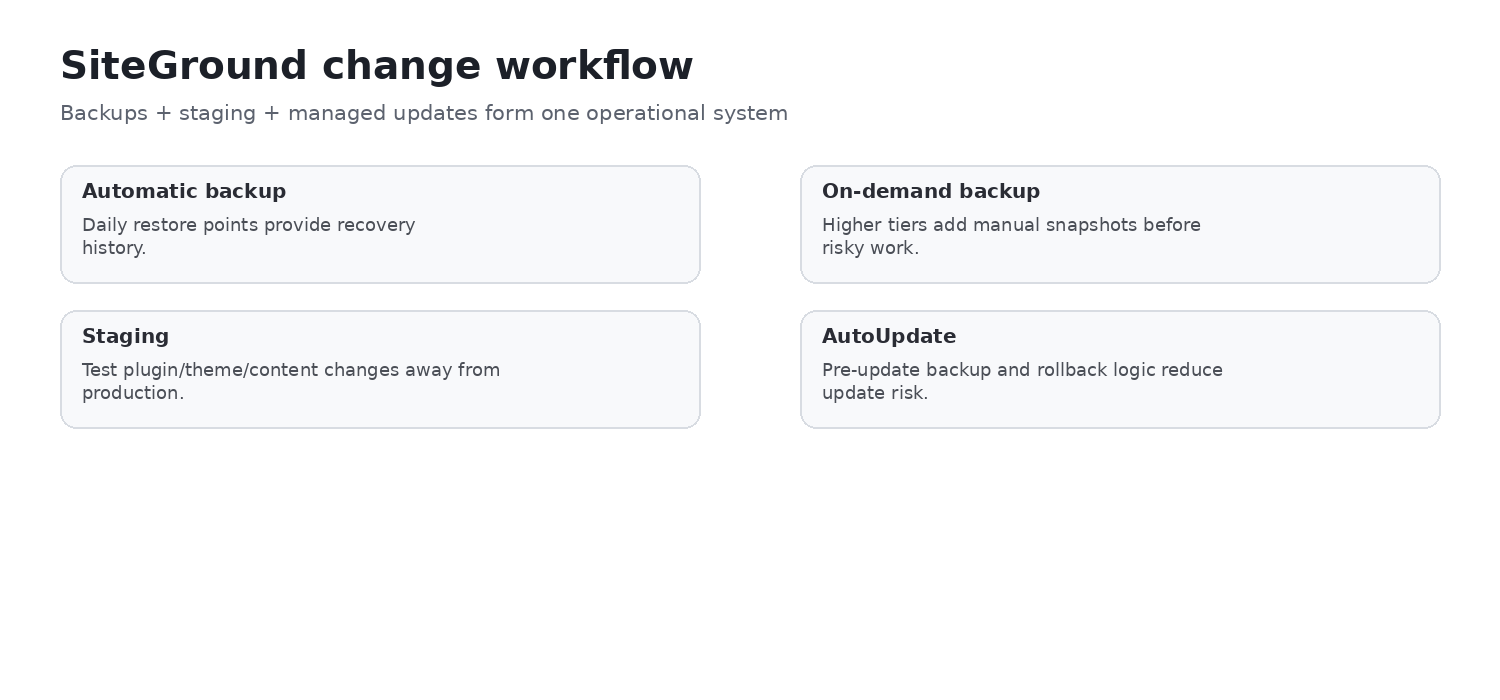
SiteGround documents automatic backups for hosted sites. Shared hosting can retain up to 30 daily backup copies, while cloud hosting can retain up to seven. GrowBig and higher plans include five free manual backup slots. Restores can target the whole site or files, databases, and email.
Important limits remain: a backup may not exist during the first six hours after a new site is created; there is no backup preview before restoration; and deleting a site removes normal access to its backups unless data was retained or downloaded through an applicable option. For business-critical systems, maintain versioned, tested backups outside SiteGround as well.
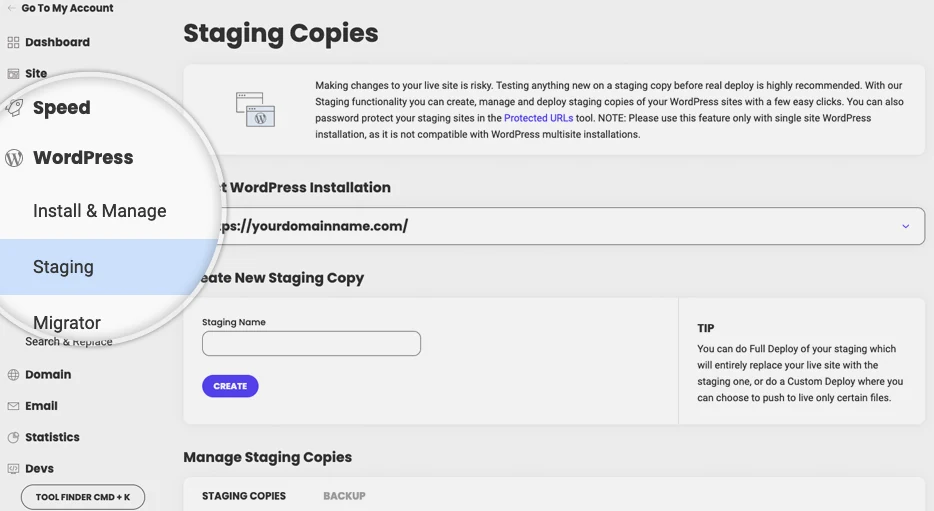
Staging and WordPress AutoUpdate
WordPress staging is currently available on GrowBig and GoGeek. It creates a separate copy for testing plugin, theme, design, custom-code, WooCommerce, or major content changes before production deployment. Staging reduces change risk, but it does not replace a release plan, current backup, rollback criteria, or post-deployment verification.
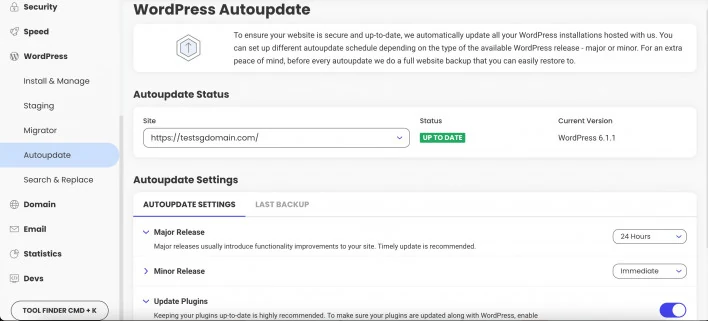
SiteGround’s AutoUpdate documentation describes WordPress core and optional plugin updates, a pre-core-update backup, post-update checks, notifications, and rollback when a problem is detected. The backup and rollback behavior is more operationally meaningful than “automatic updates” alone. ChoiceRidge has not tested its detection or rollback accuracy.
Caching, CDN, and performance tooling
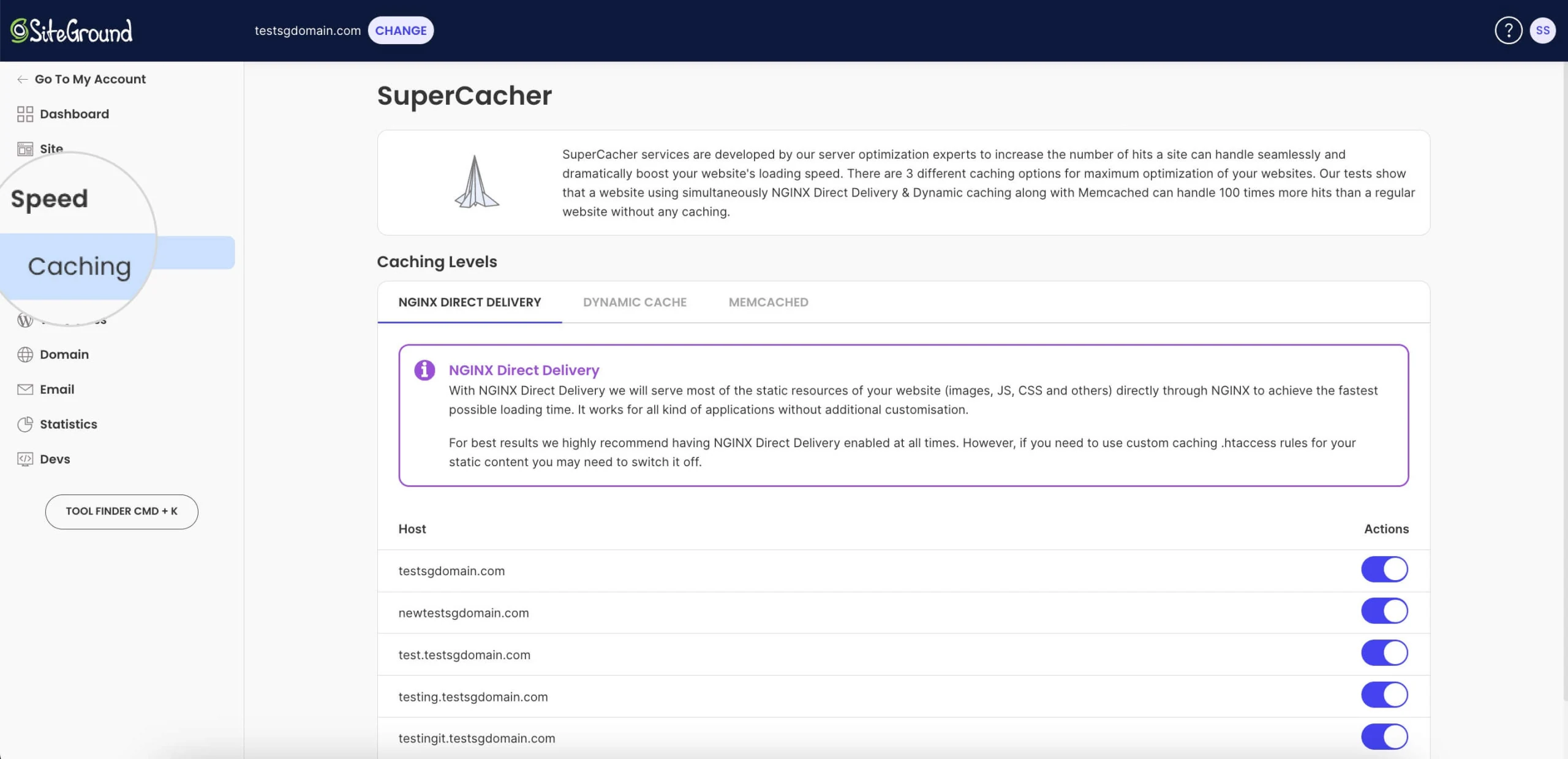
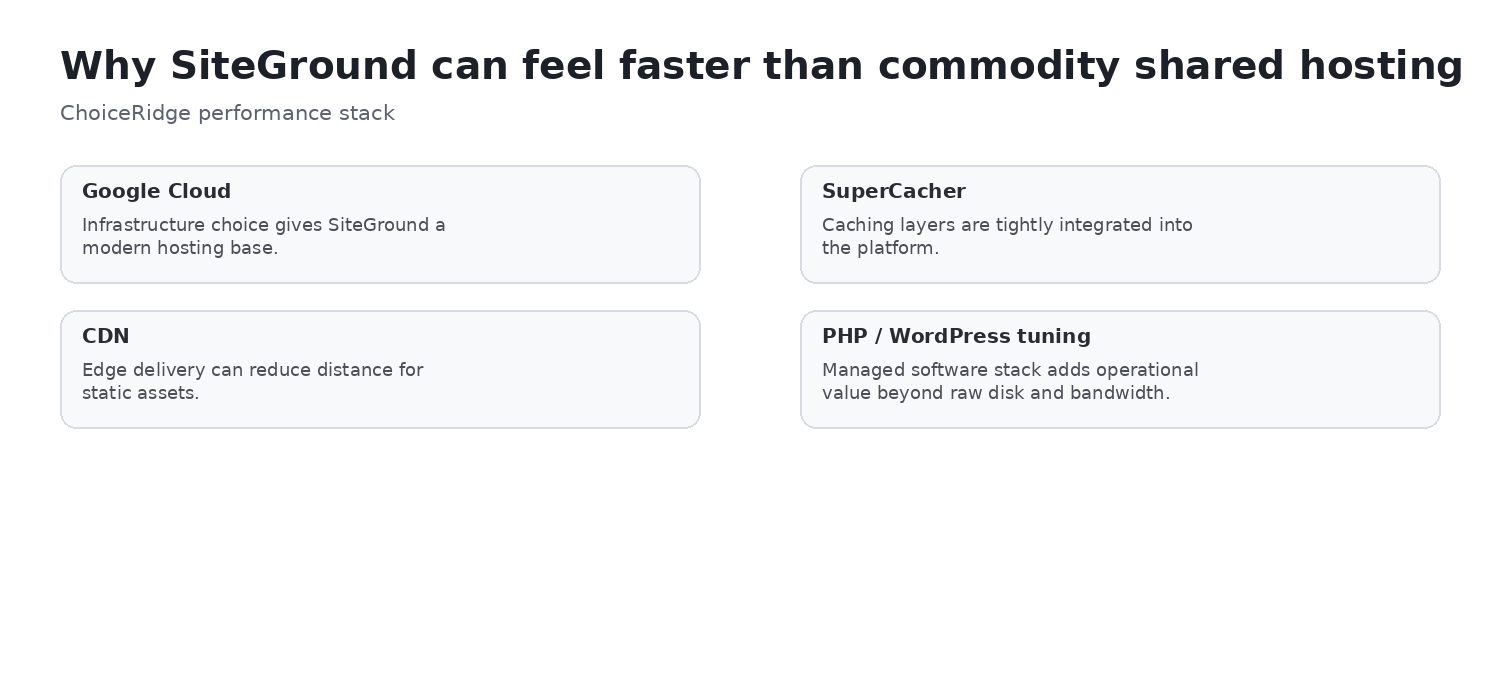
SiteGround documents NGINX Direct Delivery, Dynamic Cache, Memcached, its CDN, the Speed Optimizer WordPress plugin, Brotli, HTTP/2, and related optimization infrastructure. These layers can reduce repeated work and improve delivery, but architecture is not a guaranteed benchmark. Application design, cacheability, database behavior, plugins, traffic shape, and audience geography still matter.
Independent performance and hands-on context
TechRadar reported 100% uptime over 14 days, a 0.207-second average response time, a 0.735-second LCP, and roughly 14 requests per second in k6 with 20 simultaneous visitors in its own shared-hosting test. These are TechRadar’s results—not ChoiceRidge’s—and are not a guarantee for every account, region, configuration, or workload.
In a separate February 2026 article, TechRadar’s 60-minute SiteGround walkthrough described smooth onboarding and Site Tools as capable, explored caching and the SiteGround CDN, highlighted GrowBig renewal pricing, and found some upsells without describing them as aggressive. That was TechRadar’s hands-on experience, not ChoiceRidge’s. SiteGround’s own migration and speed figures are vendor-generated evidence and should not be treated as independent testing.
Fair use and shared-hosting resource limits
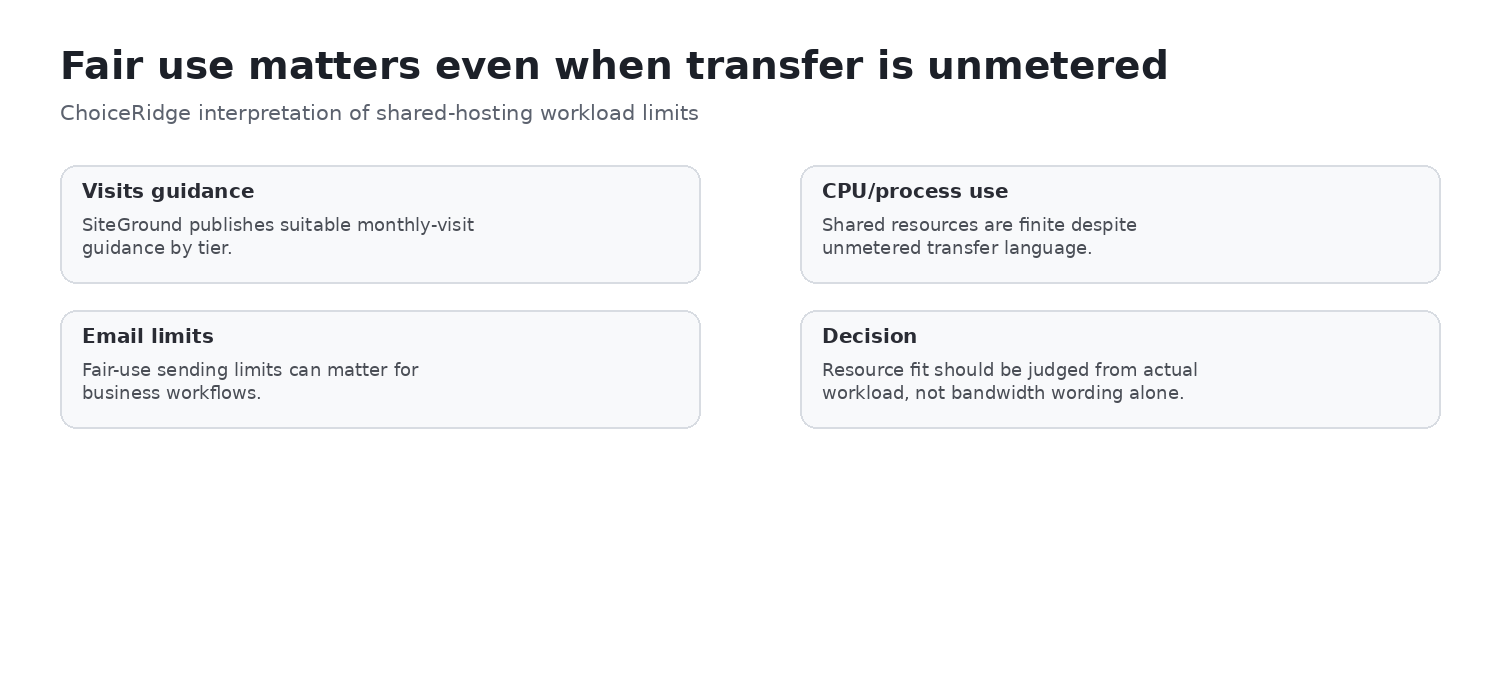
“Unlimited traffic” does not mean unlimited compute. SiteGround’s Fair Use documentation says shared plans operate on finite shared CPU, RAM, and I/O resources and may be limited after extreme or repetitive overuse. Published red-flag CPU thresholds are 1,000/hour, 10,000/day, and 300,000/month for StartUp; 2,000/20,000/600,000 for GrowBig; and 4,000/40,000/800,000 for GoGeek.
- Memory: up to 768 MB RAM per process.
- Inodes: 200,000 StartUp; 400,000 GrowBig; 600,000 GoGeek.
- Database size: up to 1,000 MB per database.
- Cron guidance: SiteGround recommends at least 30 minutes between scheduled script executions.
Security and support
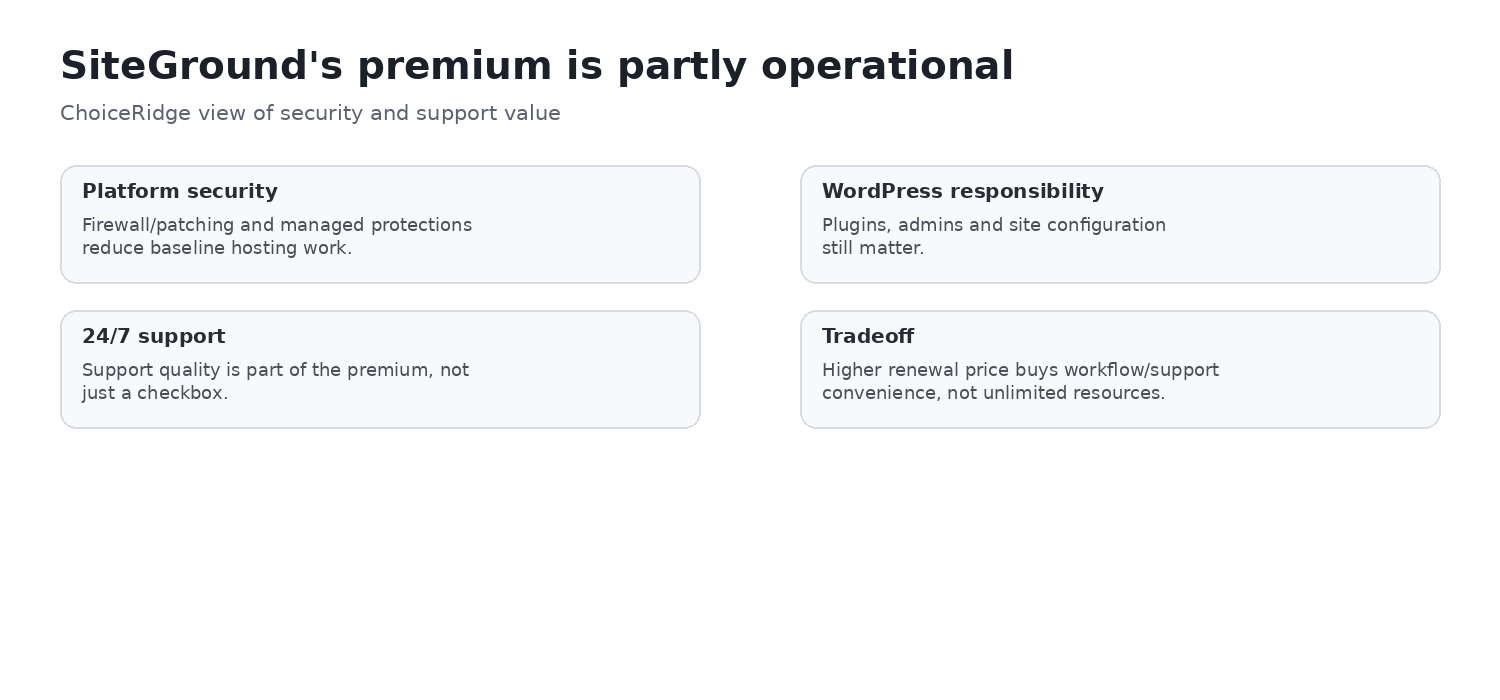
SiteGround currently markets an adaptive web application firewall, bot and DDoS protection, proactive human infrastructure monitoring, geo-distributed daily backups, SSL, and its Security Optimizer plugin. These controls do not create zero-risk hosting. Customers remain responsible for WordPress, plugin, and theme hygiene; MFA; least privilege; account and DNS security; monitoring; and independent recovery copies.
SiteGround promotes 24/7 live chat and phone contact. TechRadar’s independent review reported a live-chat agent appearing within seconds once the option was reached and a successful phone interaction, while criticizing the support wizard for making human contact less direct. The important distinction is that support quality and support accessibility are different questions. ChoiceRidge did not time or evaluate a support interaction.
Locations and infrastructure
SiteGround’s current documentation lists 11 data centers across four continents: Ashburn, Council Bluffs, Dallas, Los Angeles, London, Madrid, Eemshaven, Frankfurt, Paris, Sydney, and Singapore. Its CDN has additional edge locations, including São Paulo. The origin data center and CDN edge serve different roles; choose the origin for workload and primary-audience proximity, then use CDN coverage for distributed delivery where appropriate.
SiteGround documents relocation of individual StartUp, GrowBig, and GoGeek websites. Confirm availability, pricing, operational impact, DNS behavior, and migration timing before relying on relocation for a production system.
Agencies and collaboration
Current WordPress plans list collaborators. GoGeek adds white-label access, Git, private DNS, and priority support, which can change how an agency hands off and maintains client sites. Distinguish collaborator and client roles, define account ownership, and document who controls domains, billing, backups, and credentials before onboarding a client.
Refund policy
SiteGround currently documents a 30-day money-back guarantee for shared hosting and 14 days for cloud hosting. Eligibility and exclusions can vary by service, renewal, domain, or add-on, so read the current refund terms before purchase rather than treating the headline period as universal.
Scaling: shared hosting and Cloud are different operating tiers
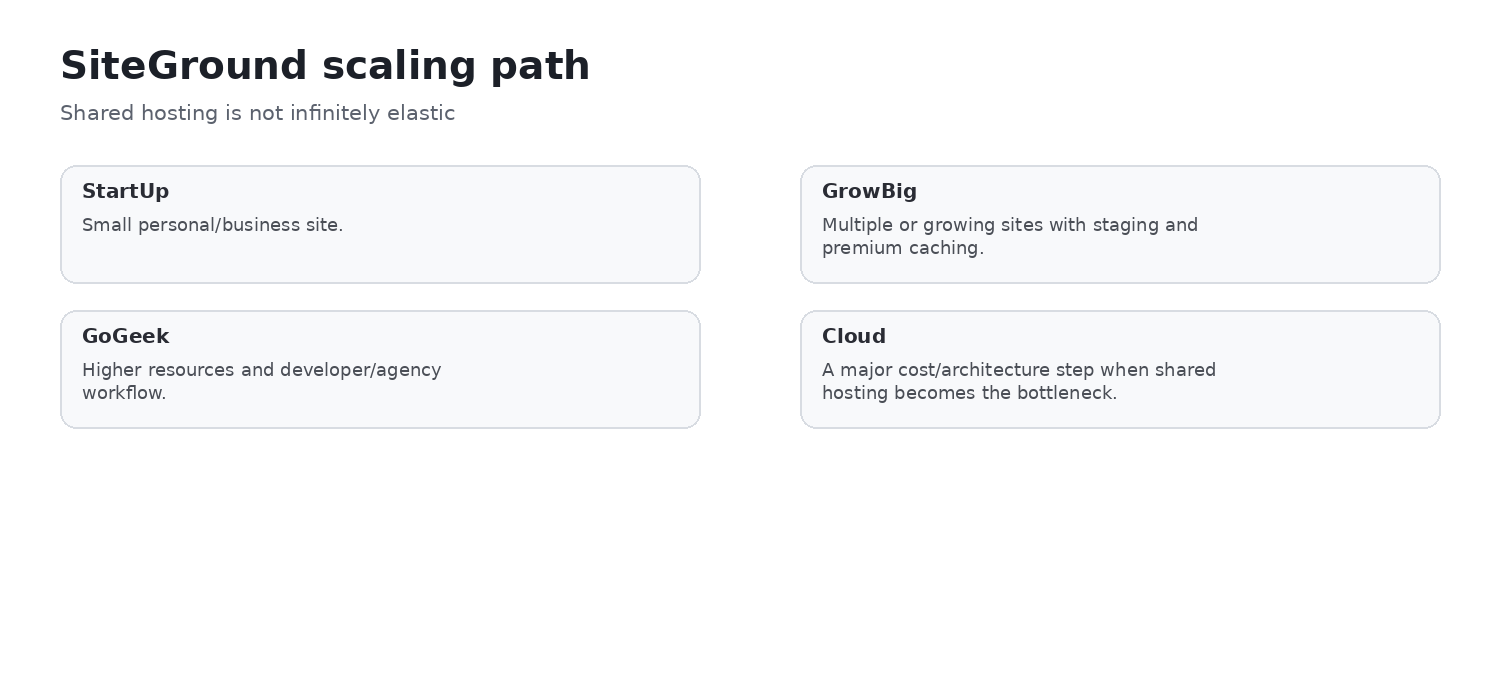
Moving from StartUp to GrowBig or GoGeek increases allowances and workflow features, but GoGeek does not become dedicated compute. When CPU or RAM isolation, sustained concurrency, large dynamic workloads, autoscaling, or more explicit resource control becomes necessary, evaluate SiteGround Cloud or another cloud/VPS/managed platform. Cloud is a different resource and cost tier, not merely a faster shared plan.
Pros and cons
Pros
- Up to 30 daily shared backup copies
- Five manual backup slots on GrowBig and higher
- Staging on GrowBig and GoGeek
- Documented AutoUpdate backup and rollback workflow
- Multi-level caching and SiteGround CDN
- Current GrowBig 50 GB and GoGeek 100 GB storage
- SSH, WP-CLI, and collaborators
- GoGeek white-label access, Git, private DNS, and priority support
- Strong attributed performance and support evidence
- Global infrastructure
Cons
- Major promotional-to-renewal increase
- Site Tools instead of cPanel
- Premium workflow may be excessive for simple sites
- Unlimited traffic does not mean unlimited compute
- Cloud involves a significant cost and operating-tier change
- TechRadar reported one migration-plugin failure in an independent test
- Support-routing friction can make human contact less direct
- Independent off-platform backup remains advisable for critical systems
Buyer fit
| Buyer | Fit | Decision condition |
|---|---|---|
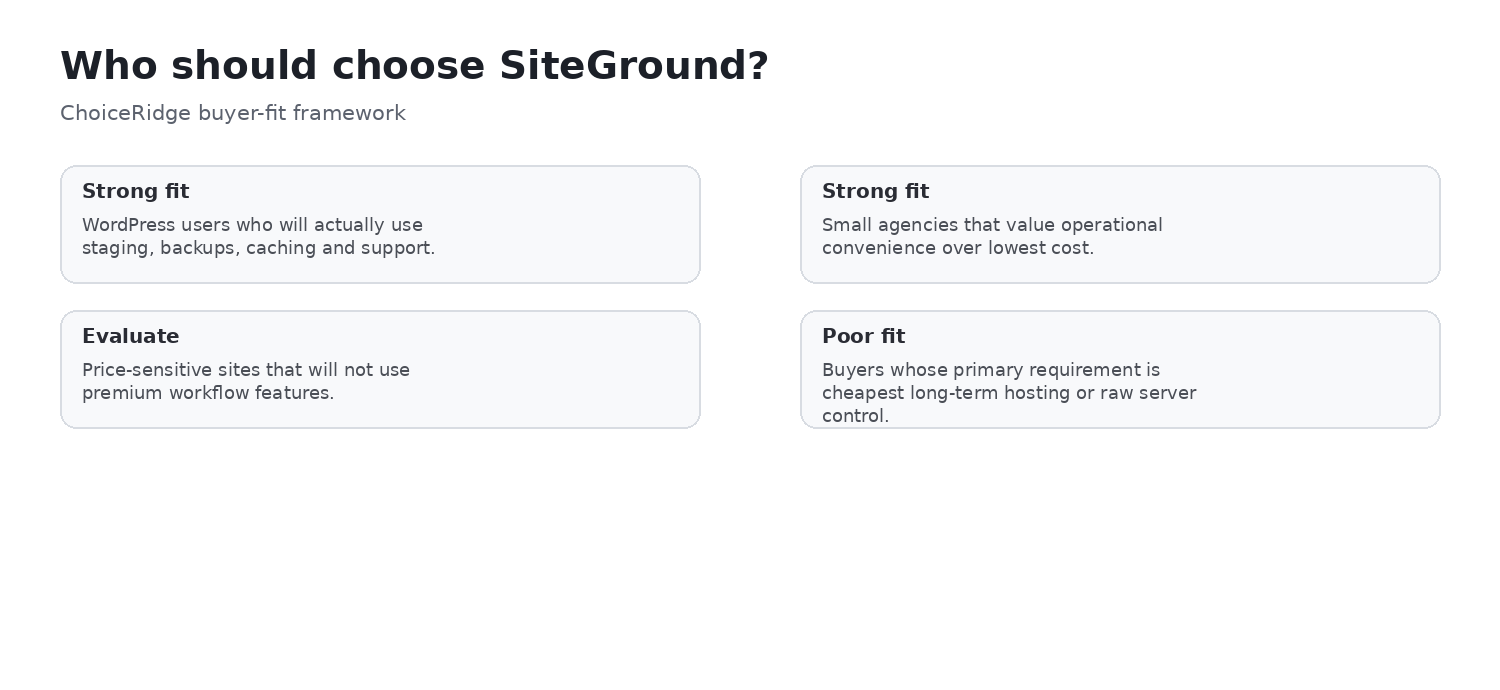
| WordPress teams deploying regularly | Strong fit | GrowBig or GoGeek workflow can justify renewal |
| SMBs valuing recovery and maintenance | Strong fit | Still maintain independent backup |
| Agencies using GoGeek | Strong fit | Validate client/collaborator ownership model |
| Beginners wanting integrated management | Good fit | Accept Site Tools and renewal economics |
| WooCommerce or highly dynamic sites | Evaluate carefully | Monitor shared-resource behavior |
| Teams requiring defined compute | Evaluate carefully | Consider Cloud or alternatives |
| Simple, low-risk sites | Conditional | Premium workflow may not repay renewal cost |
| cPanel-dependent administrators | Poor fit | Site Tools requires a different workflow |
| Lowest ongoing-price buyers | Poor fit | Renewal is the central caveat |
Alternatives
- Hostinger Review — compare lower-cost hosting with a proprietary control panel.
- HostGator Review — compare a traditional cPanel workflow and tier-specific phone support.
- Hostinger vs SiteGround — compare value and WordPress workflow directly.
- Cloudways Review — evaluate a managed cloud model with more infrastructure choice.
- Kinsta Review — evaluate premium managed WordPress operations and observability.
- Best Web Hosting for Small Businesses — compare broader buyer profiles.
Evidence map
| Finding | Primary evidence | Independent context | ChoiceRidge tested? |
|---|---|---|---|
| Pricing and renewal | SiteGround plan and rate pages | Not required | Published information checked |
| Storage and plan differences | SiteGround WordPress plan page | Not required | No checkout test |
| Site Tools | Official product page and screenshot | TechRadar context | No account test |
| Backups | Official backup documentation | Not required | No restore drill |
| Staging | Official staging documentation | Not required | No staging deployment |
| AutoUpdate | Official update documentation | Not required | No rollback test |
| Caching and CDN | Official performance documentation | TechRadar context | No benchmark |
| Performance | Provider architecture claims | TechRadar, attributed | No |
| Support | Provider support material | TechRadar, attributed | No contact test |
| Locations | Official data-center documentation | Not required | No regional latency test |
| Agency features | Official agency and role documentation | Not required | No client handoff test |
| Buyer recommendation | ChoiceRidge editorial analysis | Contextual comparison | Research-based judgment |
What ChoiceRidge verified
- Current US promotional, first-year, 12-month renewal, and published 24-month standard-rate equivalents.
- Current 10 GB, 50 GB, and 100 GB storage and the plan-level workflow differences.
- Official documentation for Site Tools, backups, staging, AutoUpdate, caching/CDN, fair use, security, support, data centers, collaboration, refund, and scaling.
- The date and wording context of the attributed TechRadar performance and hands-on evidence.
- The existence of the ChoiceRidge internal pages linked below.
This verification is documentation and evidence research, not hands-on account testing.
What ChoiceRidge did not test
- No SiteGround account was purchased specifically for this edition.
- No ChoiceRidge uptime monitor, TTFB or LCP benchmark, load test, support chat/call timing, migration attempt, staging deployment, backup restore drill, security test, or identical competitor WordPress deployment was run.
- The five interface screenshots come from official public documentation and do not prove ChoiceRidge account access.
Why there is no numerical rating
ChoiceRidge has not applied a validated quantitative scoring model to this edition. Stars or a 10-point rating would imply precision the research evidence does not support, so this review uses an evidence-qualified verdict. No Product rating or AggregateRating is claimed.
SiteGround FAQ
How much does SiteGround cost after the first year?
The published 12-month renewal rates checked in August 2026 were $17.99/month for StartUp, $29.99 for GrowBig, and $44.99 for GoGeek. Recheck the renewal invoice and term because pricing can change.
What is the difference between StartUp, GrowBig, and GoGeek?
StartUp hosts one site with 10 GB. GrowBig supports unlimited sites under policy, 50 GB, on-demand backups, staging, and faster PHP. GoGeek has 100 GB and adds Git, private DNS, white-label access, and priority support.
Which SiteGround plan includes staging?
WordPress staging is currently included with GrowBig and GoGeek, not StartUp.
Does SiteGround include daily backups?
Yes. SiteGround documents automatic daily backups and up to 30 daily copies on shared hosting. Operational limits still apply, so keep an independent copy for critical data.
Does SiteGround include on-demand backups?
GrowBig and higher plans currently include five free manual backup slots. StartUp does not list this higher-plan feature.
What is Site Tools?
Site Tools is SiteGround’s website-focused control environment for files, databases, WordPress, backups, domains, email, SSL, cache, CDN, security, statistics, and developer functions.
Does SiteGround use cPanel?
No. Its current workflow uses Site Tools. Buyers with cPanel-specific routines should assess the operational change before migrating.
Is SiteGround good for WordPress?
It is a strong research-based fit for WordPress teams that value integrated backups, staging, managed updates, caching, security, and collaboration and can justify renewal pricing. ChoiceRidge did not run a WordPress benchmark.
Is SiteGround good for agencies?
GoGeek can be attractive for agencies because of collaborators, white-label access, Git, private DNS, and priority support. Define billing, domain, credential, and client ownership before deployment.
Is SiteGround worth the renewal price?
It can be when staging, recovery, updates, performance tooling, and collaboration reduce meaningful operational work or risk. For a simple low-risk site, the renewal premium may not produce enough value.
When should I move from shared hosting to SiteGround Cloud?
Evaluate Cloud when sustained CPU/RAM needs, high dynamic concurrency, autoscaling, larger ecommerce workloads, or defined resource control exceed the shared-plan model. Cloud is a separate operating and cost tier.
Continue comparing
Compare Hostinger vs SiteGround, browse Best Web Hosting for Small Businesses, or read the Hostinger, HostGator, Cloudways, and Kinsta reviews. Explore the comparison library and read our Methodology, Editorial Policy, and How We Make Money.
Sources
- SiteGround — Web Hosting
- SiteGround — WordPress Hosting Plans
- SiteGround — Feature Comparison
- SiteGround — Current Shared Hosting Rates
- SiteGround — Choose a Suitable Hosting Plan
- SiteGround — Fair Use
- SiteGround — Site Tools
- SiteGround — Backup Service
- SiteGround — WordPress Staging
- SiteGround — WordPress AutoUpdate
- SiteGround — Performance Optimization
- SiteGround — SuperCacher Context
- SiteGround — Server Locations
- SiteGround — Data Centers
- SiteGround — Data Center Relocation
- SiteGround — Agency Hosting
- SiteGround — Client and Collaborator Roles
- SiteGround — Refund Policy
- TechRadar — SiteGround Review and Performance Test
- TechRadar — SiteGround in 60 Minutes
Sources were checked August 15, 2026. Recheck current pricing, renewal, policies, and exact plan terms before purchase.