A research-based Cloudways review covering Flexible and Autonomous, pay-as-you-go economics, application management, backups, staging, monitoring, scaling, WordPress operations, support, current interface evidence, and who should choose managed cloud instead of packaged hosting.
- Evidence checked: August 15, 2026
- Review type: Research-based Expanded Review
- Research basis: official documentation plus current independent hands-on evidence
- ChoiceRidge lab testing: not claimed
Review disclosure: This is a research-based editorial review. ChoiceRidge did not purchase a Cloudways account specifically for this edition and does not present TechRadar’s hands-on observations as its own. Public screenshots are identified by source. Flexible pricing is usage/configuration based, so the final monthly invoice can differ from the advertised entry server.
Commercial-link disclosure: Provider links in this edition are direct, non-tracked links. If ChoiceRidge later adds affiliate links, they will be identified and will not affect the methodology or verdict. See How We Make Money.
Managed cloud is the value — not the $11 headline
Cloudways is strongest for teams that want cloud-server control without owning the full sysadmin burden. Flexible currently starts at $11/month or $0.0357 hourly for an entry DigitalOcean configuration listed with 2 GB RAM, 1 vCPU, 50 GB storage and 2 TB transfer. But the real product is the management layer: application/server controls, staging, monitoring, vertical scaling, automated backups, SSL, caching, Git deployment, security tooling and support over infrastructure from providers such as DigitalOcean, Vultr, Linode, AWS and Google Cloud.
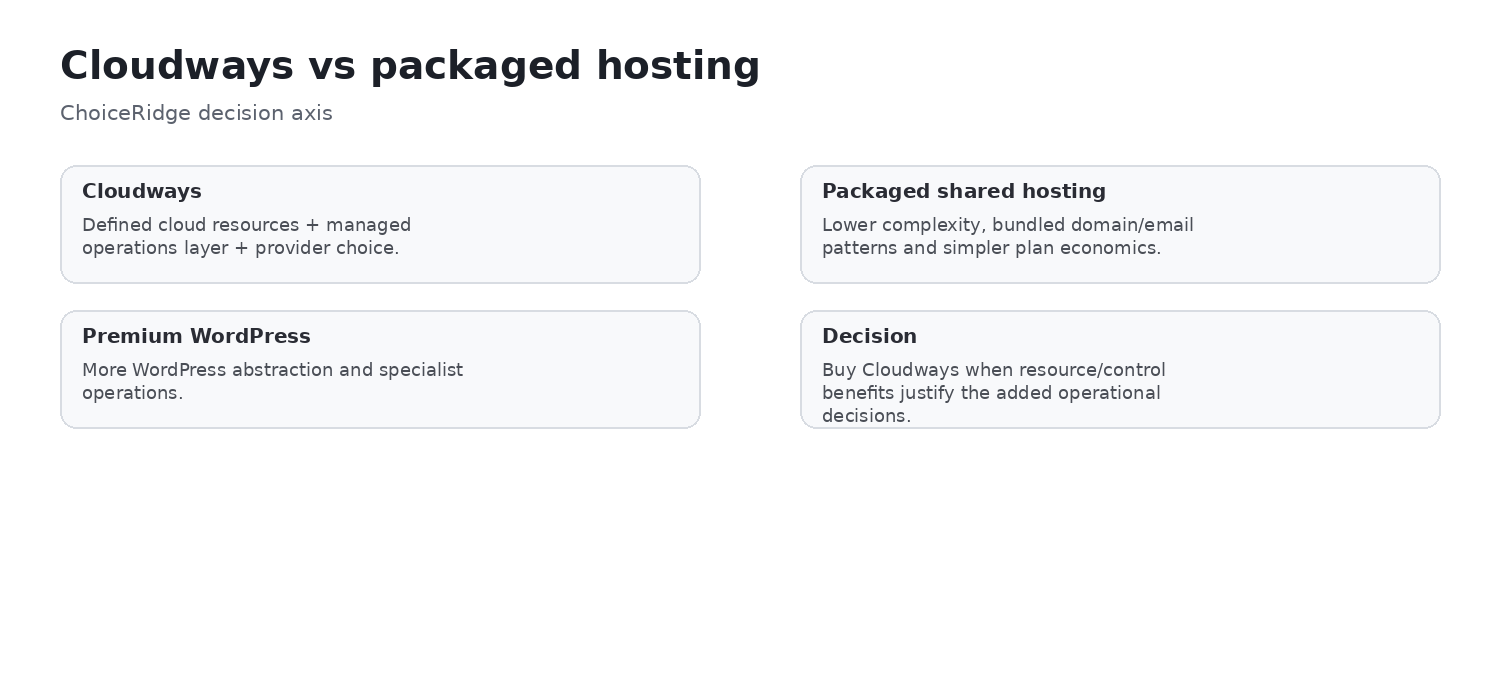
The key caveat is that Cloudways requires more infrastructure judgment than packaged hosting. You still choose a provider, region, server family and size; additional bandwidth, backup storage, email, Cloudflare Enterprise, malware remediation and advanced support can add cost. For teams that actively need this control, Cloudways can be easier to justify than premium managed WordPress. For a simple first website, the flexibility can become overhead.
Best for
Developers, agencies, WooCommerce and growing PHP/WordPress workloads
Plan/model to evaluate first
Flexible entry server, then size from workload
Strongest differentiator
Managed cloud control without raw-server administration
Biggest caveat
Base price is not the complete production stack
Evidence level
Research-based
ChoiceRidge testing
No account benchmark claimed
Cloudways Flexible vs Autonomous: choose the operating model first
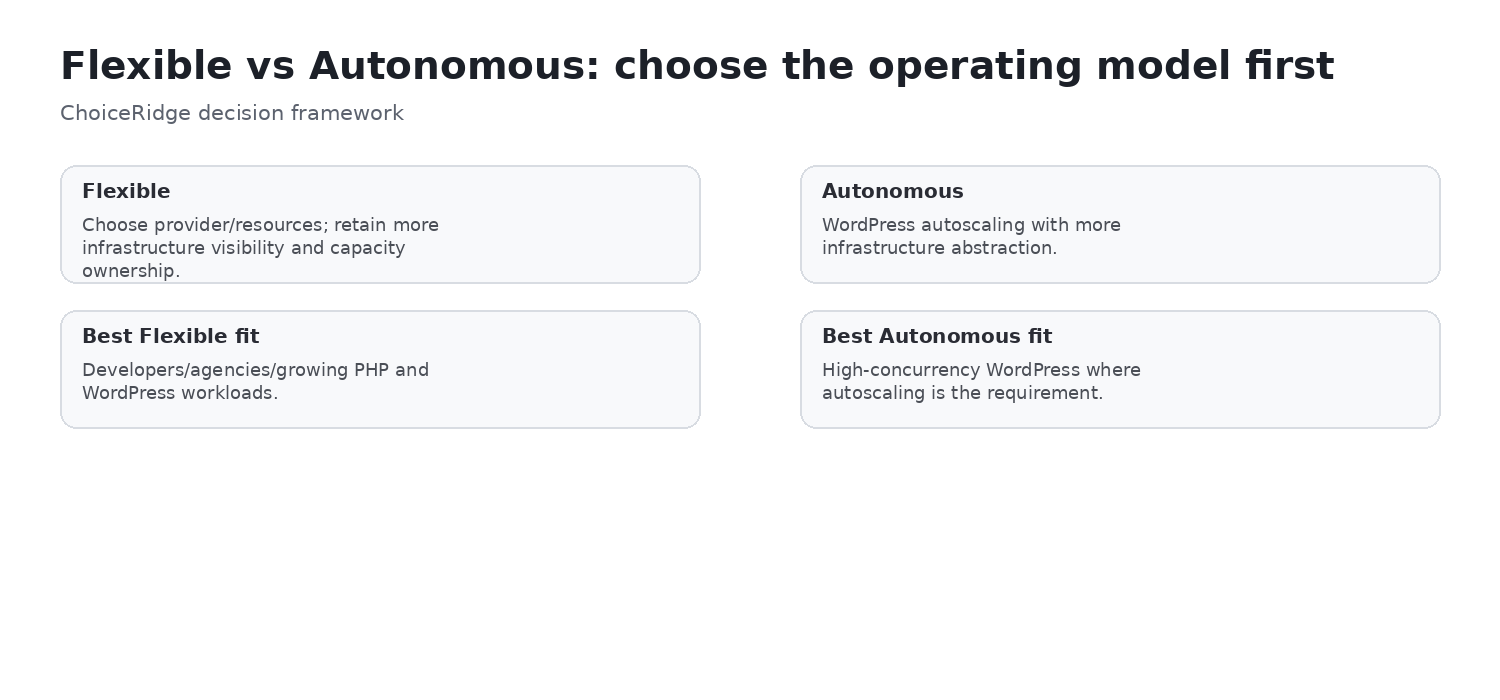
Cloudways currently presents two primary hosting approaches. Flexible is customizable managed cloud hosting where the buyer chooses cloud provider, server type, region and resources. Autonomous is a more hands-off autoscaling WordPress product designed for high-traffic WordPress, ecommerce and LMS workloads.
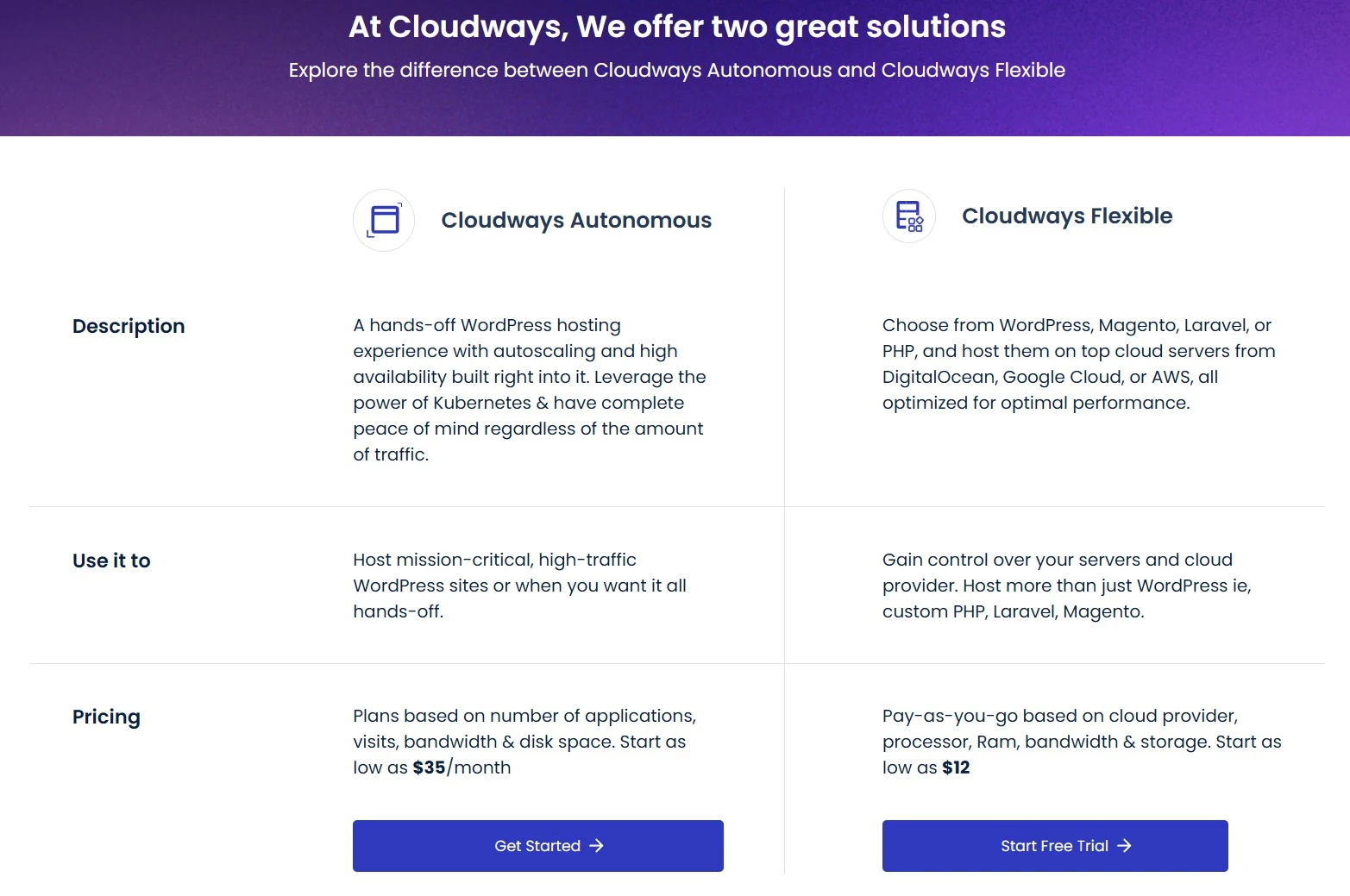
| Decision | Flexible | Autonomous |
|---|---|---|
| Primary model | Managed server/app control | Autoscaling managed WordPress |
| Buyer chooses server/provider | Yes | Much more abstracted |
| Pricing style | Hourly/post-paid based on selected resources | Monthly base plan + applicable usage |
| Apps | WordPress, PHP, Laravel, Magento and others | WordPress/WooCommerce/LMS oriented |
| Best fit | Teams wanting control and sizing flexibility | High concurrency where autoscaling is central |
ChoiceRidge view: do not compare Flexible and Autonomous only by headline price. They solve different operational problems. Flexible asks the team to size capacity; Autonomous charges more to remove more of that capacity-planning burden.
Pricing: no classic renewal jump, but the invoice has more moving parts
Flexible differs fundamentally from Hostinger, HostGator and SiteGround promotional shared-hosting economics. The current entry DigitalOcean server is published at $11/month or $0.0357 hourly and continues on usage/configuration billing rather than jumping to a separate “renewal” rate after a promotional term.
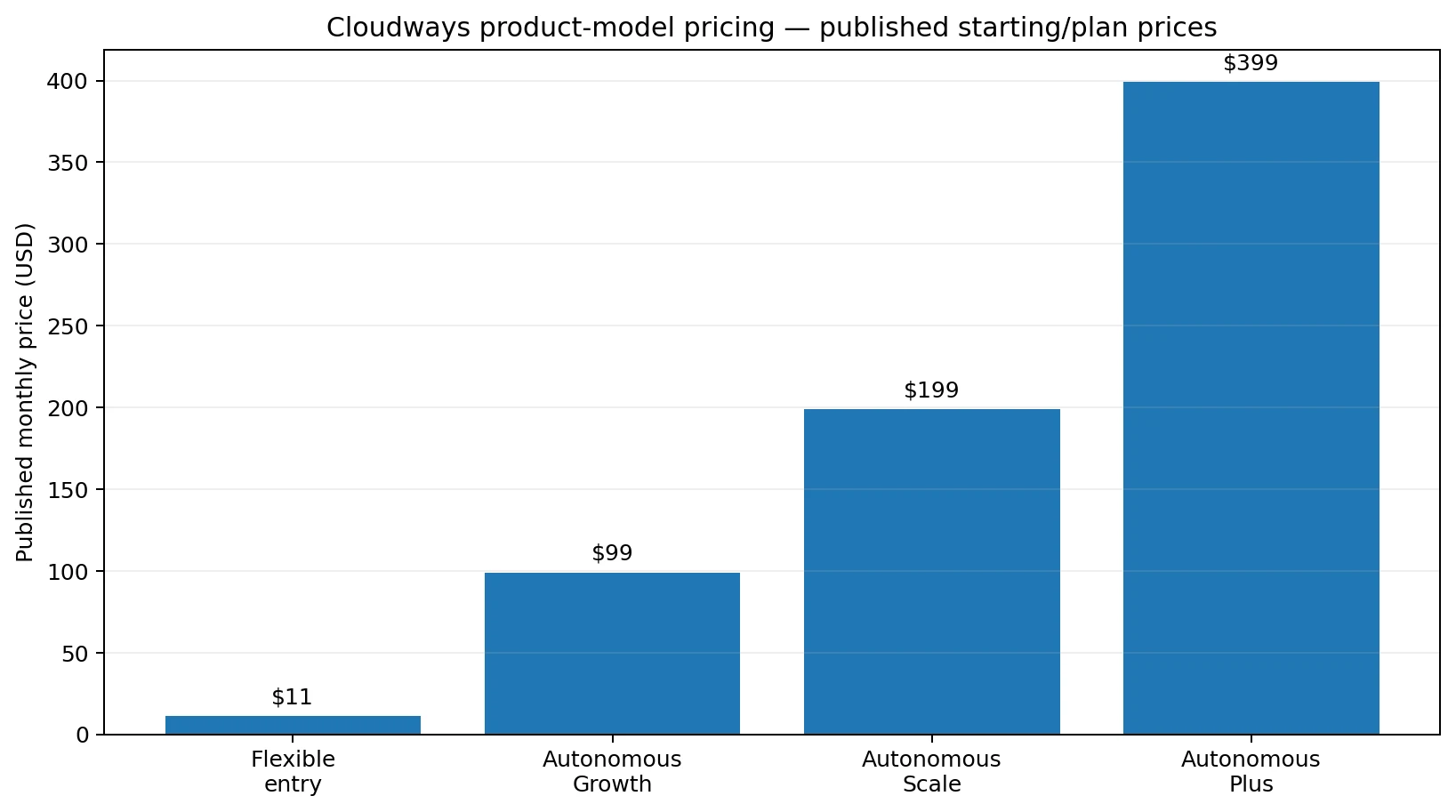
| Product/configuration | Published price | Included orientation | What can add cost |
|---|---|---|---|
| Flexible entry | $11/mo or $0.0357/hr | 2 GB RAM, 1 vCPU, 50 GB storage, 2 TB transfer | Provider/region, bandwidth, backup storage, add-ons |
| Autonomous Growth | $99/mo | 1 site, autoscaling, 20 GB disk, 150 GB bandwidth | Extra disk/bandwidth/autoscale usage |
| Autonomous Scale | $199/mo | 2 baseline autoscale servers, 50 GB disk, 250 GB bandwidth | Additional autoscale/bandwidth/storage |
| Autonomous Plus | $399/mo | 3 baseline servers, 100 GB disk, 1000 GB bandwidth | Additional usage |
Cloudways currently states that Flexible offsite backup storage is billed at $0.033/GB per server. It also publishes provider-specific bandwidth overages, including $0.02/GB for DigitalOcean and higher region-dependent charges for AWS/GCP. That makes cost modeling more important than on a fixed shared-hosting package.
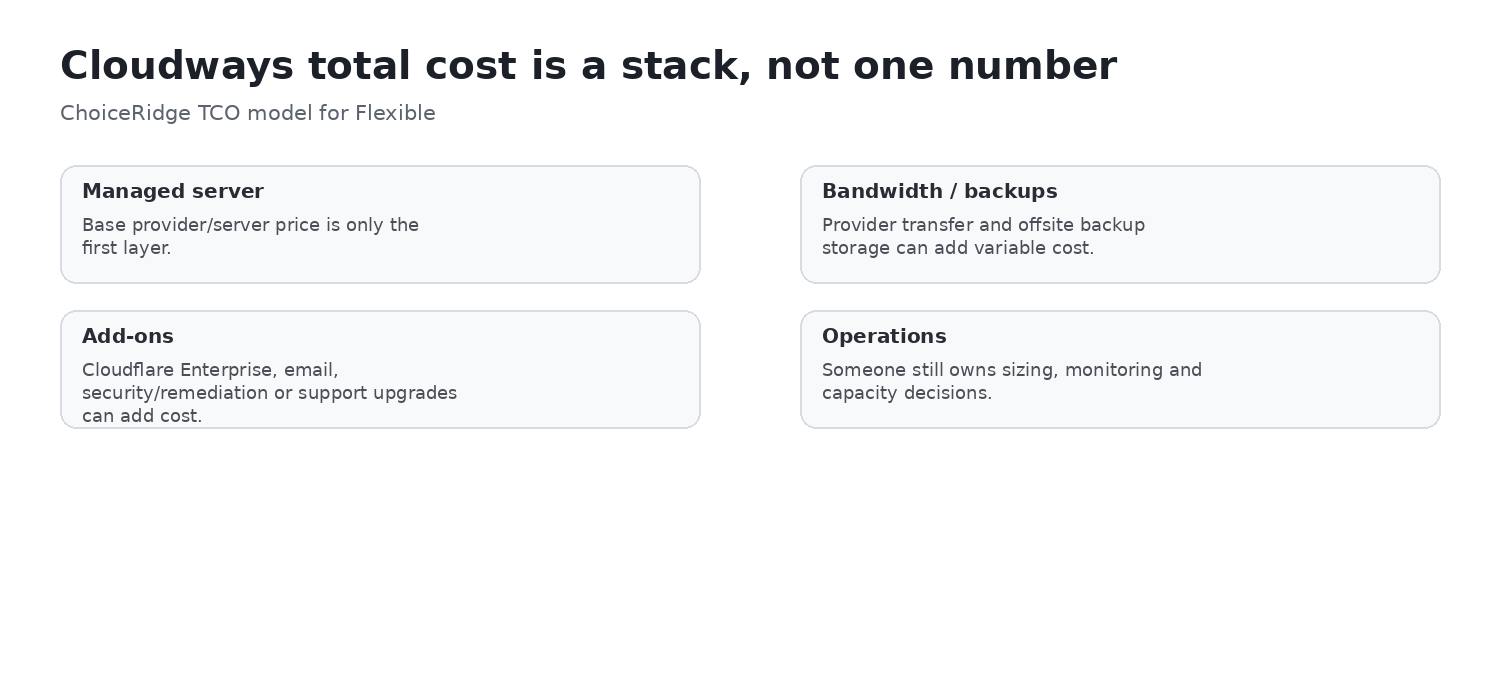
- Server and provider: family, size, region, and hourly runtime.
- Transfer: included bandwidth and provider-specific overages.
- Recovery: separately billed Flexible offsite backup storage and any independent copy.
- Services: email, Cloudflare Enterprise, malware remediation, and support upgrades when selected.
- Operations: staff time for capacity, monitoring, scaling, and recovery ownership.
ChoiceRidge view:
No bundled domain or conventional mailbox hosting
Cloudways does not position domain registration or traditional email hosting as core bundled features. Independent hands-on testing from TechRadar notes separate mailbox provisioning through an add-on. This is not inherently negative, but it means a production TCO should include your registrar and mailbox service.
Application management: Cloudways abstracts server work without hiding it completely
The current application management interface exposes access details, staging, monitoring, application security, domains, cron jobs, SSL, backup/restore, Git deployment, application settings, web rules, Cloudflare, WP Manager, migration and SafeUpdates.
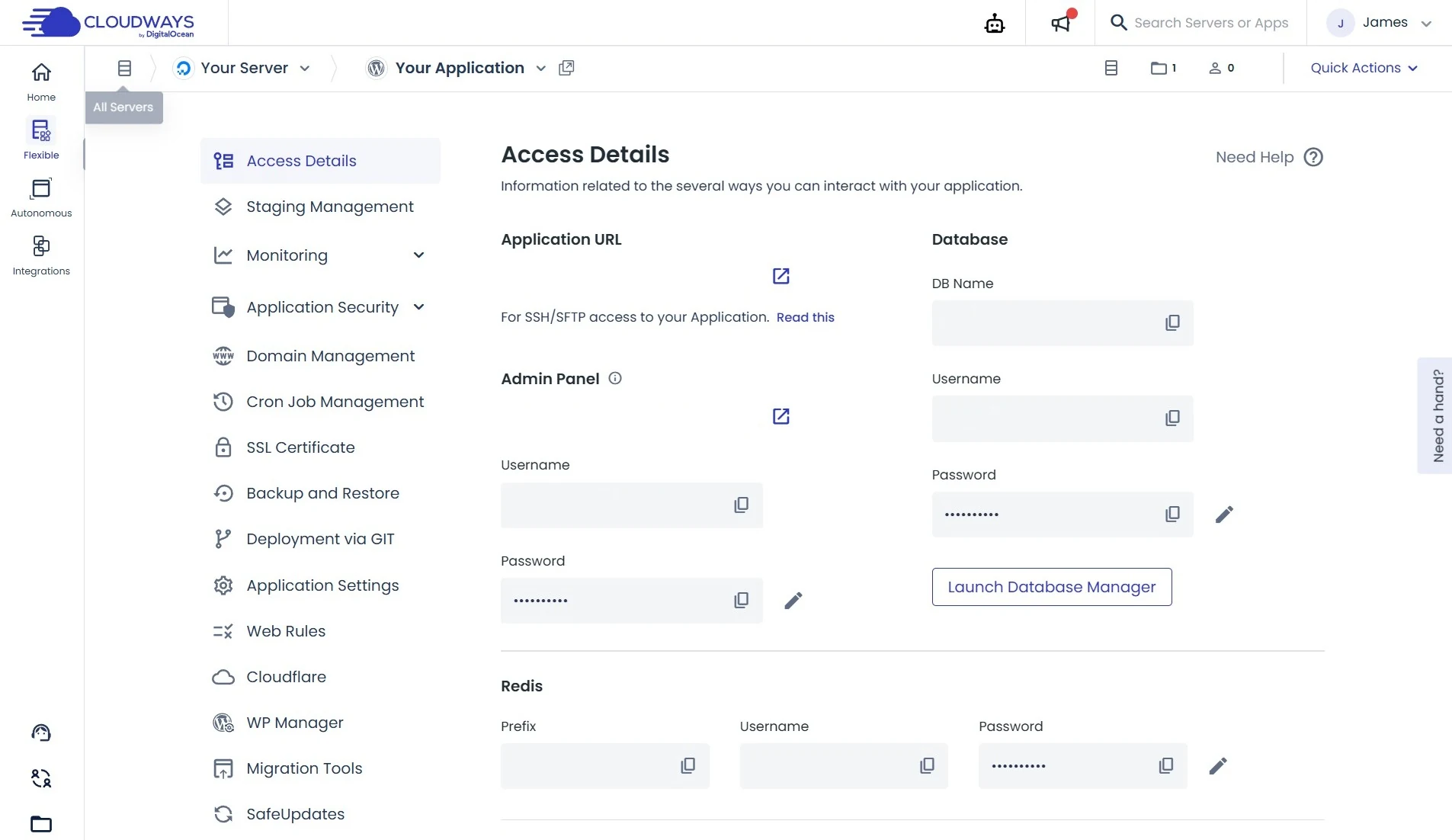
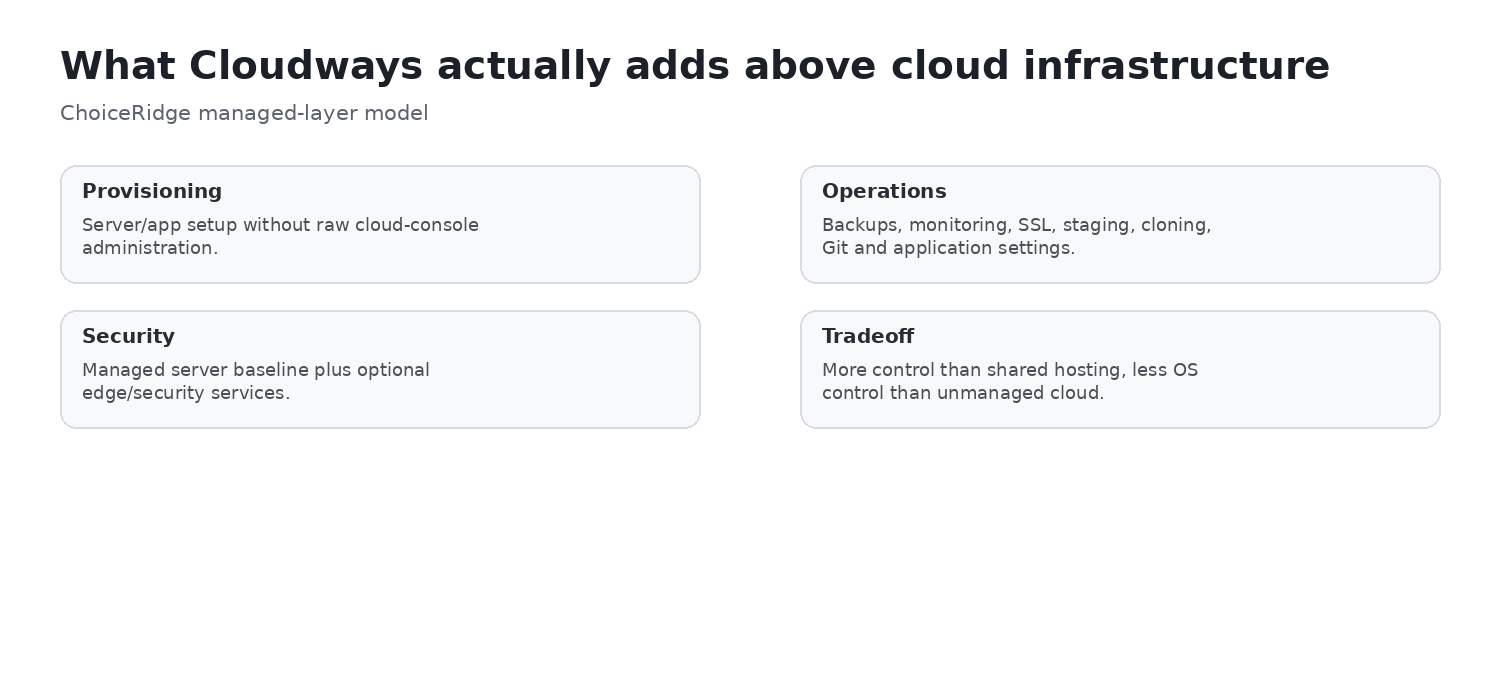
ChoiceRidge assessment: this is why Cloudways sits between unmanaged VPS and packaged managed WordPress. It makes infrastructure tasks graphical and repeatable, but it does not remove the need to understand concepts such as PHP configuration, caches, database load, cron, server sizing and scaling.
WordPress operations: fewer beginner layers, more application controls
TechRadar’s January 2026 walkthrough installed and configured a WordPress sample site and found the workflow comparatively smooth once the server was created. Cloudways deploys WordPress with its Breeze caching plugin and supports Object Cache Pro on qualifying configurations. The platform also exposes staging, migration tools, SafeUpdates, Git and detailed application settings.
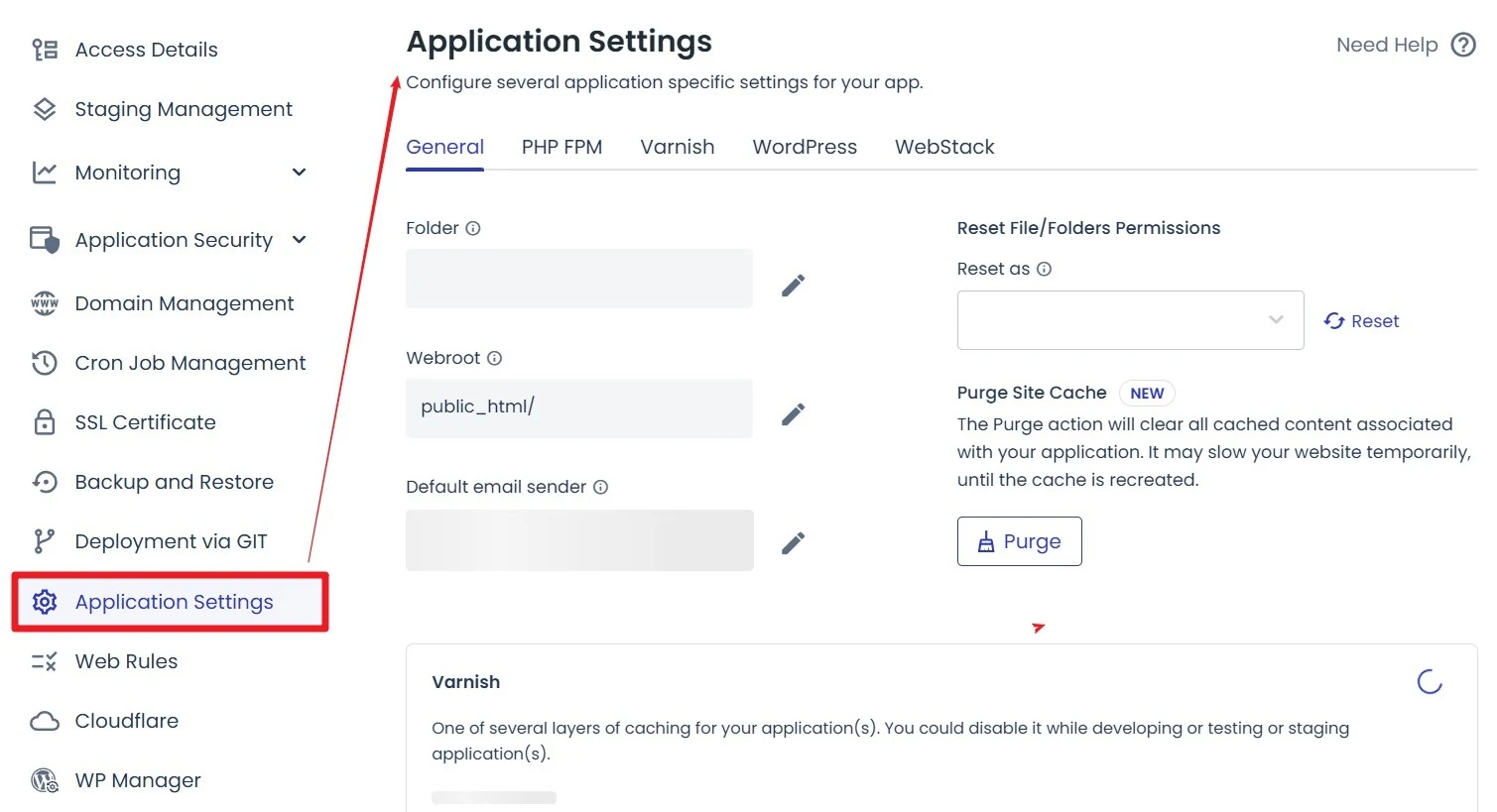
For advanced WordPress/WooCommerce, this is often more useful than a simplified beginner dashboard. For first-time site owners, Hostinger or more packaged WordPress products may demand fewer infrastructure decisions.
Staging and deployment
Cloudways documents staging environments that can be created as isolated copies and used to push/pull data between live and staging. Its current support material also documents Git deployment and, in 2026, automatic Git deployment through webhooks and API access tokens for Flexible applications.
ChoiceRidge view: staging, cloning and Git are operational features, not decorative checkboxes. Their value rises sharply when a team manages multiple client sites, custom code or revenue-generating stores.
Backups: configurable, offsite, and not free storage
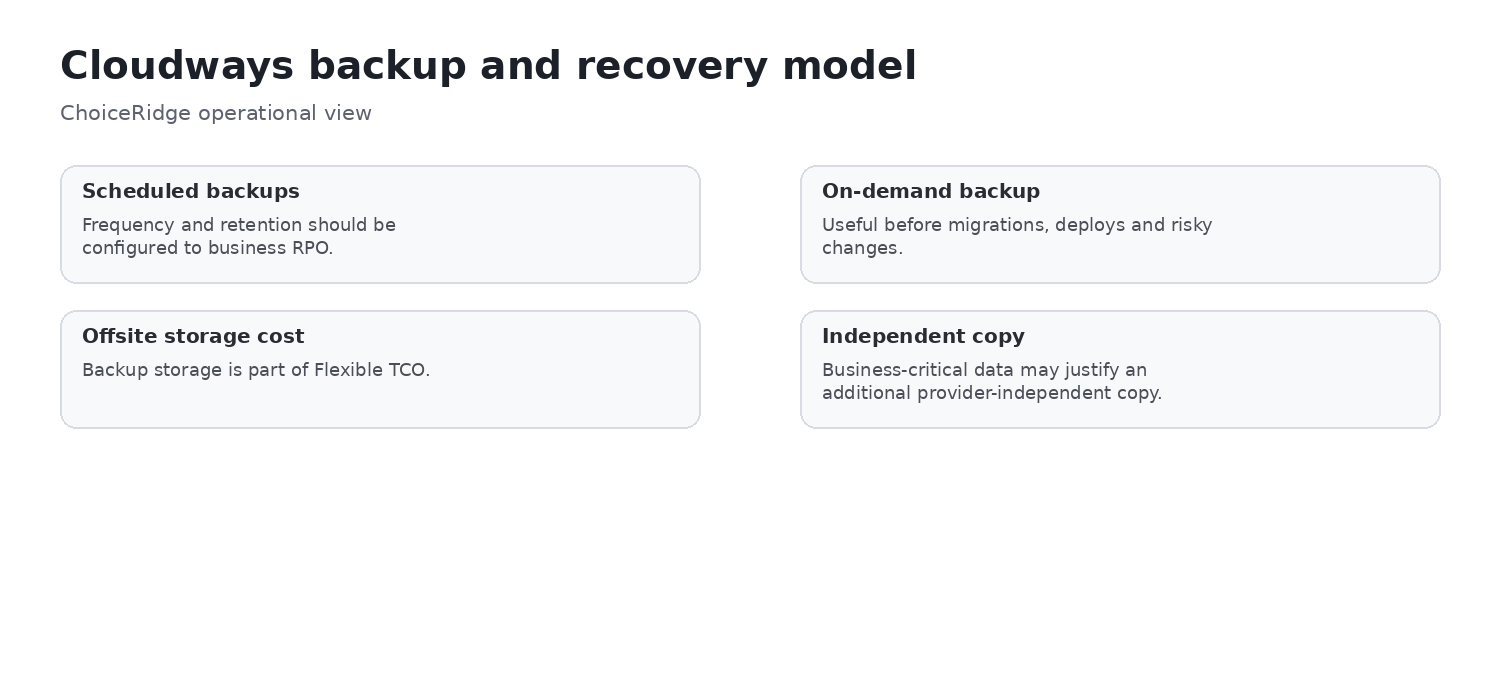
Cloudways’ March 2026 backup documentation states that new Flexible servers receive automated offsite backups by default every 24 hours with a one-week retention, and that users can customize frequency/retention, trigger on-demand backups and restore applications. Server-level backups can retain up to four weeks within the platform, while offsite storage is billed separately.
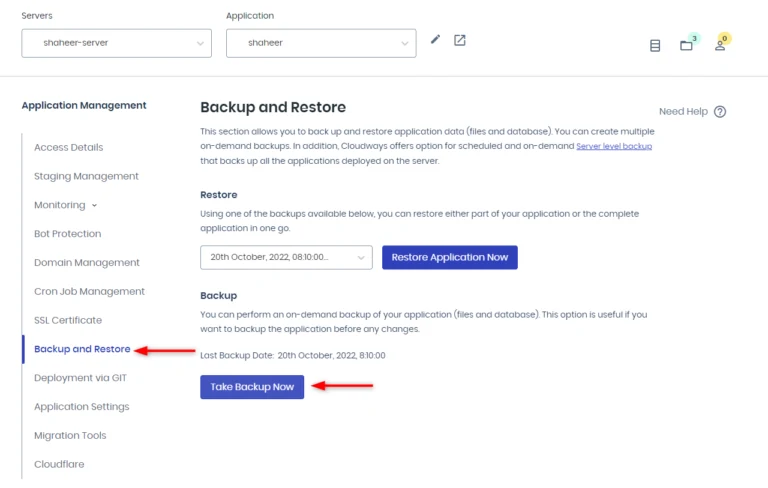
Cloudways also distinguishes server-level backups from application-level backups and lets users enable a local copy for download. Its own documentation recommends more than one backup location.
ChoiceRidge recommendation:
Monitoring: this is where managed cloud starts to justify itself
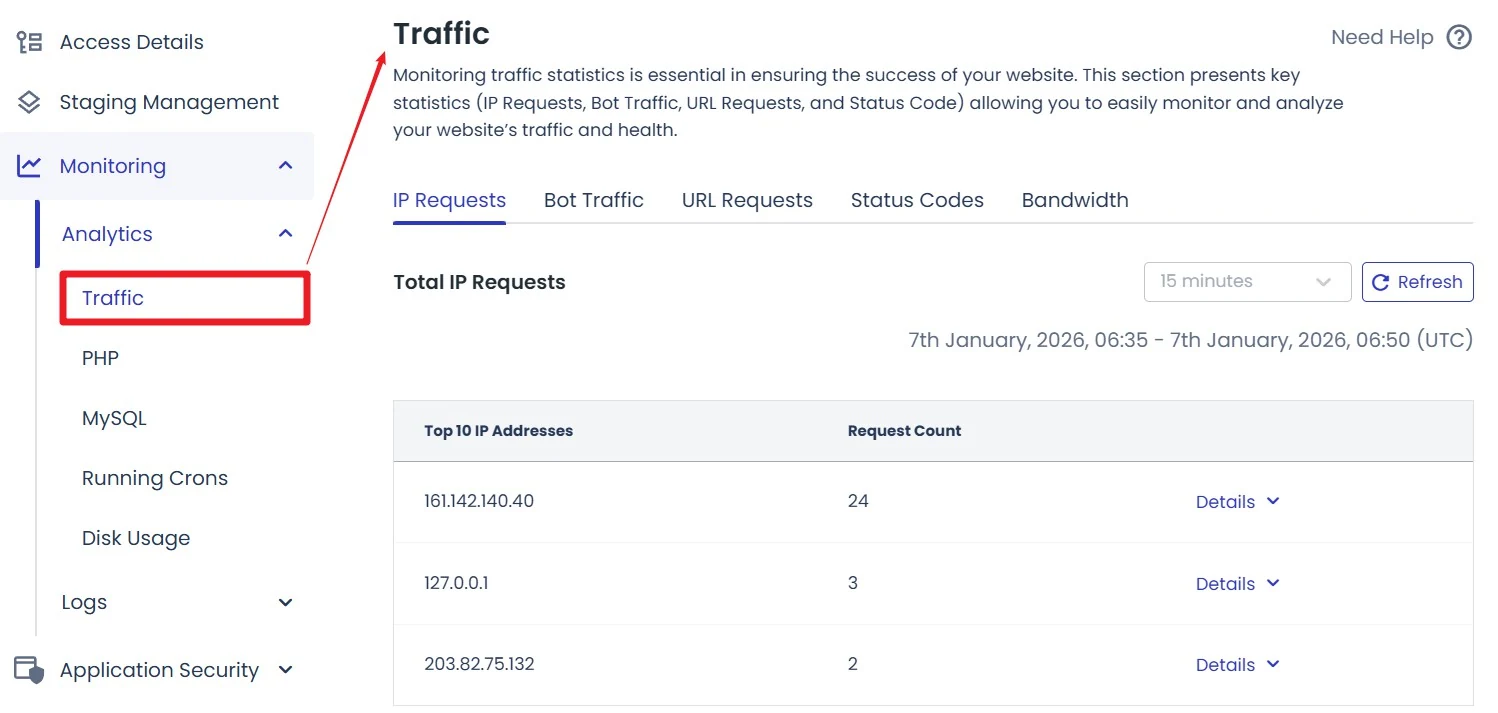
Cloudways exposes traffic, PHP, MySQL, cron, disk and other application/server monitoring views. The January 2026 TechRadar walkthrough specifically highlighted traffic analytics, disk usage, database connections and bottleneck visibility.
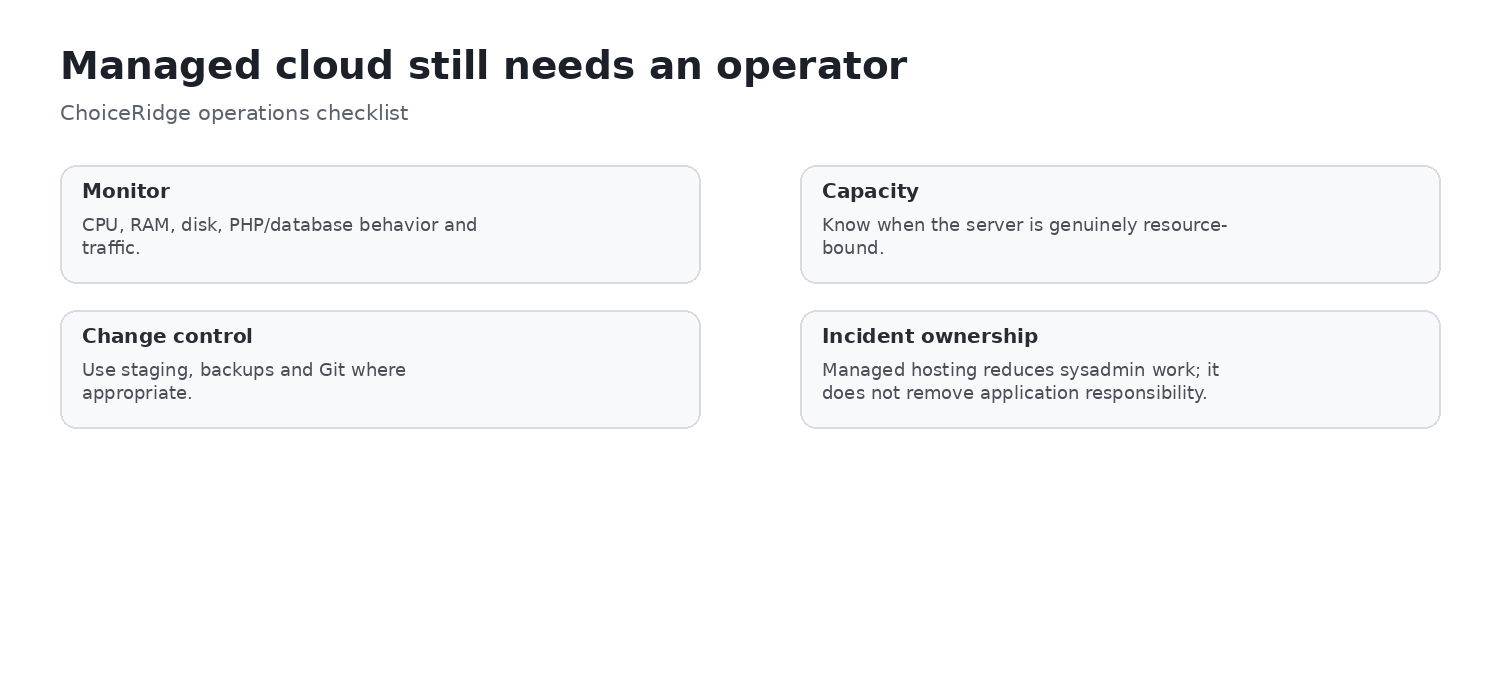
Cloudways Copilot now adds an AI operations layer that monitors servers/applications, detects issues and can provide SmartFix actions. Official 2026 pricing material includes a small number of free AI Copilot credits on Flexible plans. Treat this as an operations feature, not as a substitute for capacity planning or engineering judgment.
Scaling: powerful, but provider rules matter
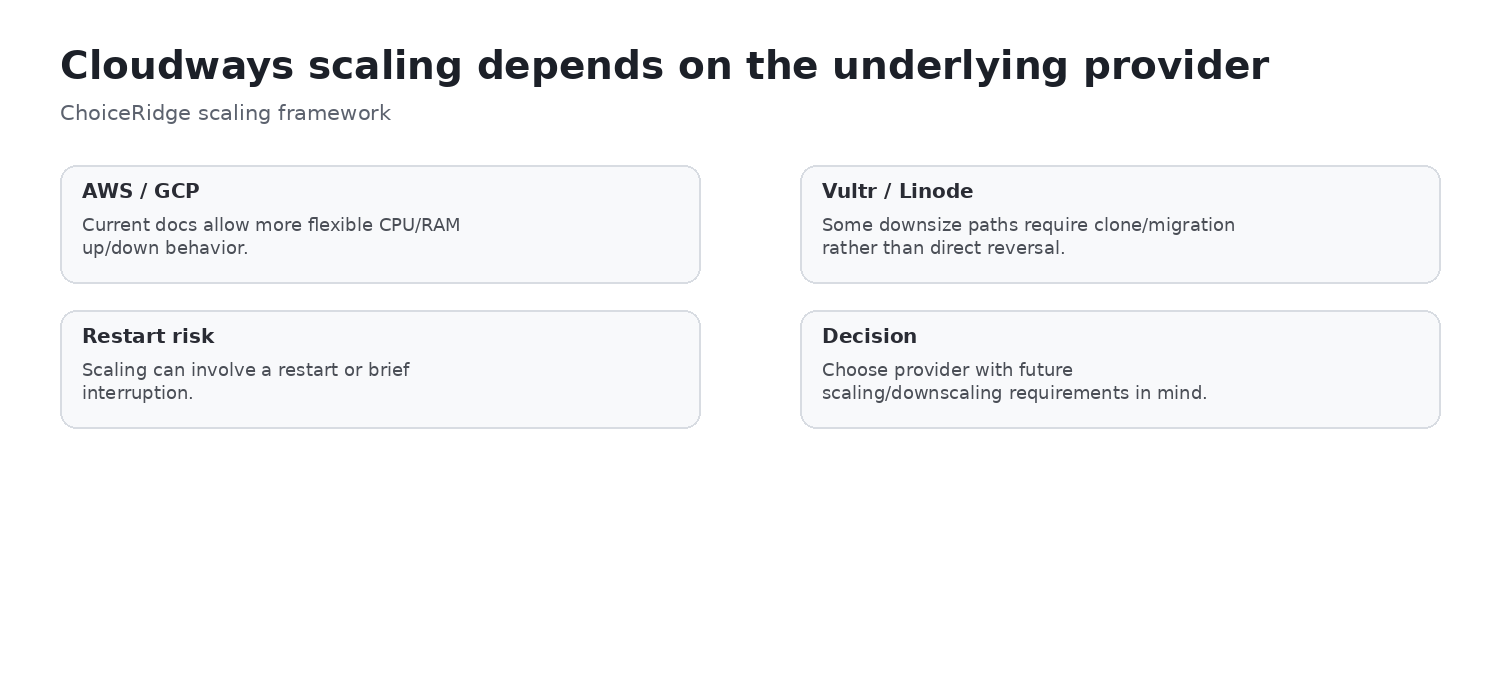
Cloudways supports vertical scaling, but the behavior differs by cloud provider. Current 2026 documentation says AWS and Google Cloud can scale CPU/RAM both up and down. Vultr and Linode commonly scale upward within their instance families, and some moves cannot be reversed without cloning/migrating to a smaller server. Scaling can also restart a server and cause temporary downtime.
ChoiceRidge view: “vertical scaling” is not a single universal behavior. Before choosing the cloud provider, understand whether you may need to downscale later, whether storage can shrink, and whether a planned restart is acceptable.
Performance evidence: the 2026 hands-on result was more nuanced than the marketing
ChoiceRidge did not run a benchmark. TechRadar’s January 2026 60-minute Cloudways walkthrough used a low-cost DigitalOcean server and described the resulting WordPress benchmark as about average, while noting that the test had not yet been tuned with CDN/caching. This is useful because it prevents a simplistic “cloud = automatically faster” conclusion.
In its broader 2026 hosting coverage, TechRadar continues to recommend Cloudways for advanced WordPress/VPS-style workloads because the platform combines dedicated cloud resources with managed operations. The right conclusion is therefore architectural: Cloudways gives you better control over resources and scaling than shared hosting, but application performance still depends on server size, stack, region, caching and workload.
ChoiceRidge conclusion:
Security: strong server baseline, but remediation and edge services can add cost
Cloudways Flexible includes free SSL, built-in firewall/IP blocking and a vulnerability scanner in current pricing material. TechRadar’s hands-on review found a built-in malware scanner but noted that malware cleanup was a separate paid service in the configuration it reviewed. Cloudflare Enterprise is also an optional paid Flexible add-on rather than a universally bundled service.
The security operating model should still include:
- MFA and secure account access;
- least-privilege team permissions;
- WordPress/plugin/theme maintenance;
- tested backups;
- monitoring CPU, disk, database and unusual traffic;
- understanding which security services are included vs add-on.
Support: 24/7 standard help, with paid escalation tiers
Cloudways states that every hosting plan includes 24/7/365 support through live chat and tickets. Advanced and Premium support add-ons provide faster response and broader access. Current pricing material also promotes a discounted Advanced Support add-on, which means support scope should be part of cost modeling for teams that need deeper operational assistance.
TechRadar’s January 2026 walkthrough found live chat, ticketing and detailed support documentation available from the platform, while observing that Cloudways still leaves the customer with more infrastructure concepts than mainstream shared hosting.
Who should choose Cloudways?
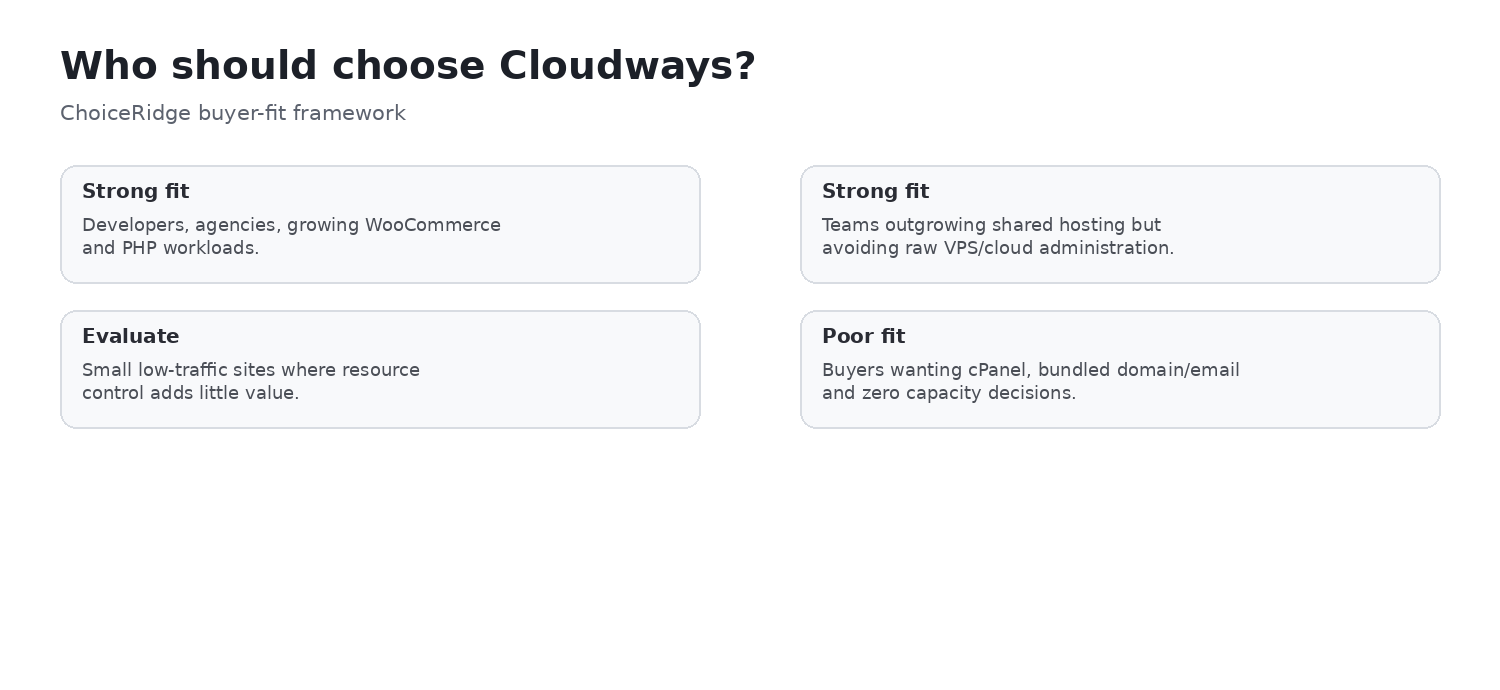
Developers and technical teams Strong fit
You gain provider choice, sizing, monitoring, Git, application settings and scaling without maintaining the base cloud server yourself.
Agencies managing multiple sites Strong fit
Multiple applications, projects, staging, cloning, team controls and monitoring are directly relevant.
Growing WooCommerce sites Potentially strong fit
Defined server resources and scaling are useful when shared-hosting ceilings become a business constraint.
High-concurrency WordPress Evaluate Autonomous
Autonomous is the more natural Cloudways product when autoscaling and high availability are more important than manually choosing server size.
First-time website owners Probably more complexity than necessary
Hostinger or a packaged managed WordPress plan may remove more decisions.
Teams requiring bundled domain/email Poor fit
Cloudways intentionally separates those services.
Teams with no infrastructure owner Evaluate carefully
Managed does not mean zero capacity decisions. Someone should still own sizing, cost, monitoring and scaling.
Pros and cons
What Cloudways does well
- Hourly/post-paid Flexible pricing without traditional renewal shock
- Defined RAM/vCPU/storage/transfer
- Choice of multiple cloud providers and regions
- Multiple applications per server where capacity permits
- Staging, cloning, Git and migration tools
- Detailed application/server monitoring
- Configurable automated and on-demand backups
- Vertical scaling
- Managed stack without raw VPS administration
- Autonomous option for autoscaling WordPress
Where Cloudways is weaker
- More infrastructure decisions than packaged hosting
- Domain and mailbox hosting are separate
- Offsite backups add storage cost on Flexible
- Bandwidth overages vary by provider
- Cloudflare Enterprise is a paid Flexible add-on
- Malware remediation can be an add-on
- Advanced support increases cost
- Multiple applications can contend for finite server resources
- Scaling/downscaling rules differ by provider
Alternatives worth comparing
| Provider | Compare when… |
|---|---|
| Hostinger | You want simpler packaged hosting and lower operational complexity |
| SiteGround | You prefer a tighter managed WordPress workflow without choosing cloud infrastructure |
| Kinsta | You want premium WordPress abstraction with fewer server-sizing decisions |
| Direct DigitalOcean/Vultr/Linode | Your team can administer the cloud server and wants to remove the management premium |
Evidence behind our verdict
| Finding | Primary evidence | Independent context | ChoiceRidge tested? |
|---|---|---|---|
| Flexible pricing/resources | Cloudways official pricing | TechRadar walkthrough | No |
| Autonomous pricing/model | Cloudways official pricing | TechRadar walkthrough | No |
| Application management | Cloudways support/platform docs | TechRadar screenshots | No |
| Backups | Cloudways 2026 backup docs | — | No |
| Monitoring | Cloudways docs | TechRadar screenshot/walkthrough | No |
| Scaling | Cloudways 2026 scaling docs | — | No |
| WordPress usability | Cloudways docs | TechRadar 60-minute test | No |
| Security/support | Cloudways pricing/docs | TechRadar observations | No |
| Buyer recommendation | Evidence synthesis | Multiple sources | Editorial analysis |
How this review was produced
ChoiceRidge reviewed Cloudways’ current pricing, DigitalOcean plan data, Flexible/Autonomous product definitions, backup documentation, scaling documentation, application/Git support documentation, support terms and current 2026 product material. Independent interface/usability observations come from TechRadar’s January 2026 hands-on walkthrough and are explicitly attributed.
What ChoiceRidge verified
- Flexible DigitalOcean entry pricing, hourly rate, resources, transfer, and AI Copilot credits.
- Flexible backup-storage pricing and published provider-specific bandwidth overages.
- Autonomous Growth, Scale, and Plus base prices, included resources, and additional usage rates.
- Current documentation for application management, staging/Git, backups, monitoring, scaling, security, and support.
- The date and context of TechRadar’s January 2026 independent walkthrough.
- The existence of the ChoiceRidge internal pages linked near the end.
This verification is documentation and evidence research, not hands-on account testing.
What ChoiceRidge did not test
- No Cloudways account was purchased specifically for this edition.
- No server was provisioned by ChoiceRidge.
- No uptime/LCP/TTFB benchmark was run by ChoiceRidge.
- No load test was run.
- No scaling event was performed.
- No support ticket/chat was timed.
- No restore drill was performed.
- No identical WordPress workload was tested against competitors.
Why there is no numerical rating
No numerical rating appears because ChoiceRidge has not published a validated quantitative hosting-scoring model. Stars or a 10-point score would imply precision the evidence does not support. No Product rating or AggregateRating is claimed.
Final verdict
Cloudways Flexible is a strong middle ground for teams that have outgrown shared hosting but do not want to manage a raw DigitalOcean, Vultr, Linode, AWS or Google Cloud server. The platform’s value comes from the operating layer — backups, staging, application controls, monitoring, scaling, security and support — not from pretending the cheapest server is a complete all-inclusive hosting package.
Autonomous should be evaluated separately when autoscaling high-concurrency WordPress is the actual requirement. Its $99+ monthly pricing is much higher, but it removes more of the capacity-management problem than Flexible.
ChoiceRidge recommendation: shortlist Cloudways for developers, agencies, growing WooCommerce sites and teams that can own infrastructure decisions. Prefer simpler packaged hosting when the workload is small; prefer a premium WordPress-only platform when you want more abstraction; go directly to an unmanaged cloud provider only when your team can absorb the operational responsibility.
Frequently asked questions
Does Cloudways have renewal pricing?
Flexible uses hourly/post-paid pricing at the selected configuration rather than a classic promotional first term followed by a renewal jump.
How much does Cloudways Flexible cost?
The current entry DigitalOcean configuration is published at $11/month or $0.0357 hourly with 2 GB RAM, 1 vCPU, 50 GB storage and 2 TB transfer. Additional services and usage can increase the bill.
What is the difference between Cloudways Flexible and Autonomous?
Flexible gives more control over provider/server resources; Autonomous is a more hands-off autoscaling WordPress product with higher monthly base pricing.
Does Cloudways include backups?
Flexible includes automated/offsite and on-demand backup functionality, but offsite backup storage is billed separately. Current documentation allows configurable frequency and retention up to four weeks for server-level backups.
Does Cloudways include email?
Traditional mailbox hosting is not bundled as it is with many shared hosts; email is handled separately/add-on.
Is Cloudways good for WooCommerce?
It can be a strong fit when the store needs defined resources, monitoring and scaling and someone on the team can own capacity decisions.
Is Cloudways good for beginners?
It is far easier than managing a raw VPS, but still exposes more infrastructure terminology and decisions than mainstream shared hosting.
Can Cloudways scale down?
It depends on the underlying provider. Current Cloudways documentation states AWS/GCP can scale both up and down, while some Vultr/Linode configurations require cloning/migration to move smaller.
Does Cloudways use cPanel?
No. Cloudways uses its own application and server management layer rather than standard cPanel. It exposes more infrastructure concepts than packaged shared hosting while making them easier to manage than on a raw cloud server.
Is Cloudways self-hosted?
No. Cloudways is a managed cloud platform that operates workloads on supported cloud-provider infrastructure. It is not software that customers install on arbitrary self-managed infrastructure.
Continue comparing
- Hostinger Review
- SiteGround Review
- Kinsta Review
- Hostinger vs Cloudways
- Cloudways vs Kinsta
- Best Web Hosting for Small Businesses
- ChoiceRidge comparison library
- ChoiceRidge Methodology
- Editorial Policy
- How We Review Software
- How We Make Money
Sources
- Cloudways — Pricing and Plans
- Cloudways — Flexible Hosting
- Cloudways — Autonomous Hosting
- Cloudways — Platform Features
- Cloudways — WordPress Hosting
- Cloudways — Managed DigitalOcean Hosting
- Cloudways Help Center — Autonomous Pricing and Billing
- Cloudways Help Center — Server-level Backups
- Cloudways Help Center — Vertical Scaling
- Cloudways Help Center — Git and Webhook Deployment
- Cloudways Help Center — CPU Monitoring
- Cloudways Help Center — RAM Monitoring
- Cloudways Help Center — Disk Monitoring
- TechRadar — Cloudways in 60 Minutes
Sources and pricing were checked August 15, 2026. Recheck configuration, region, usage charges, add-ons, and support terms before purchase.