Pipedream combines managed event infrastructure, prebuilt API actions, connected-account authentication and custom code in a hosted automation platform. It is most compelling when developers want to ship webhooks, schedules, API integrations and event workflows without building receivers, OAuth handling, runtime infrastructure and basic observability from scratch. Production fit still depends on compute credits, memory, workflow segments, retries, queues, governance and software ownership.
Review disclosure: ChoiceRidge reviewed Pipedream’s current pricing, workflow, limits, error-handling, Connect, MCP and security documentation plus public interface evidence on August 15, 2026. We did not operate a production Pipedream workspace for this edition. Public screenshots are attributed and are not ChoiceRidge captures. The Pipedream links are direct, non-tracked official links; ChoiceRidge does not currently earn commission from them.
Quick verdict: developer automation without rebuilding the integration plumbing
Pipedream is a strong fit for developer-led API and event automation, product teams embedding integrations through Connect, and AI agents that need authenticated external tools. It is a weaker fit for purely nontechnical operations, mandatory self-hosting, desktop RPA or buyers who need task-based cost forecasting. Its value is the managed plumbing; its risk is assuming hosted infrastructure removes engineering responsibility.
| Decision field | ChoiceRidge view |
|---|---|
| Best for | Developers, API/event workflows, webhooks, custom code, embedded integrations and authenticated AI tools |
| Core product choice | Workflows for internal automation; Connect for integrations used by external product users |
| Billing unit | Compute credits shaped by duration, memory and executed workflow segments |
| Strongest advantage | Managed triggers, runtimes, actions, authentication and observability |
| Main caution | Production reliability and cost require modeling; Pipedream is hosted only |
| Evidence level | Research-based; no ChoiceRidge production benchmark |
Workflows pricing: credits are not tasks
Pipedream offers a Free plan and paid plans. The live pricing page—not a static article—is the authority for monthly platform fees, included credits, active workflow limits and connected accounts. ChoiceRidge does not publish a fixed monthly price here because those commercial figures must be read in the contracting workspace and can change. Paid Workflows combine a platform fee with included credits; additional credit use can be billed later.
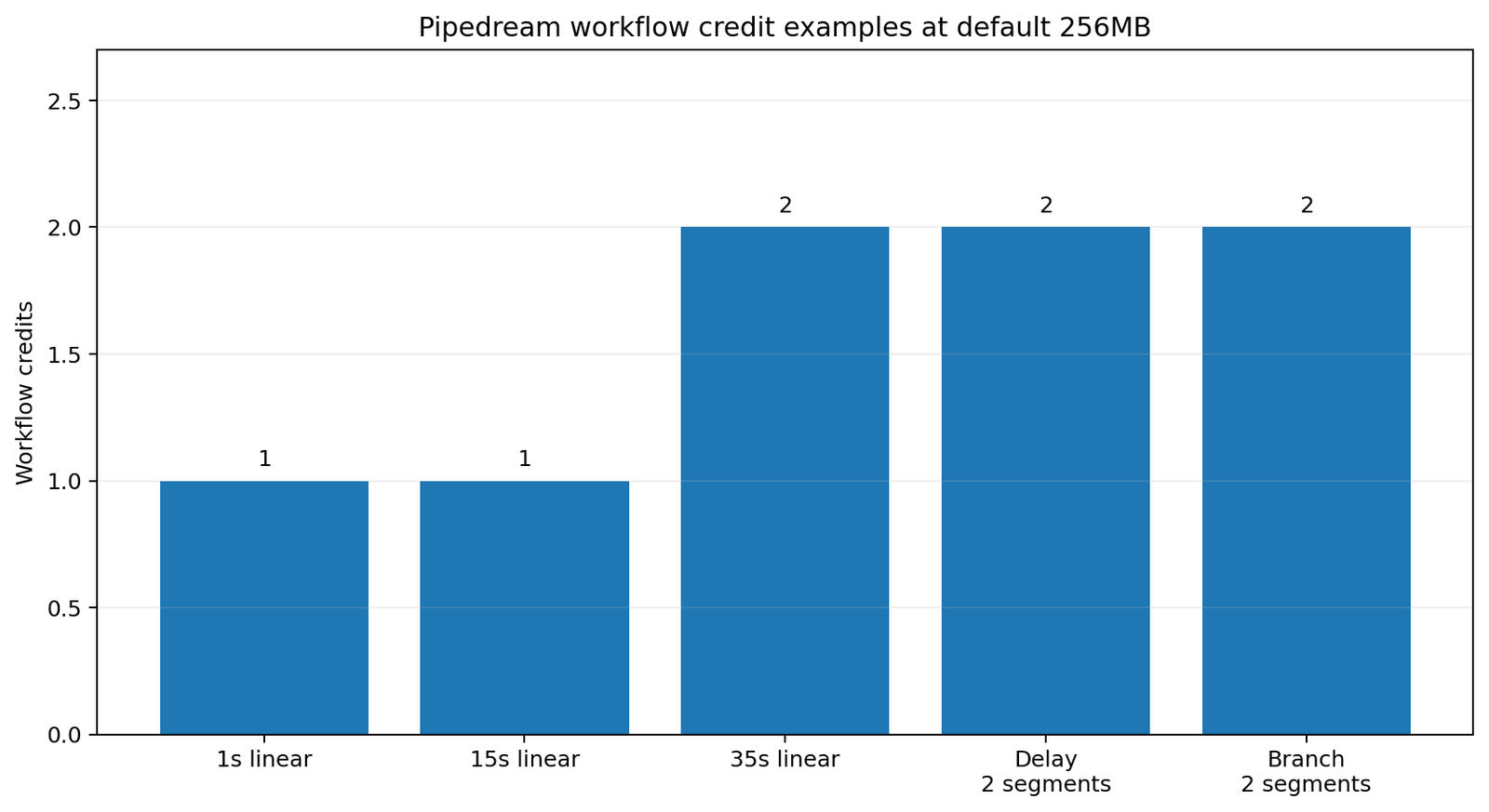
Billing-unit warning: a Pipedream workflow credit is not a Zapier task, Make credit or n8n execution. Pipedream charges one credit per 30 seconds of compute at 256MB per executed workflow segment. Step count alone is not the billing unit, and builder development/test runs do not consume workflow credits.
Memory changes the credit rate
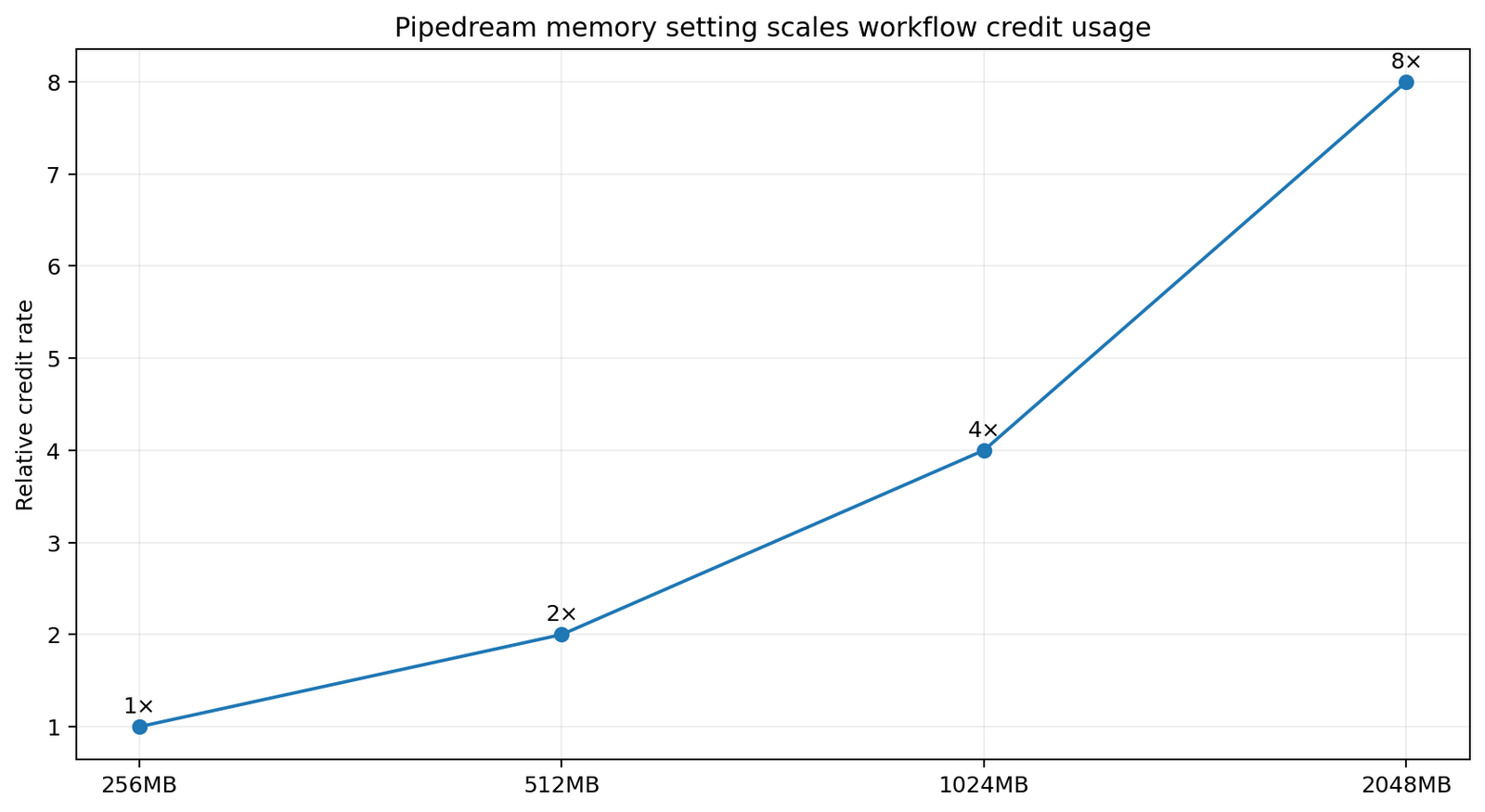
Memory is proportional to credits in 256MB increments. For equivalent compute duration, 512MB uses twice the 256MB rate, 1GB uses four times and 2GB uses eight times. More memory also increases CPU proportionally and can shorten runtime, so the cheapest configuration should be based on measured execution—not memory alone. Dedicated workers can also consume credits.
Workflow segments are the missing cost concept
A linear workflow is generally one segment. Control-flow boundaries such as a delay or an executed branch can create additional segments, and each executed segment is billed independently. Only the path taken in that event matters. A workflow with many visual steps can remain one segment, while a shorter-looking workflow with delays or branches can consume several. Timeouts and memory settings also apply at the relevant execution boundary.
View current Pipedream pricing and compare it with the workspace’s Billing and Usage view before production.
Projects, workflows and the builder

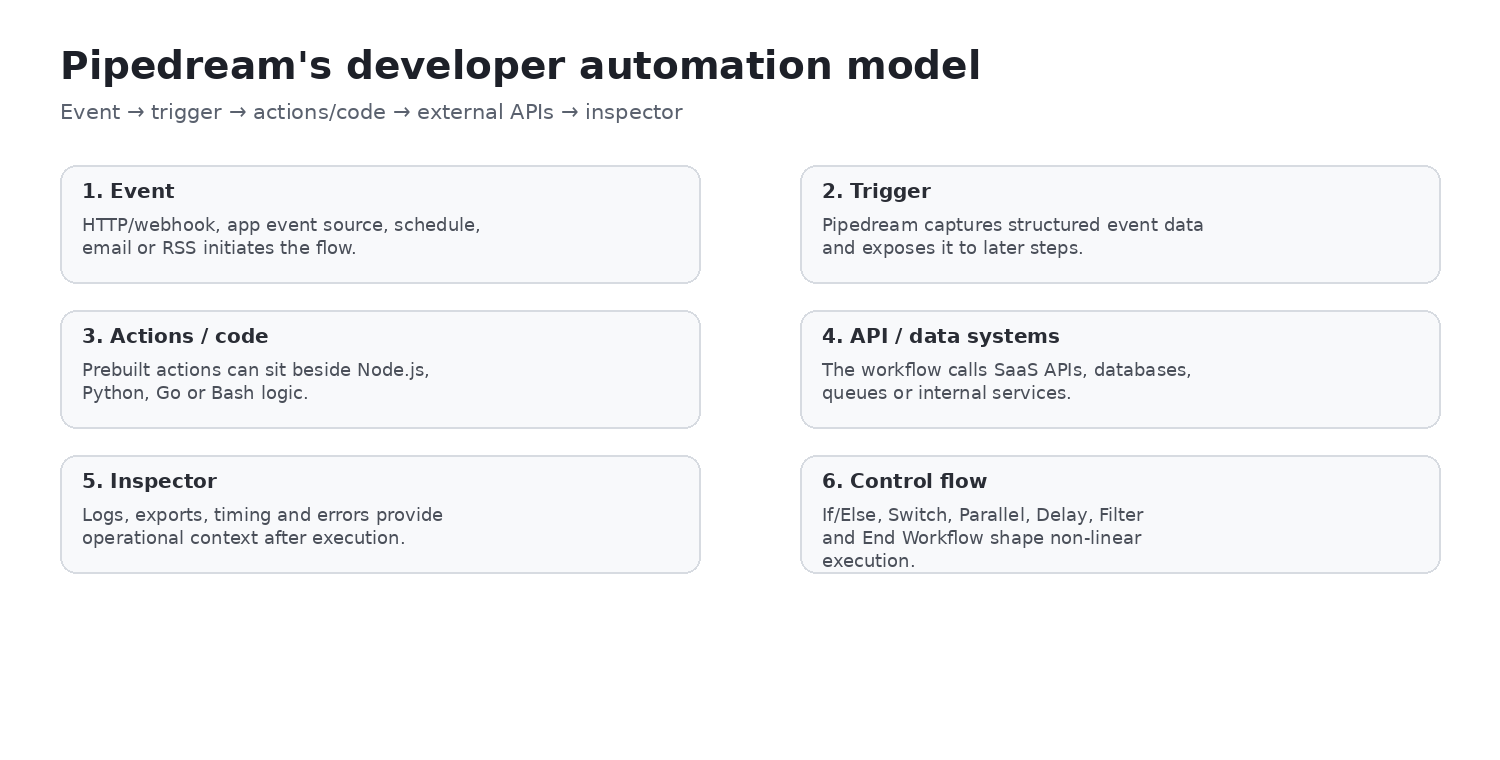
Workflows live in projects and are built from a trigger followed by actions, code and control-flow steps. The hosted builder accelerates iteration, but production workflows still need names, owners, environments, change review, dependency documentation and operational runbooks. A list interface is not a substitute for lifecycle governance.
Triggers, webhooks and event testing
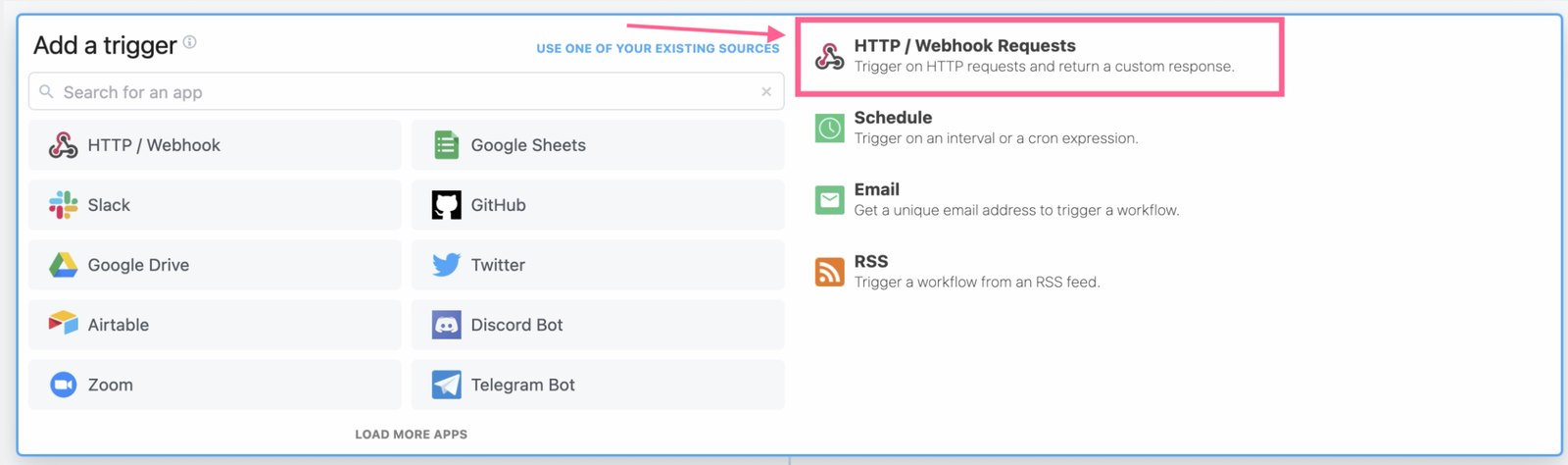
Every workflow begins with a trigger. Current documentation covers app/event sources, native HTTP or webhook endpoints, Schedule, Email and RSS. That event-native model is a differentiator from tools centered mainly on SaaS task recipes: an incoming payload becomes explicit data for code and later actions.
For webhooks, define authentication, signature verification, replay protection, payload limits, acknowledgement behavior and duplicate handling. A successful HTTP response only confirms the endpoint response—not that every downstream side effect completed.
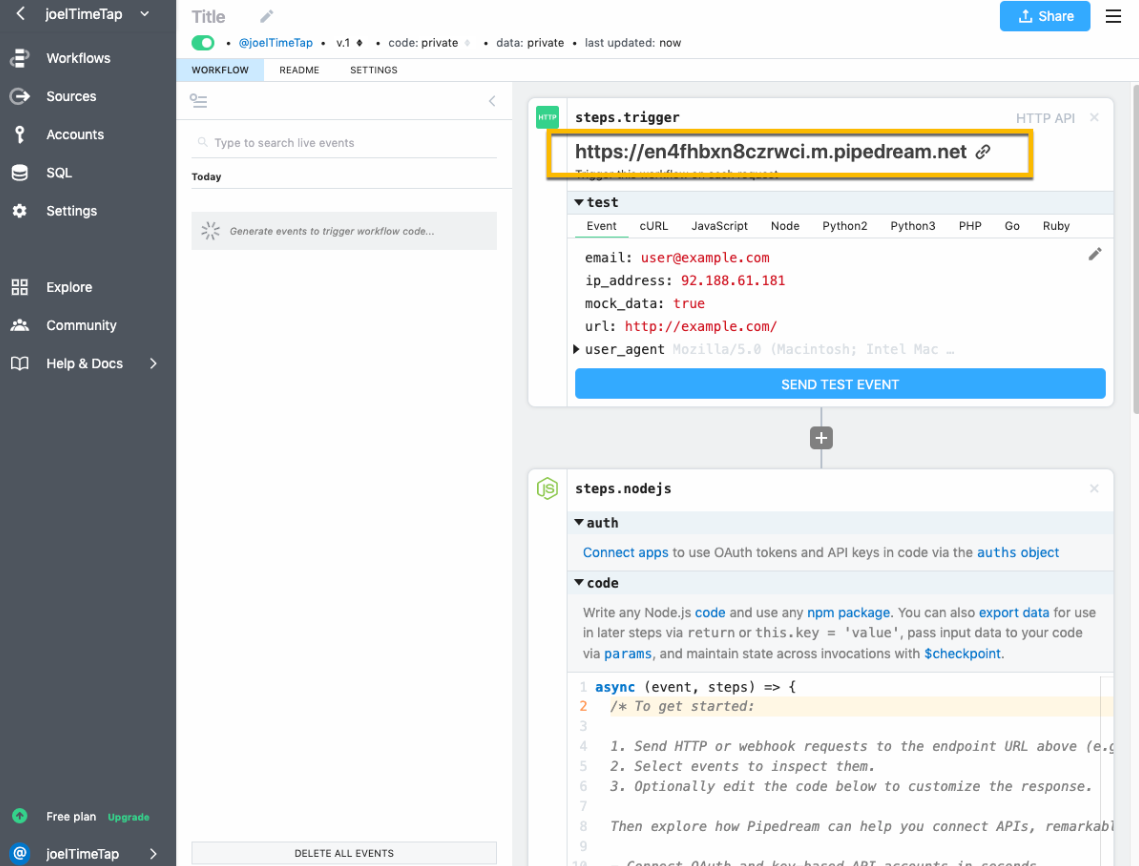
Testing and deployment
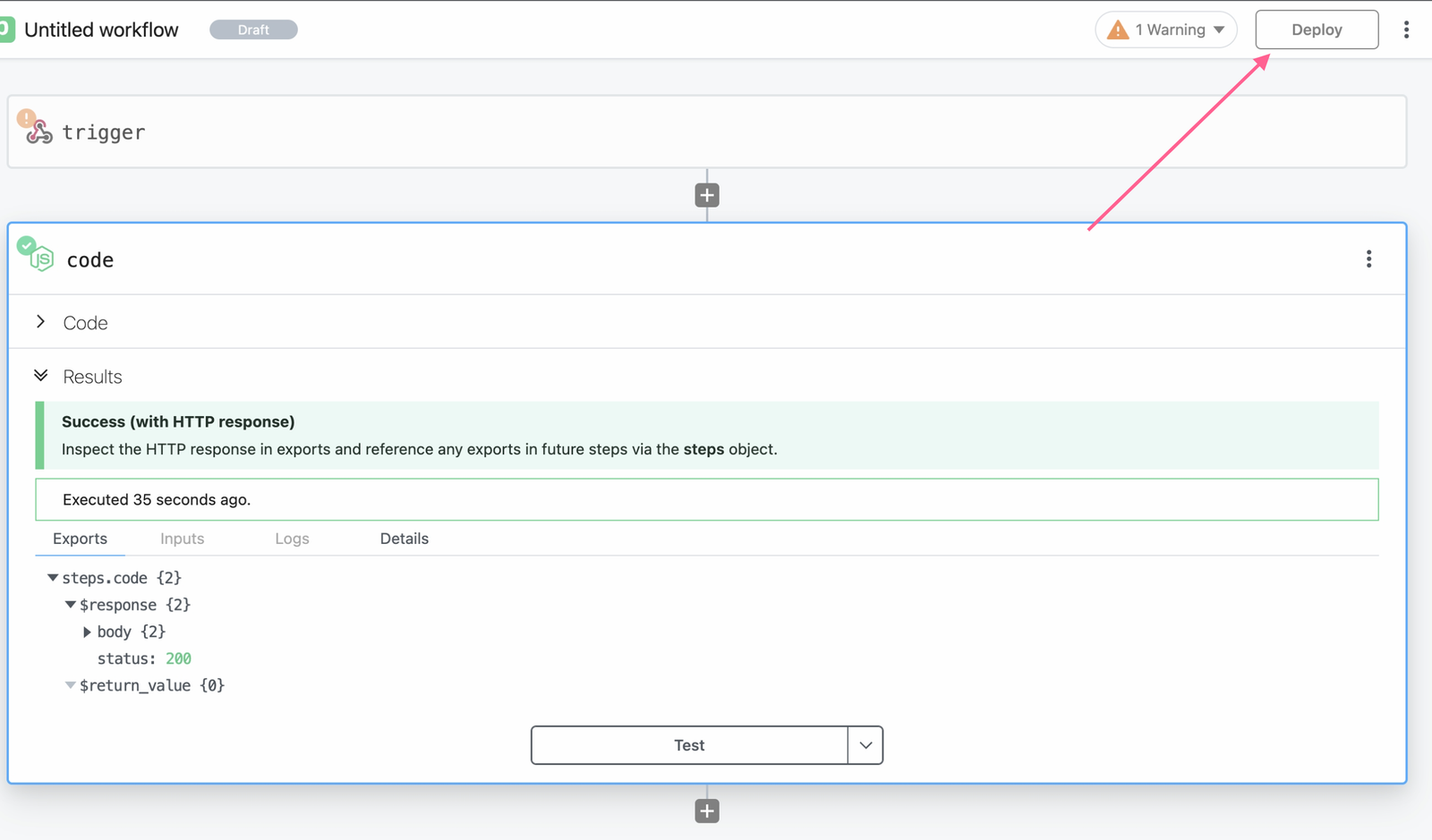
Builder test executions are useful for inspecting representative events and do not consume workflow credits, although Free workspaces have separate test-runtime limits. Deployment activates production behavior. Test fixtures can contain sensitive data, so use safe samples, review retention and confirm environment variables and connected accounts before deploy.
Prebuilt actions plus custom code
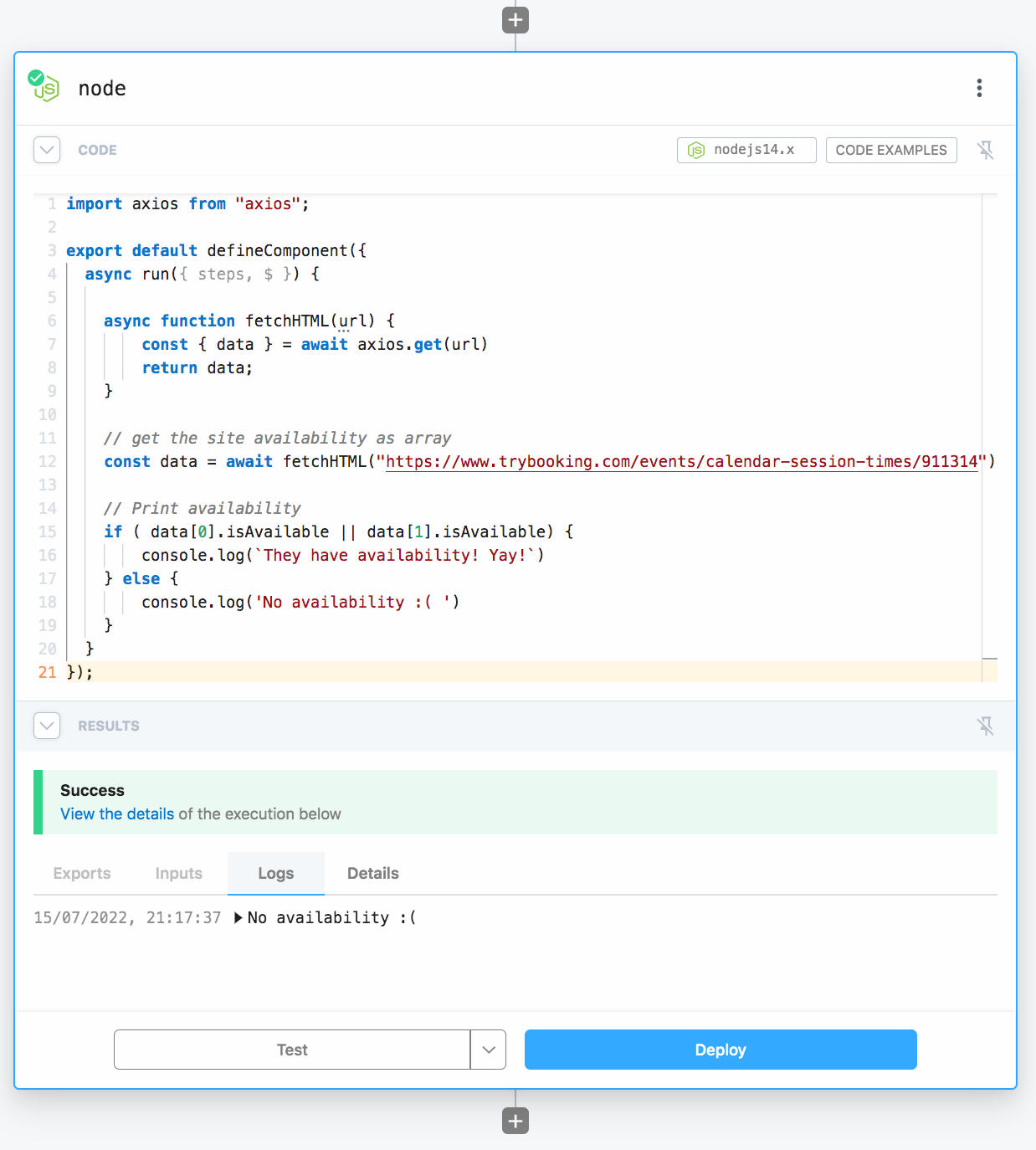
Actions are reusable integration components. Custom steps provide Node.js, Python, Go and Bash as escape hatches, and Node.js can import npm packages. Connected accounts can be referenced from code without embedding long-lived credentials in source. HTTP actions are convenient for straightforward requests; code gives more control over conditionals, pagination, validation, retries and transformations.
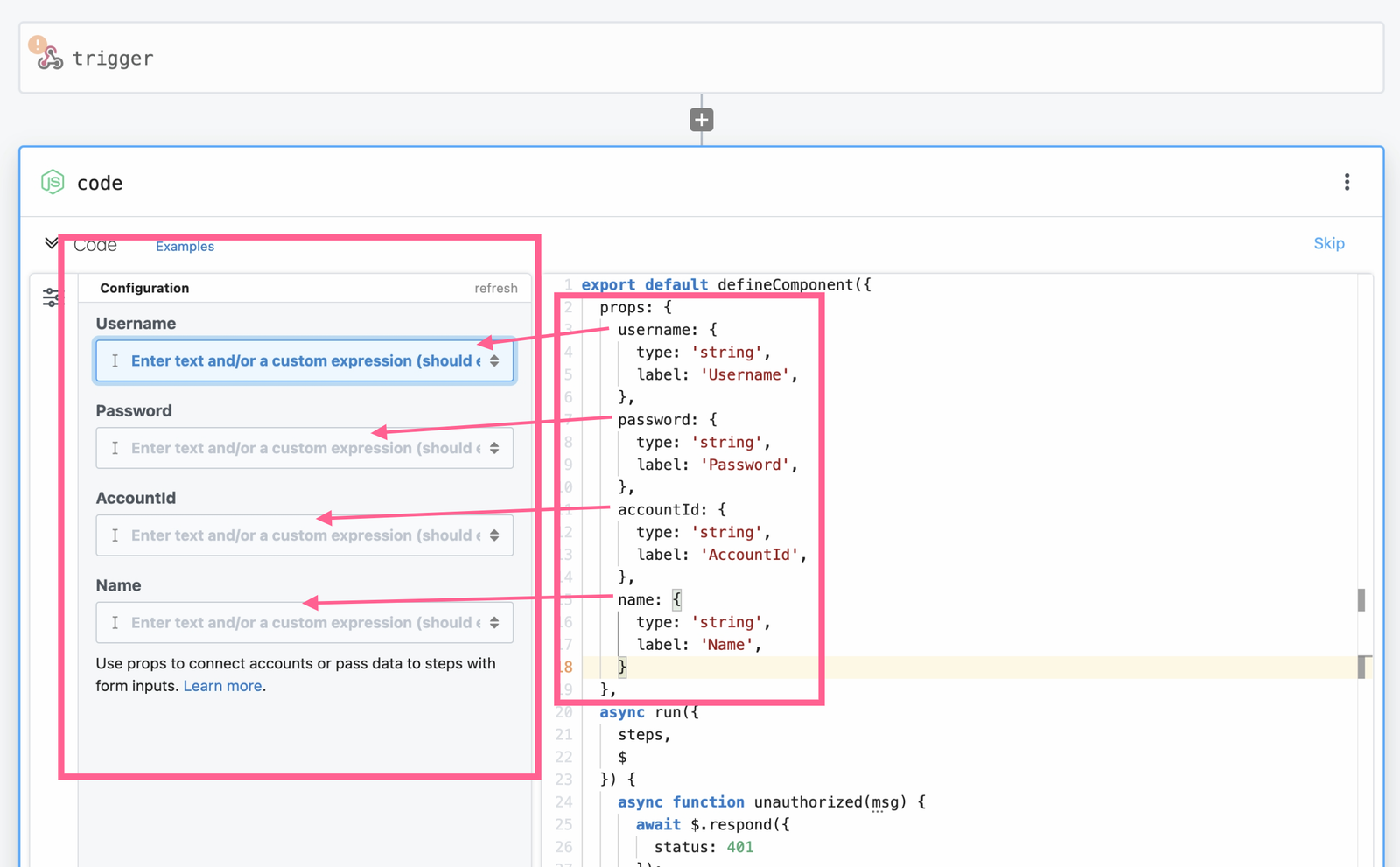
Props expose configuration fields around reusable code. They improve reuse only if the component has stable inputs, validation, documentation and ownership. Substantial custom workflow code is software: it needs tests, error handling, version control, dependency review and a responsible maintainer.
Control flow
Pipedream’s current control-flow surface includes conditional and branching constructs such as If/Else and Switch plus Parallel, Delay, Filter, End Workflow and block-based paths where supported. Branch exports and nested logic need deliberate contracts. Control flow affects both behavior and segment economics: count the executed path, not every possible branch.
Timeouts, memory and payload limits
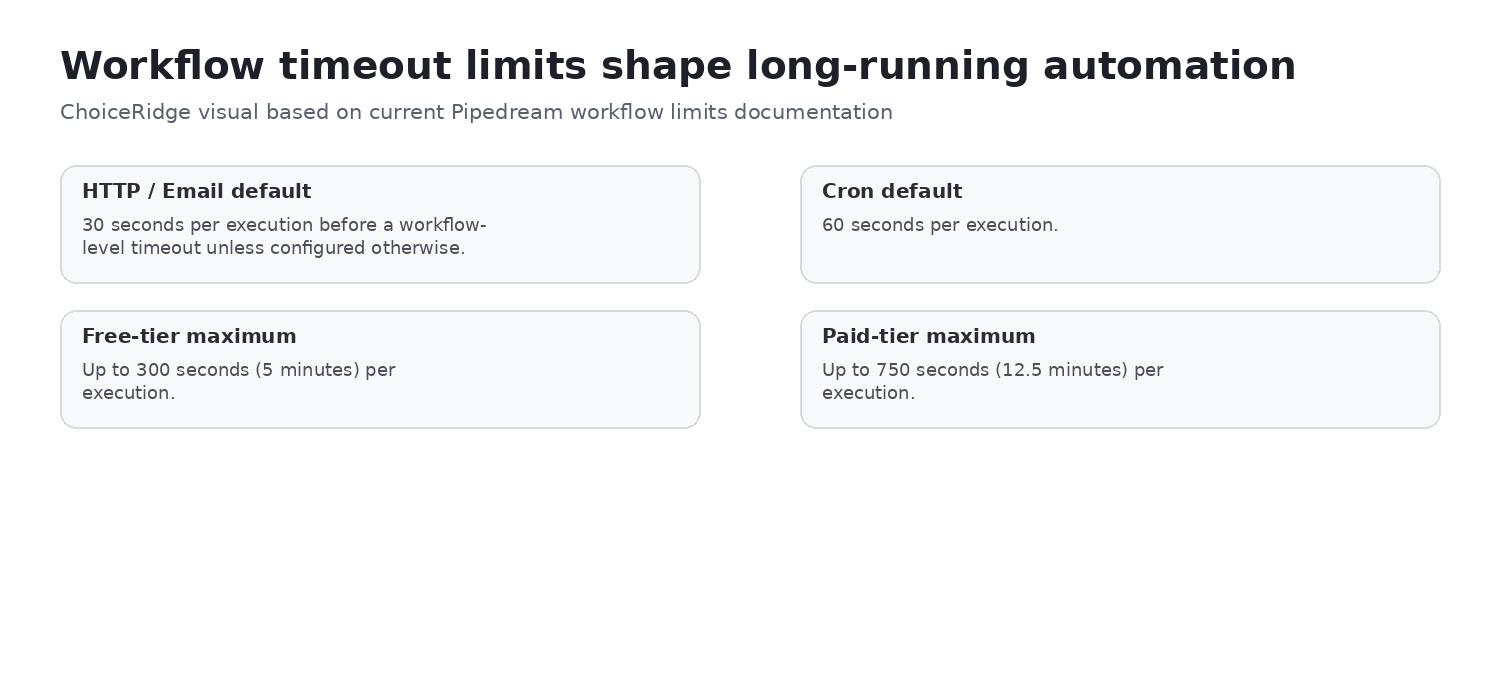
HTTP- and Email-triggered workflows default to 30 seconds per execution; Cron defaults to 60 seconds. Current documented maximums are 300 seconds on Free and 750 seconds on paid tiers. An exceeded workflow limit stops execution with a timeout error. Large files and payloads should usually live in external object storage rather than being copied through multiple step exports and logs.
- Choose memory from observed runtime and OOM behavior; higher memory also raises the credit rate.
- Check HTTP body, disk, history, log and step-export limits for the target workload.
- Keep large binaries outside workflow state and pass references when possible.
- A timeout or OOM is not automatically retried under the documented auto-retry feature.
Errors, logs and recovery
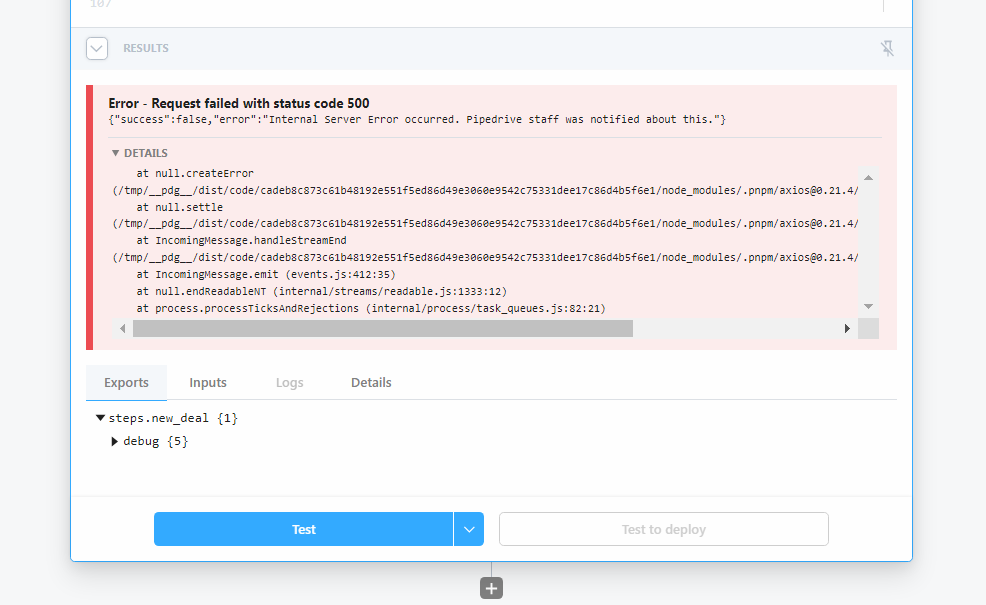
Pipedream distinguishes workflow-environment errors from step errors. The inspector can show event data, step results, stack traces, timing and logs; notifications, custom error workflows, REST retrieval and code-level try/catch provide additional paths. AI debugging assistance may accelerate diagnosis, but every proposed fix still needs human review and a safe test event.
Auto-retry and the idempotency requirement
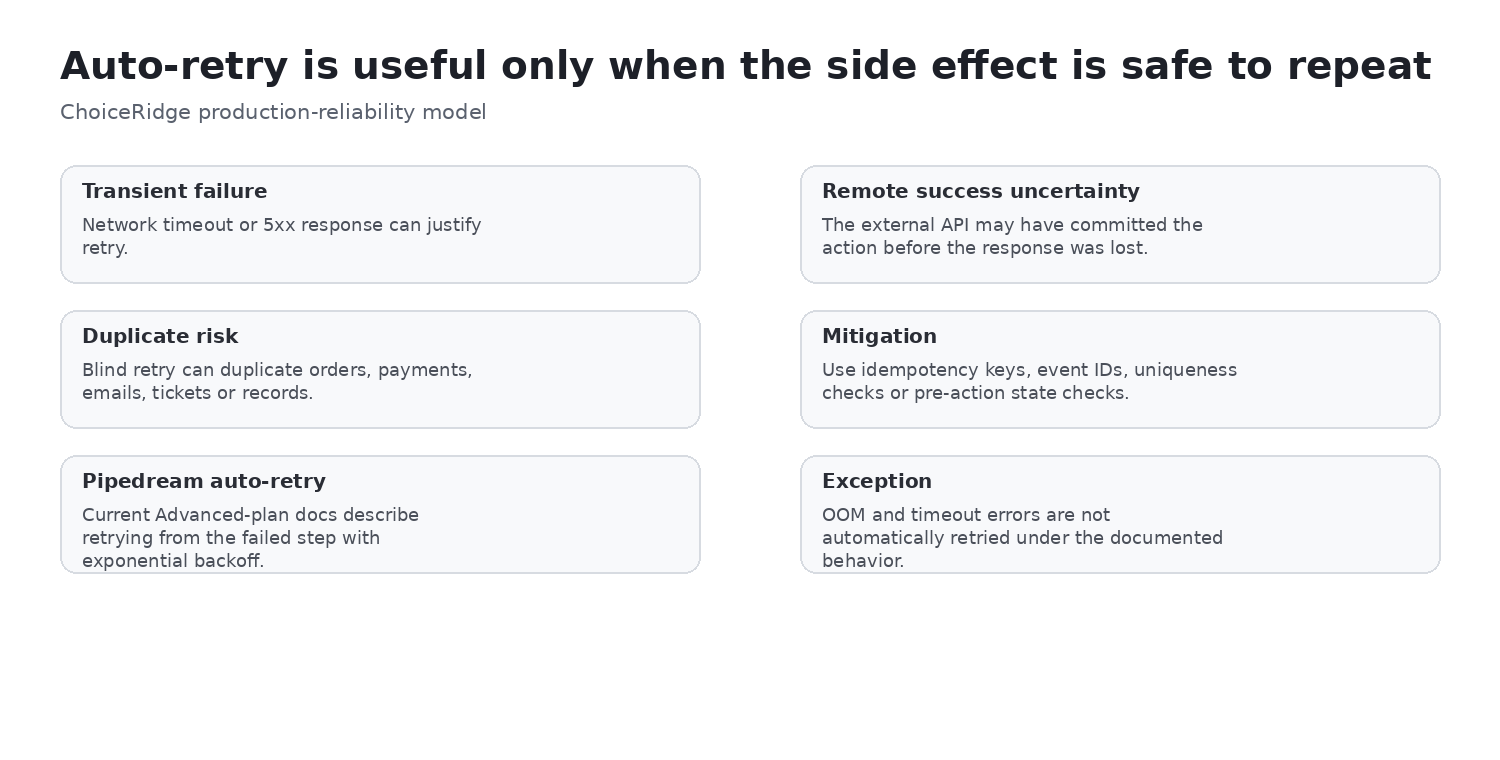
Current documentation assigns auto-retry to the Advanced plan. It restarts at the failed step up to eight times across ten hours with exponential backoff and exposes attempt, error, cancel and rerun context. Timeout and out-of-memory failures are not automatically retried. Plan eligibility and these values were checked August 15, 2026.
A failed response does not prove the remote mutation failed. For payments, refunds, orders, tickets, CRM records, inventory and messages, use an idempotency key or event ID, a state lookup and a unique constraint before repeating a write. Pipedream cannot automatically make an unsafe business action idempotent.
Concurrency, throttling and event queues
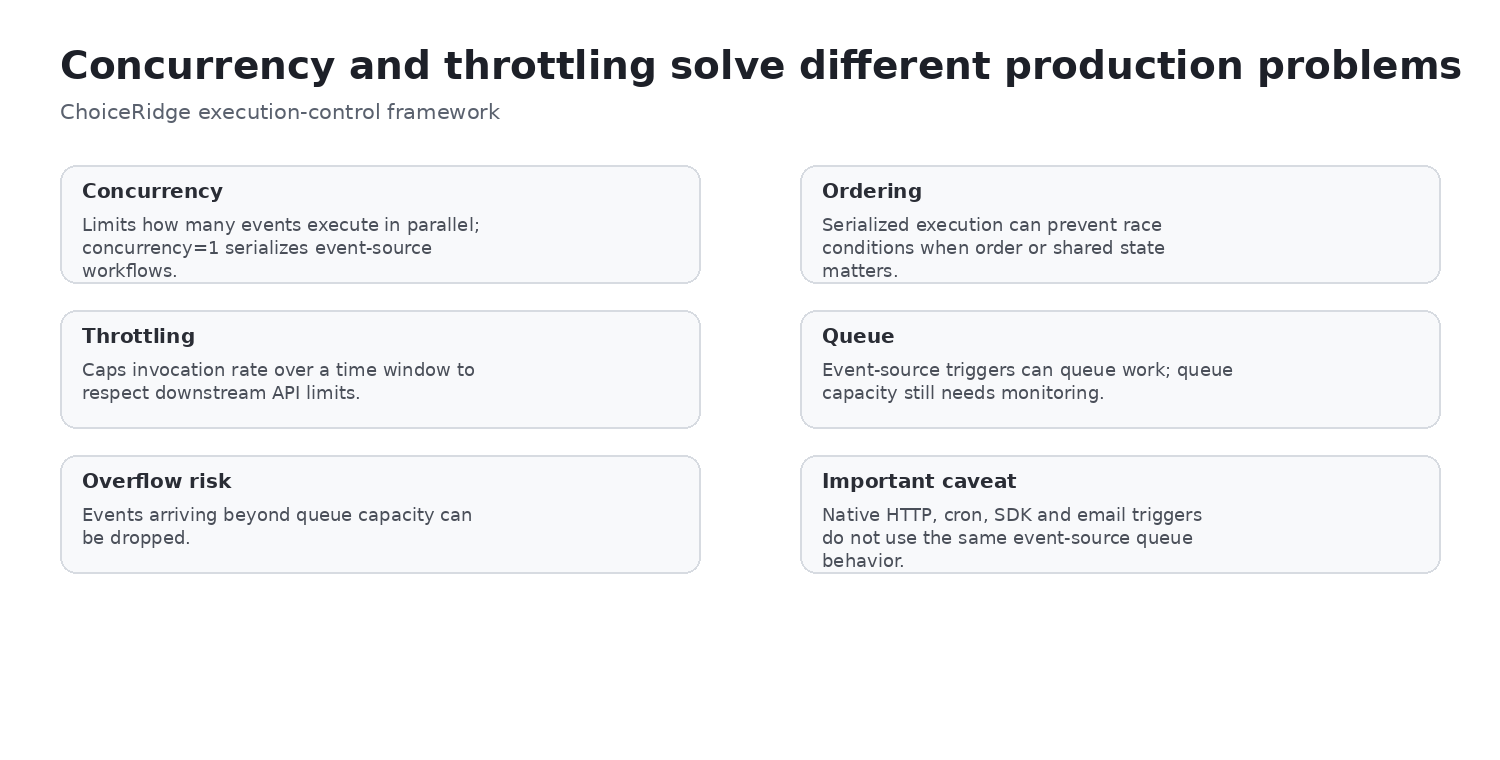
Concurrency controls parallel executions; setting one worker serializes events and reduces some ordering and race risks. Throttling caps invocation rate over a fixed window and helps protect downstream API quotas. When both apply, a new event runs only when both conditions allow it.
Event-source workflows queue according to those settings. Free workspaces currently document up to 100 queued events per workflow, while paid plans can have configurable limits. Overflow can drop events. Crucially, these queues are documented for event-source workflows—not native HTTP, cron, SDK or email triggers—so burst handling must be designed separately for those trigger types.
Delay and long-running workflows
Delay can pause a workflow without continuously consuming compute, then resume later. This suits approvals, wait periods and asynchronous coordination. Resumption introduces another segment and therefore credit implications. Confirm the current maximum delay, state retention and cancellation path, and avoid using delayed workflow state as the only record for a business-critical obligation.
Connected accounts and OAuth
Pipedream manages OAuth and key-based credentials, including refresh-token handling. Newer connections are private by default, and access can be shared or withheld from collaborators. A collaborator without account access can still inspect some workflow structure in read-only contexts. External secrets can be supplied at runtime and custom OAuth clients may be required. Apply least privilege, named ownership, separate development/production accounts and revocation tests.
Workflows vs Connect: different products and economics
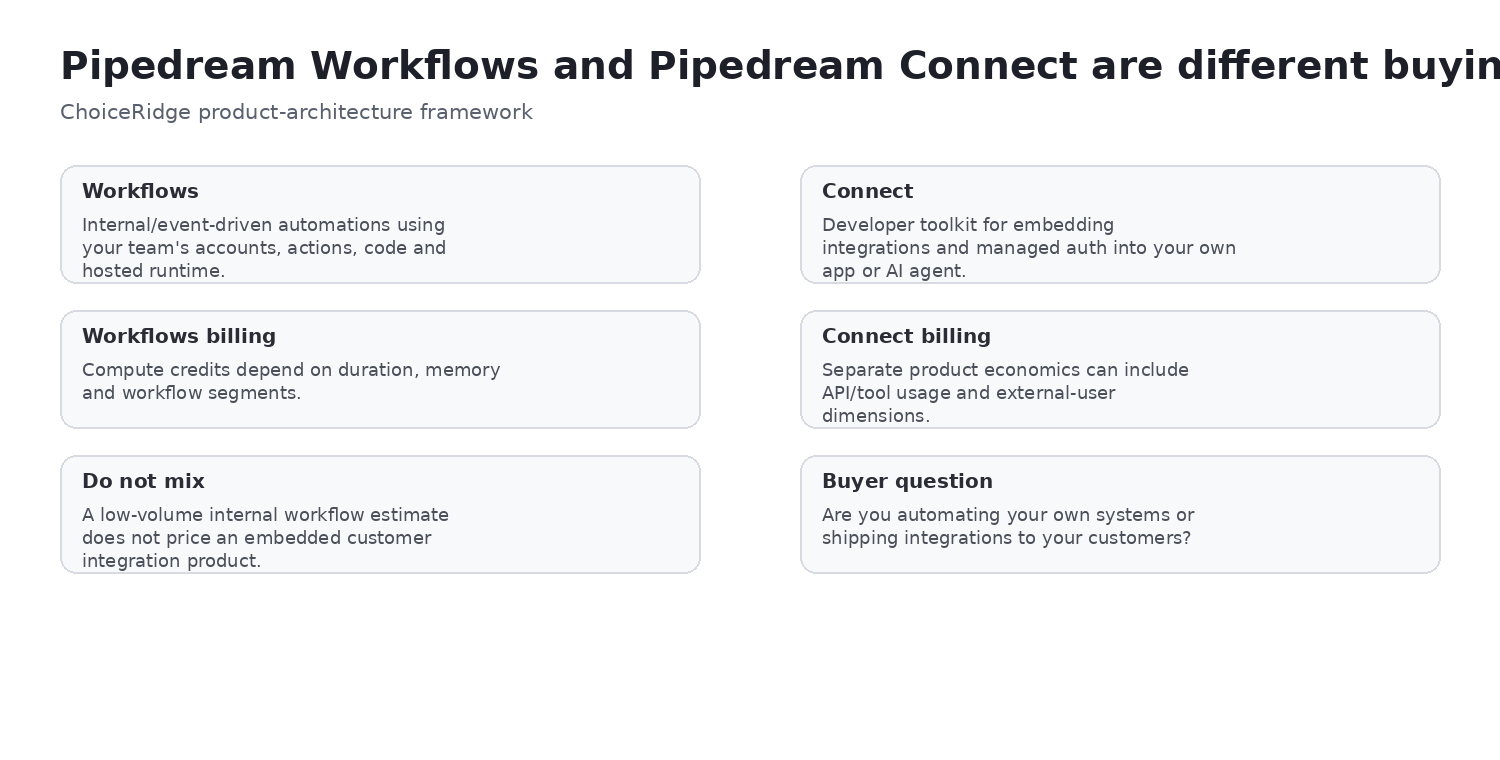
| Product | Primary use | Identity model | Cost drivers |
|---|---|---|---|
| Workflows | Internal developer automation and event workflows | Your organization’s connected accounts | Platform fee, compute credits, memory, segments, dedicated workers |
| Connect | Embedded integrations, managed auth, tools/API proxy and workflows for a product’s users | External user IDs and end-user accounts | Production plan, API/tool credits, unique external users and implementation |
Connect end-user workflows
Connect workflows can run for an external user using an external user ID, environment context, HTTP triggering and end-user authentication. Current constraints include production-plan requirements, custom OAuth clients for end-user OAuth apps, one external user’s authentication per execution and limits around multiple accounts. Pass the external user ID in the triggering event and test tenant isolation, revocation and support behavior before launch.
MCP and AI agents
Pipedream currently promotes hosted MCP access to 10,000+ tools across thousands of apps and APIs, with managed authentication for frameworks and clients such as ChatGPT, Claude, Cursor and custom agents. Credentials are stored and used by Pipedream rather than exposed to the model or client code, and access is revocable. Those controls reduce—but do not remove—the agent’s ability to cause real-world side effects.
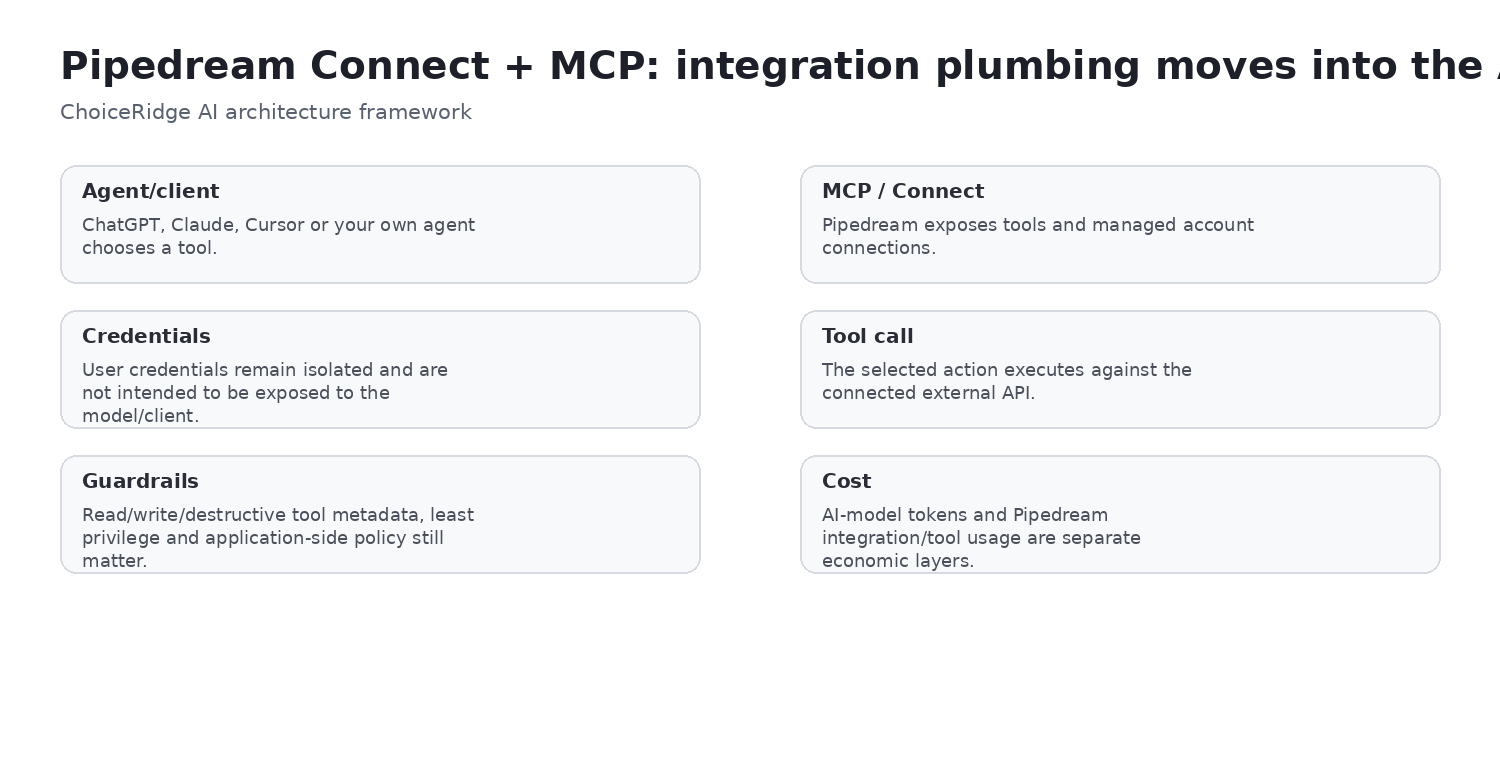
- Allowlist only required tools and separate read from write or destructive capability.
- Use least-privilege accounts and explicit approval for high-impact actions.
- Log tool selection, arguments, external response and business outcome where lawful.
- Treat model/token spend and third-party API charges as separate from Pipedream integration cost.
Build with AI and String
Pipedream documents AI-assisted workflow creation, editing and debugging through String.com. Coverage is not universal: control flow, GitHub Sync, Python, Connect, multiple triggers or other advanced structures can have limitations. Use the assistant to accelerate drafts, then review code, permissions, secrets, data retention and deployment changes as normal software.
GitHub Sync and change control
GitHub Sync provides a project-level path for development branches, diffs, commits, pull requests, merges and local editing on eligible plans. That matters because production workflow changes are deployments. Define reviewers, environment promotion, rollback, secret handling and ownership; a connected repository is useful only when the team follows its change process.
Security and governance
Pipedream’s current provider material describes encryption in transit and at rest, SOC 2 Type II, GDPR support, HIPAA-related positioning, connected-account controls and enterprise networking or VPC options. Connect API/MCP documentation also describes request and response handling designed to avoid persisting those bodies for applicable calls. These are vendor statements—not an automatic compliance conclusion. Request current reports, data-flow details, retention, subprocessors and contractual scope.
Total cost: Workflows
Model plan fee + compute credits + runtime + memory + executed segments + dedicated workers + external APIs + databases + model tokens + engineering ownership. Include observability, on-call response, retries, storage and change management. Headline plan price alone cannot compare Pipedream fairly with task-, operation- or execution-priced competitors.
Total cost: Connect
Connect has a separate model: production plan, action/tool/API usage, unique external users, third-party API charges, custom OAuth-client ownership, AI model cost and implementation/support. The Free workspace gives development access, while production requires an eligible paid plan. Model the user and integration architecture, not only a per-call rate.
Who should choose Pipedream?
| Buyer situation | Fit | Reason |
|---|---|---|
| Developer-led API, webhook or event automation | Strong fit | Hosted triggers, code, actions and auth reduce integration plumbing. |
| SaaS embedded integrations or AI tools | Strong fit | Connect and MCP address end-user auth and external APIs. |
| High-memory, long-running or bursty workloads | Evaluate carefully | Credits, timeouts, segments and queue behavior need measurement. |
| Strict ordering or shared-state mutation | Evaluate carefully | Concurrency, idempotency and external state design are required. |
| Purely nontechnical operations ownership | Weak fit | Developer concepts and compute economics increase the learning curve. |
| Mandatory self-hosting or desktop RPA | Poor fit | Pipedream is hosted and is not a desktop RPA platform. |
Pros and cons
| Pros | Cons |
|---|---|
| Hosted event and workflow infrastructure | Compute economics require runtime, memory and segment modeling |
| Prebuilt actions plus Node.js, Python, Go and Bash | Hosted only; no self-hosted deployment path |
| Managed auth and connected-account controls | Advanced reliability and governance features can be plan-dependent |
| Development inspector, logs and error workflows | Event queues exclude native HTTP, cron, SDK and email triggers |
| Connect and MCP for embedded integrations and AI agents | Workflows and Connect add product and pricing complexity |
| Billing is not step-count based | Less approachable for purely nontechnical users |
Alternatives worth comparing
- Make when visual scenario design and operations-team accessibility matter more than code-first development.
- n8n when intentional self-hosting or deployment control is required and the team can own operations.
- Zapier when mainstream SaaS coverage and nontechnical adoption dominate.
- Microsoft Power Automate when Microsoft governance, Dataverse or desktop RPA is central.
Final verdict
Pipedream is a developer automation platform, not a universal no-code replacement. It earns consideration when managed APIs, events, code, authentication and observability save more engineering time than the platform, usage and governance cost. Prototype safely, then measure production runtime, memory, segments, queues, retry side effects and Connect user economics before committing.
Evidence map
| Finding | Primary evidence | Public interface context | ChoiceRidge tested? |
|---|---|---|---|
| Credit, memory and segments | Pipedream pricing and FAQ | ChoiceRidge diagrams | No |
| Triggers and test/deploy | Pipedream workflow docs | ActiveCampaign and TimeTap tutorials | No |
| Actions and code | Pipedream workflow/action docs | Public developer walkthroughs | No |
| Limits, errors and retry | Pipedream limits/settings/errors docs | Public error screenshot | No |
| Concurrency and throttling | Pipedream execution-control docs | ChoiceRidge diagram | No |
| Connected accounts, Connect and MCP | Pipedream official docs | ChoiceRidge product/trust diagrams | No |
| Security and governance | Pipedream privacy/security material | — | No |
| Buyer recommendation | ChoiceRidge analysis of documented evidence | — | No |
What ChoiceRidge verified
ChoiceRidge verified the current compute-credit rule, proportional memory relationship, segment logic, timeout defaults and maximums, Advanced auto-retry documentation, concurrency/throttling behavior, Free event-source queue limit and trigger exclusions, connected-account model, Workflows/Connect distinction, production Connect requirement, MCP 10,000+ tool positioning and current security claims. Verification means documentation and attributed public evidence were checked; it does not mean ChoiceRidge ran production workflows.
What ChoiceRidge did not test
- No paid production workspace was purchased specifically for this review.
- No throughput, latency, queue-overflow, timeout or memory benchmark was run.
- No support-response timing or real production retry incident was tested.
- No Connect customer-auth production deployment, MCP security test or VPC deployment was performed.
- No business outcome, error rate or cost forecast is guaranteed.
Why there is no numerical rating
ChoiceRidge has not published a validated quantitative automation-platform scoring model that normalizes different billing units and architecture choices. This review uses buyer-fit labels and explicit evidence limits instead of stars, a 10-point score or AggregateRating.
Frequently asked questions
Is Pipedream free?
Yes. The Free plan supports low-volume workflows and Connect development with daily credit, active-workflow, connected-account and testing limits. Check the current workspace quota before production.
How does Pipedream charge for workflows?
One credit covers up to 30 seconds of compute at 256MB per executed workflow segment. Memory, duration, segments and dedicated workers can increase usage; step count alone does not.
What is a workflow segment?
A separately metered portion of execution. Linear work is typically one segment, while delays and executed control-flow branches can create additional segments.
Does step count matter for billing?
Not directly. A workflow is not charged one credit per visual step, but steps can increase runtime or create control-flow behavior that changes segment use.
Does memory increase credits?
Yes. Credits scale proportionally in 256MB increments; 1GB is four times the 256MB rate for equivalent compute duration.
Does Pipedream support Python?
Yes. Current documentation lists Python, Node.js, Go and Bash code steps. Feature depth can differ by runtime.
Does Pipedream retry failed workflows?
Advanced-plan auto-retry currently retries from the failed step up to eight times over ten hours. Timeout and OOM errors are excluded; side effects still need idempotency.
What is the difference between Workflows and Connect?
Workflows automates internal processes with an organization’s accounts. Connect embeds managed auth, tools and integrations for external product users. Pricing and identity models differ.
Can Pipedream be self-hosted?
No. Pipedream is a hosted platform. Buyers requiring self-hosting should compare n8n or another deployable system.
Is Pipedream good for AI agents?
It can be, especially through Connect and MCP, but teams must constrain tools, permissions, approvals and side effects and budget model/API cost separately.
Does Pipedream support GitHub Sync?
Yes on eligible plans. It supports project-level source-control workflows; confirm current eligibility and limitations before standardizing change management.
Is Pipedream good for nontechnical teams?
Usually not as the first recommendation. Its strongest value appears when someone can own APIs, code, event data, runtime economics and production operations.
Continue comparing
Explore the automation software library, use the Automation Tool Selector, or read Best Workflow Automation Software, Best Automation Software for Technical Teams and Best Automation Software for Ecommerce. Review the Methodology, Editorial Policy and How We Make Money.
Sources
- Pipedream — Plans and Pricing
- Pipedream — Pricing FAQ
- Pipedream — Workflows
- Pipedream — Workflow Quickstart
- Pipedream — Workflow Limits
- Pipedream — Handling Errors
- Pipedream — Workflow Settings
- Pipedream — Concurrency and Throttling
- Pipedream — Control Flow
- Pipedream — Connected Accounts
- Pipedream — Connect
- Pipedream — Connect Workflows
- Pipedream — MCP
- Pipedream — Privacy and Security
- Pipedream — Build with AI
- ActiveCampaign developer tutorial — interface context
- TimeTap webhook tutorial — interface context
- Jess Budd developer walkthrough — interface context
- Pipedrive developer community — error interface context